
Mavic 4 Pro Field Report: Filming Urban Highways
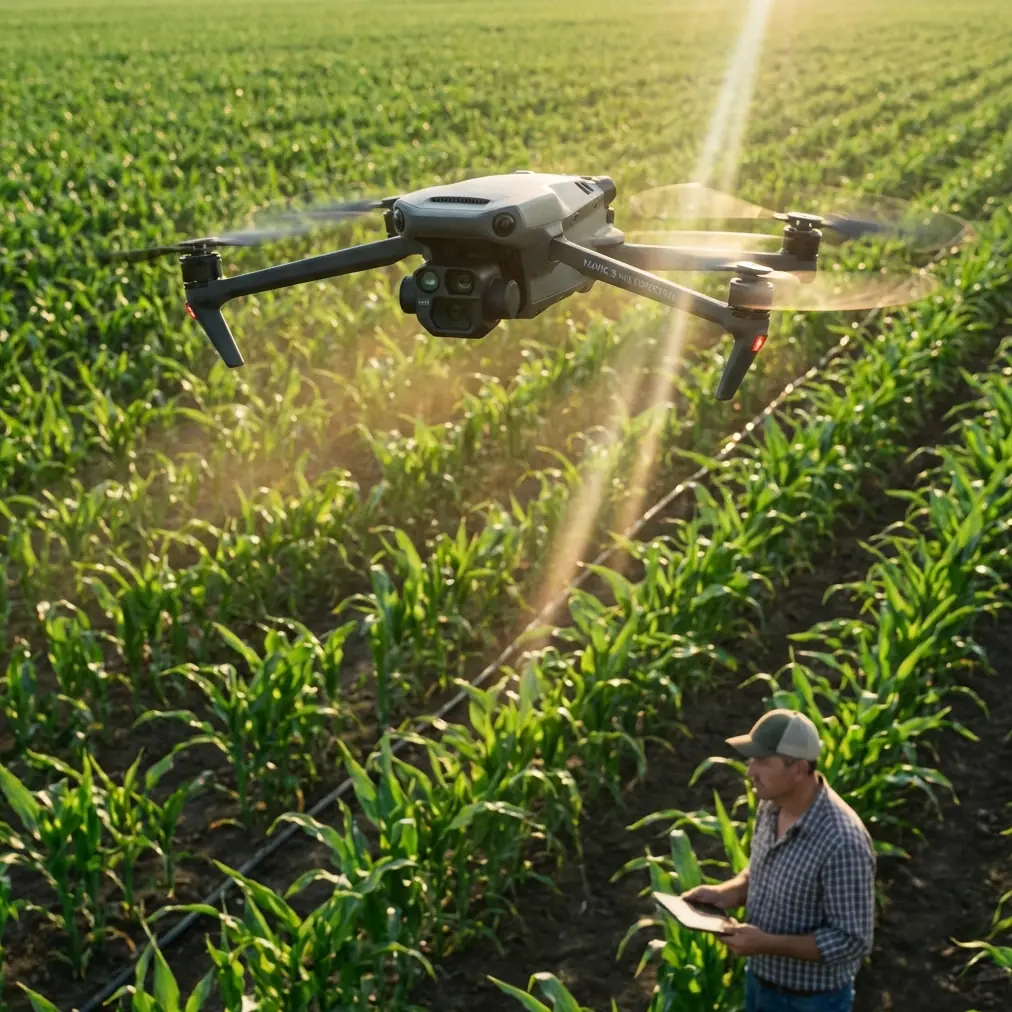
Mavic 4 Pro Field Report: Filming Urban Highways With Faster Drone Data Turnaround
META: A field-tested Mavic 4 Pro filming guide for urban highway work, covering antenna positioning, obstacle awareness, tracking choices, D-Log capture, and why single-camera 3D modeling workflows matter after the flight.
Urban highway filming looks simple from a distance. Cars flow in lines. Bridges create structure. The route is obvious. In practice, this is one of the more demanding civilian drone jobs you can take on with a compact platform like the Mavic 4 Pro.
You are dealing with layered airspace, reflective surfaces, overpasses, signage, unpredictable wind tunneling between buildings, and constant motion below. Add in the pressure to deliver not just clean footage, but usable project data afterward, and the job becomes less about flying a camera and more about building a disciplined workflow.
That is where the Mavic 4 Pro becomes interesting. Not because it is just a better image platform, but because it sits at the center of two different needs that often collide on urban assignments: cinematic capture and fast post-flight processing.
I’ve been thinking about that second part more lately, especially after reviewing a Chinese solution document from Zhongwei Kongjian Technology in Shenzhen on Pixel-Mosaic, a “rapid drone data processing solution.” One case highlighted in the material stood out: single-lens drone image 3D modeling. That phrase matters. A lot.
For anyone filming highways in a dense city environment, a single sortie can generate material with value far beyond the final edit. If the imagery is shot with discipline, the same mission can support visual inspection, corridor context review, planning discussions, and lightweight 3D reconstruction. You are no longer flying only for the timeline. You are also flying for downstream interpretation.
Why urban highway filming demands more than pretty footage
Highway work in cities has a habit of exposing weak habits fast.
A pilot who is fine over open farmland can suddenly struggle when the route runs between elevated roads and glass-faced buildings. Signal quality changes. GPS conditions can vary. The visual scene becomes cluttered. Subject isolation gets harder because every frame contains multiple moving elements.
The Mavic 4 Pro’s value here is not just in headline features people like to mention, such as obstacle avoidance or ActiveTrack. Those tools matter only if you understand when to trust them and when to go manual.
For example, obstacle sensing can help during lateral repositioning near gantries or when backing out from a constrained vantage point. But on urban highway shoots, it should be treated as a support layer, not a substitute for route planning. Signage arms, suspended cables, edge geometry under overpasses, and sudden vertical structures can create complex scenes where you need your own spatial judgment first.
The same goes for subject tracking. If your assignment is following a designated vehicle through a corridor, ActiveTrack can reduce workload and smooth framing transitions. But if traffic density is high, the drone may be presented with too many similar targets at once. In those situations, I often think of tracking as a setup aid rather than a set-and-forget mode.
That distinction is operationally important. On highway jobs, the best footage usually comes from a pilot who uses automation to stabilize repetition, then steps in manually the moment the urban environment becomes visually ambiguous.
The antenna detail that affects more shots than people realize
Let’s get to the practical field point that saves more takes than any menu setting: antenna positioning.
When filming highways in urban areas, many pilots focus on flight path and forget the radio link geometry. Then they wonder why image transmission quality degrades exactly when the drone reaches the most useful viewpoint down the corridor.
Here’s the habit I teach: keep the flat faces of the controller antennas oriented toward the aircraft, not the tips pointed at it. If you are tracking a drone as it moves along a highway axis, your body and controller should rotate with the aircraft’s path so the strongest signal plane stays aligned.
This matters even more in cities because you are not operating in a clean RF environment. Buildings reflect signal. Traffic infrastructure adds clutter. If you allow the aircraft to slide off-axis while your antennas stay fixed, range and link stability can deteriorate earlier than expected.
Operationally, that changes everything. Instead of reacting to transmission weakness mid-shot, you preserve a more consistent feed and reduce the temptation to climb unnecessarily just to restore confidence. A controlled antenna posture also helps keep your framing decisions deliberate. You are less likely to break a useful tracking run because you are distracted by signal anxiety.
If your route bends around an interchange or elevated ramp, reposition yourself early. Don’t wait until the aircraft is already masked by structures. Urban highway filming rewards anticipatory ground movement almost as much as aerial skill.
Capture for motion, but think ahead to modeling
This is where the Pixel-Mosaic reference becomes genuinely useful rather than merely technical.
The document points to a rapid processing solution and specifically showcases 3D modeling from single-camera drone imagery. Even with the source text partially corrupted, that core idea comes through clearly. For Mavic 4 Pro operators, it suggests a practical mindset: your standard visual payload can contribute to spatial reconstruction if you capture with enough consistency.
That has real significance on highway projects.
Let’s say your main assignment is filming an urban corridor for progress documentation, stakeholder communications, or route presentation. If you also shoot overlapping passes with stable exposure and disciplined angles, the same imagery may support a basic 3D environment model afterward. You may not need a specialized sensor to extract added value from the mission.
The keyword there is discipline.
Single-lens modeling workflows are unforgiving of sloppy capture. Sudden yaw changes, aggressive speed variation, inconsistent altitude, and heavy motion blur all reduce the usefulness of the dataset. The Mavic 4 Pro can absolutely gather footage that looks dramatic, but if part of your mission has post-flight reconstruction value, you need to divide the flight mentally into two modes:
- Cinematic mode for hero shots, reveals, low-angle motion, Hyperlapse sequences, and tracked traffic movement.
- Structured acquisition mode for orderly overlapping image collection that feeds a processing pipeline efficiently.
That second mode is where the Shenzhen solution document becomes relevant. “Rapid processing” is not just software convenience. It starts with what the pilot captures in the field. If your files are coherent, the downstream team can move faster. If your files are chaotic, no processing solution saves you.
A practical highway flight pattern for the Mavic 4 Pro
On a typical urban highway assignment, I prefer to break the mission into segments rather than trying to capture everything in one continuous dramatic flight.
Segment 1: Corridor overview
Start high enough to establish road geometry, bridge stacking, adjacent buildings, and traffic flow. This is where D-Log is especially useful. Highway scenes often hold bright sky, reflective roofs, shadowed underpasses, and dark asphalt in the same frame. A flatter capture profile preserves grading flexibility and helps recover tonal balance later.
Segment 2: Directional tracking
Use ActiveTrack only if the target can remain distinct from neighboring vehicles. If traffic is dense, manual tracking with a preplanned lateral offset usually delivers cleaner control. The goal is smooth vector consistency, not just subject lock.
Segment 3: Structural relationship shots
Bridges, ramps, merge points, and urban chokepoints tell the story of the route. Fly slower. Let obstacle avoidance support you as you reposition, but keep your visual line and clearance judgment primary.
Segment 4: Structured image collection
This is the part many creatives skip. Don’t. If there is any chance the footage will be used for planning, review, or spatial context, run a measured pass designed for overlap and consistency. That is the kind of material that aligns with the Pixel-Mosaic concept of faster drone data handling and single-lens 3D modeling.
The significance is straightforward: one field session can serve both storytelling and technical interpretation. That is efficient for the crew, efficient for the client, and often more useful for everyone involved.
QuickShots and Hyperlapse: where they help, and where they don’t
QuickShots can be useful on urban highway jobs, but only in carefully selected pockets of airspace. If you have an isolated overpass, a clean median geometry, or a strong architectural anchor near the roadway, an automated move can create a polished establishing shot quickly.
But automation is not always your friend in dense road environments. Too many variables. Too many moving objects. Too many structures at different heights.
Hyperlapse is more compelling here. On a city highway, it can reveal traffic pulse, shadow movement across lanes, or the rhythm of interchange activity in a way normal video cannot. The trick is restraint. Keep the composition structured. Don’t build the whole sequence around novelty. Use Hyperlapse to show system behavior, not to show off that your drone has the mode.
That distinction matters for professional output. Highway stakeholders usually care about flow, spacing, access patterns, and context. The strongest aerials support those questions.
D-Log is not just for colorists
A lot of Mavic operators treat D-Log as something you turn on because “pro” profiles are expected. That misses the point.
On highway shoots, D-Log is practical because urban road scenes have brutal contrast splits. A vehicle can pass from direct sun into under-bridge shadow in seconds. White lane markings flare. Concrete barriers bounce light differently than dark tarmac. Nearby towers can throw long directional shade across the route.
A more flexible profile gives you room to hold these transitions together in post. That matters if the footage is destined not only for presentation, but also for review by engineering, planning, or operations teams who need to see actual scene relationships clearly.
If your mission includes data value beyond pure cinema, consistent exposure and gradable footage support that aim. Again, this ties back to the Pixel-Mosaic idea: fast processing starts with usable source material.
What I’d tell a first-time urban highway Mavic 4 Pro crew
If I were briefing a photographer or small production team heading out with the Mavic 4 Pro tomorrow, I would keep it simple.
First, treat the city as an RF environment, not just a visual environment. Antenna orientation is part of shot planning.
Second, don’t let tracking modes make decisions for you when vehicles bunch together.
Third, split your flight between expressive footage and orderly data capture. The latter is what gives your mission a second life in processing.
Fourth, remember that a single-camera image set can contribute to 3D modeling, which is exactly why the Shenzhen Pixel-Mosaic case example is more relevant than it might appear at first glance. It shows that efficient drone operations are no longer just about the aircraft. They are about what happens to the imagery after landing.
And fifth, protect consistency. In urban highway work, consistency beats heroics.
The larger takeaway from the Pixel-Mosaic reference
Even though the source material is fragmentary, two facts stand out clearly enough to shape how Mavic 4 Pro operators should think about fieldwork:
- It presents a rapid drone data processing solution called Pixel-Mosaic.
- It includes a case example of 3D modeling from single-lens drone imagery.
Those are not abstract software notes. They point to an operational reality. The drone pilot who understands downstream processing can capture more intentionally and produce imagery with broader value.
That is the future-facing part of jobs like highway filming. The mission is no longer finished when the memory card is full. The footage may become a visual asset, a planning reference, and a model input. A compact platform like the Mavic 4 Pro is most effective when flown with that expanded purpose in mind.
If you are building an urban workflow and want to compare capture strategies before your next corridor shoot, you can message the team directly here.
For me, that is the real lesson from combining Mavic 4 Pro field practice with a processing reference like Pixel-Mosaic. Fly for the edit, yes. But also fly so the data remains coherent enough to do more after the edit is done.
Ready for your own Mavic 4 Pro? Contact our team for expert consultation.