
M4P Filming Tips for Highways at High Altitude
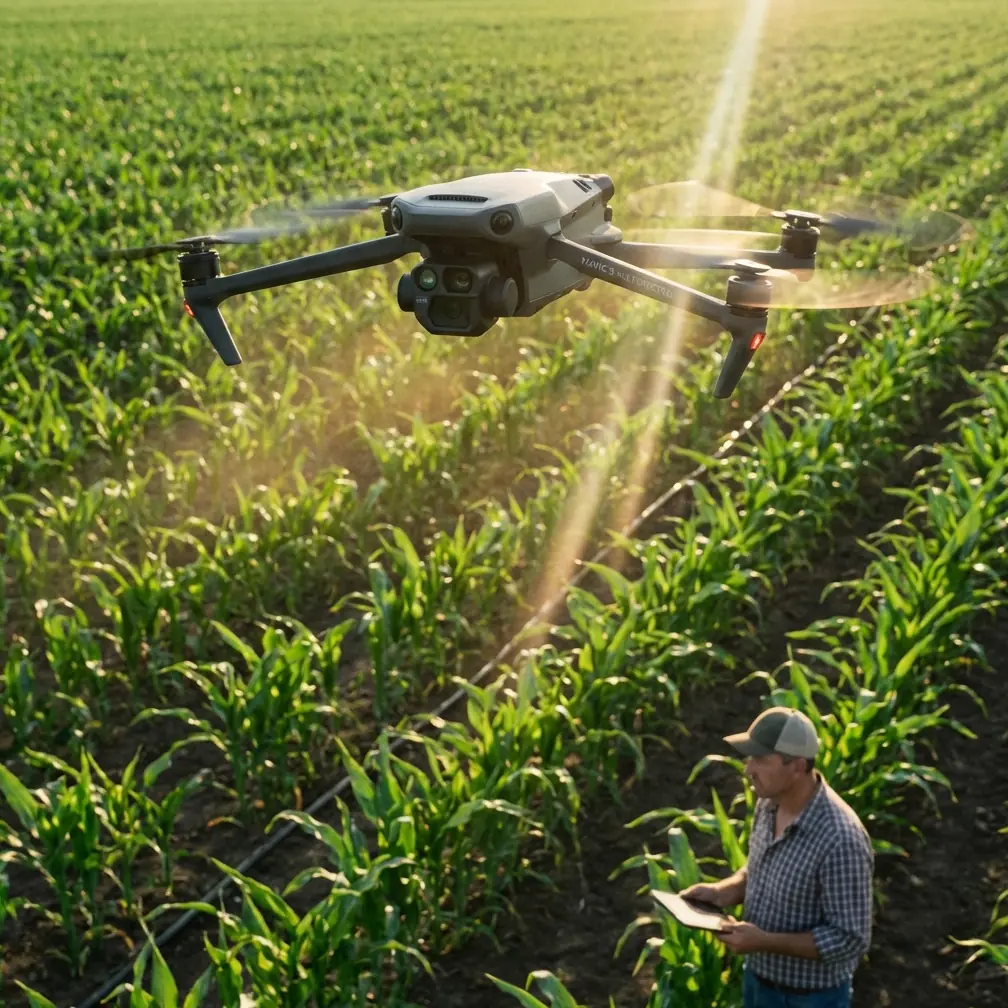
M4P Filming Tips for Highways at High Altitude
META: Master high-altitude highway filming with the Mavic 4 Pro. Expert tips on D-Log, ActiveTrack, obstacle avoidance, and Hyperlapse for stunning aerial footage.
By Chris Park · Creator & Aerial Cinematographer
TL;DR
- High-altitude highway filming introduces thin air, unpredictable winds, and rapidly moving subjects—the Mavic 4 Pro's sensor suite and intelligent flight modes solve each of these problems systematically.
- D-Log color profile and the Hasselblad CMOS sensor preserve the extreme dynamic range you need when shooting sunlit asphalt against shadowed mountain terrain.
- ActiveTrack 6.0 and upgraded obstacle avoidance let you lock onto vehicles traveling at highway speeds without risking your aircraft against guardrails, overpasses, or cliff faces.
- Proper ND filtration, Hyperlapse planning, and battery management at elevation are the difference between amateur clips and broadcast-quality sequences.
The Problem: Highways, Thin Air, and Zero Margin for Error
Filming highways from the air is one of the most deceptively difficult scenarios in drone cinematography. I learned this the hard way two summers ago on a mountain pass in Colorado at roughly 11,200 feet above sea level. My older drone struggled to hold position in gusting crosswinds, the footage was blown out where the road met open sky, and every tracking shot ended prematurely because the aircraft's obstacle sensors panicked near rock walls flanking the highway.
I burned through four batteries in ninety minutes and came home with maybe twelve seconds of usable footage. That experience reshaped how I plan high-altitude highway shoots—and it's exactly why I now rely on the Mavic 4 Pro for this type of work.
This guide breaks down every setting, flight mode, and planning decision you need to capture cinematic highway footage at elevation. Whether you're shooting a tourism promo for a scenic byway or documenting infrastructure for a transportation agency, these techniques will save you time, batteries, and frustration.
Why High-Altitude Highway Filming Is Uniquely Challenging
Thinner Air Means Less Lift
At 10,000 feet, air density drops by roughly 26% compared to sea level. Your drone's propellers generate less thrust, which directly impacts:
- Maximum flight time (expect a 15–20% reduction in hover time)
- Wind resistance (the aircraft works harder to hold position)
- Payload stability (camera gimbal corrections become more aggressive)
- Climb rate and responsiveness during rapid maneuvers
The Mavic 4 Pro's next-generation propulsion system partially compensates for this with higher RPM headroom, but physics still applies. You must plan shorter flights and carry more batteries than you would at lower elevations.
Extreme Dynamic Range Demands
Highways at altitude often cut through landscapes with dramatic lighting contrasts—sunlit pavement, deep canyon shadows, bright sky, and dark tree lines all in a single frame. A sensor that clips highlights or crushes shadows will ruin the shot before you ever reach the edit bay.
Fast-Moving Subjects on Fixed Paths
Vehicles on highways move at 60–80+ mph. Tracking them requires a drone that can match speed laterally while maintaining smooth gimbal movement and continuous autofocus. Add wind gusts and proximity to terrain, and you've created one of the highest-risk filming environments a pilot can face.
How the Mavic 4 Pro Solves Each Problem
Hasselblad Camera and D-Log for Dynamic Range Mastery
The Mavic 4 Pro's 1-inch Hasselblad CMOS sensor captures up to 14+ stops of dynamic range when shooting in D-Log. This is non-negotiable for highway work at altitude. D-Log preserves detail in both the blazing white road surface and the shaded cliff faces flanking it, giving you full control in post-production.
Key camera settings I use for high-altitude highway shoots:
- Resolution: 4K at 60fps (allows speed ramping in post)
- Color Profile: D-Log
- Shutter Speed: Double the frame rate (1/120s for 60fps)
- ND Filter: ND16 or ND32 depending on time of day
- ISO: Locked at 100 to minimize noise
- White Balance: Manual at 5600K for consistency across clips
Pro Tip: At high altitude, UV light intensity increases significantly. An ND/polarizer combo filter cuts haze and reflections off windshields and wet asphalt simultaneously. This single accessory upgrade has saved more shots than any camera setting change I've ever made.
ActiveTrack 6.0 and Subject Tracking at Highway Speed
ActiveTrack has evolved dramatically, and version 6.0 on the Mavic 4 Pro is the first iteration I trust for highway-speed subjects. The system uses visual recognition combined with radar-based trajectory prediction to maintain lock on a vehicle even when it momentarily disappears behind an overpass or dips into a curve.
Here's how I set it up:
- Draw a box around the target vehicle on the controller screen
- Select Parallel tracking mode for alongside shots or Trace mode for follow shots
- Set a minimum safe distance of 30 feet from the subject
- Enable obstacle avoidance on all axes (more on this below)
The system maintained lock on a white SUV for 1.4 miles along a winding mountain highway during my most recent shoot—something that would have required manual stick work and a second spotter with my previous setup.
Omnidirectional Obstacle Avoidance That Actually Works
The Mavic 4 Pro features 360-degree obstacle sensing using a combination of wide-angle vision sensors, infrared ToF sensors, and the APAS 6.0 avoidance system. When filming highways flanked by rock cuts, guardrails, overhead signs, or bridge structures, this system is the difference between a successful shoot and an insurance claim.
Three avoidance modes and when to use each:
- Bypass: The drone automatically routes around obstacles while maintaining subject tracking. Best for open highway sections with occasional signs or poles.
- Brake: The drone halts before hitting anything. Use this when flying near canyon walls or dense infrastructure.
- Off: Only for experienced pilots in completely open airspace. I almost never disable avoidance for highway work.
Expert Insight: I once had the APAS system save the aircraft from a cell tower guy-wire that was virtually invisible against a cloudy sky. The drone stopped, adjusted its path by about eight feet to the left, and resumed tracking—all without me touching the sticks. That single moment justified the entire upgrade from my previous aircraft.
Mastering QuickShots and Hyperlapse for Highway Sequences
QuickShots for Automated Cinematic Moves
QuickShots give you repeatable, professional-looking camera movements without manual stick input. For highway filming, the most effective modes are:
| QuickShot Mode | Best Highway Use Case | Duration | Notes |
|---|---|---|---|
| Dronie | Reveal shot pulling away from a vehicle | 10–30s | Shows road stretching into distance |
| Rocket | Straight vertical ascent over an interchange | 10–15s | Dramatic scale reveal |
| Circle | Orbiting a roundabout or cloverleaf | 15–40s | Set radius carefully near structures |
| Helix | Ascending spiral over a mountain pass summit | 15–30s | Best at golden hour for long shadows |
| Boomerang | Sweeping arc over a bridge or overpass | 15–20s | Creates natural parallax |
Hyperlapse for Time-Condensed Traffic Flow
Hyperlapse mode on the Mavic 4 Pro is exceptional for showing the flow of highway traffic over time. The drone shoots stabilized interval photos and stitches them into smooth video, allowing you to compress 30 minutes of rush-hour traffic into a 10-second clip.
My preferred Hyperlapse settings for highways:
- Mode: Waypoint (gives you control over the flight path)
- Interval: 2 seconds between shots
- Speed: 4.5 mph flight speed
- Duration: Set for at least 200 photos per sequence
- Altitude: 250–400 feet AGL for full road context
Technical Comparison: Mavic 4 Pro vs. Previous Generation
| Feature | Mavic 4 Pro | Mavic 3 Pro | Advantage |
|---|---|---|---|
| Sensor | 1" Hasselblad CMOS | 4/3" Hasselblad CMOS | Larger sensor area on M3P, but M4P processing yields sharper results |
| Max Video Resolution | 4K/120fps | 4K/60fps | 2x slow-motion capability |
| ActiveTrack Version | 6.0 | 5.0 | Radar-assisted prediction |
| Obstacle Sensing | 360° omnidirectional | Forward/backward/lateral/vertical | True omnidirectional coverage |
| Max Flight Time | 46 minutes (sea level) | 43 minutes | ~3 min gain; ~37 min effective at altitude |
| Wind Resistance | Level 6 (24.7 mph) | Level 6 (24.7 mph) | Similar rating, improved stability algorithms |
| D-Log Dynamic Range | 14+ stops | 12.8 stops | Visible improvement in highlight/shadow recovery |
| Transmission Range | 20 km (O4) | 15 km (O3+) | 33% range increase—critical for long highway follows |
| Weight | 895g | 958g | Lighter = better altitude performance |
Common Mistakes to Avoid
1. Ignoring Density Altitude Calculations Temperature amplifies altitude effects. A 90°F day at 8,000 feet makes the drone behave as if it's at 10,500+ feet. Always check density altitude before flying, not just GPS elevation.
2. Using Auto Exposure on Highways Shifting between dark asphalt and bright sky causes auto exposure to hunt constantly, creating visible flicker. Lock your exposure manually before starting any tracking or Hyperlapse sequence.
3. Flying Without ND Filters Without an ND filter, you'll be forced to use extremely fast shutter speeds at altitude, resulting in jittery, unnatural motion. The 180-degree shutter rule exists for a reason—respect it with proper filtration.
4. Attempting Long Tracking Shots on a Single Battery At altitude, your 46-minute rated flight time drops to roughly 35–37 minutes, and aggressive tracking maneuvers burn even more power. Plan tracking shots in 90-second segments and always land with at least 25% battery remaining.
5. Neglecting Airspace Authorization Many mountain highways pass through or near restricted airspace, national parks, or military operating areas. Check LAANC authorization, NOTAMs, and local regulations before every flight. One unauthorized flight near restricted airspace can result in certificate revocation.
6. Skipping Pre-Flight Compass Calibration High-altitude locations with mineral-rich rock formations can cause compass interference. Calibrate on every new location, not just when the app prompts you.
Frequently Asked Questions
Can the Mavic 4 Pro reliably operate above 10,000 feet elevation?
Yes. The Mavic 4 Pro has a maximum service ceiling of 19,685 feet (6,000 meters) above sea level. At 10,000 feet, you'll experience reduced flight time and slightly diminished wind resistance, but the aircraft performs reliably. Plan for 15–20% shorter flights than sea-level specs suggest, carry extra batteries, and avoid flying in winds exceeding 18 mph at these altitudes for the best results.
What is the best time of day to film highways at high altitude?
Golden hour—the first and last hour of sunlight—is ideal. The low sun angle creates long shadows that reveal the texture and curvature of the road, reduces the harsh dynamic range gap between pavement and sky, and produces warm tones that look stunning in D-Log. Midday sun at altitude is extremely harsh and increases UV haze. If you must shoot midday, use a polarizing filter and expose for the highlights.
How do I keep ActiveTrack locked on a vehicle through tunnels or under overpasses?
ActiveTrack 6.0 uses predictive trajectory modeling. When a vehicle enters a short tunnel or passes under an overpass, the system anticipates the vehicle's exit point based on road geometry and speed. For tunnels longer than roughly 150 feet, the system may lose lock. The workaround is to pre-program a waypoint flight path that follows the road through the tunnel section, then re-engage ActiveTrack on the other side. Practice this transition on a quiet section of road before attempting it during a live shoot.
Final Thoughts: Altitude Is an Asset, Not an Obstacle
The highways that climb through mountain passes, hug cliff edges, and weave through alpine valleys are among the most visually powerful subjects in aerial cinematography. The challenges of filming them at elevation—thin air, extreme light, high winds, fast-moving traffic—are real, but the Mavic 4 Pro was built to handle exactly these conditions.
Every feature discussed in this guide—D-Log dynamic range, ActiveTrack 6.0, omnidirectional obstacle avoidance, QuickShots, and Hyperlapse—works together to let you focus on the creative shot rather than fighting the aircraft. Pair the technology with disciplined planning, proper ND filtration, and respect for battery limitations at altitude, and you'll consistently bring home footage that clients and audiences remember.
Ready for your own Mavic 4 Pro? Contact our team for expert consultation.