
Mavic 4 Pro for Fields in Low Light: A Photographer’s How-To
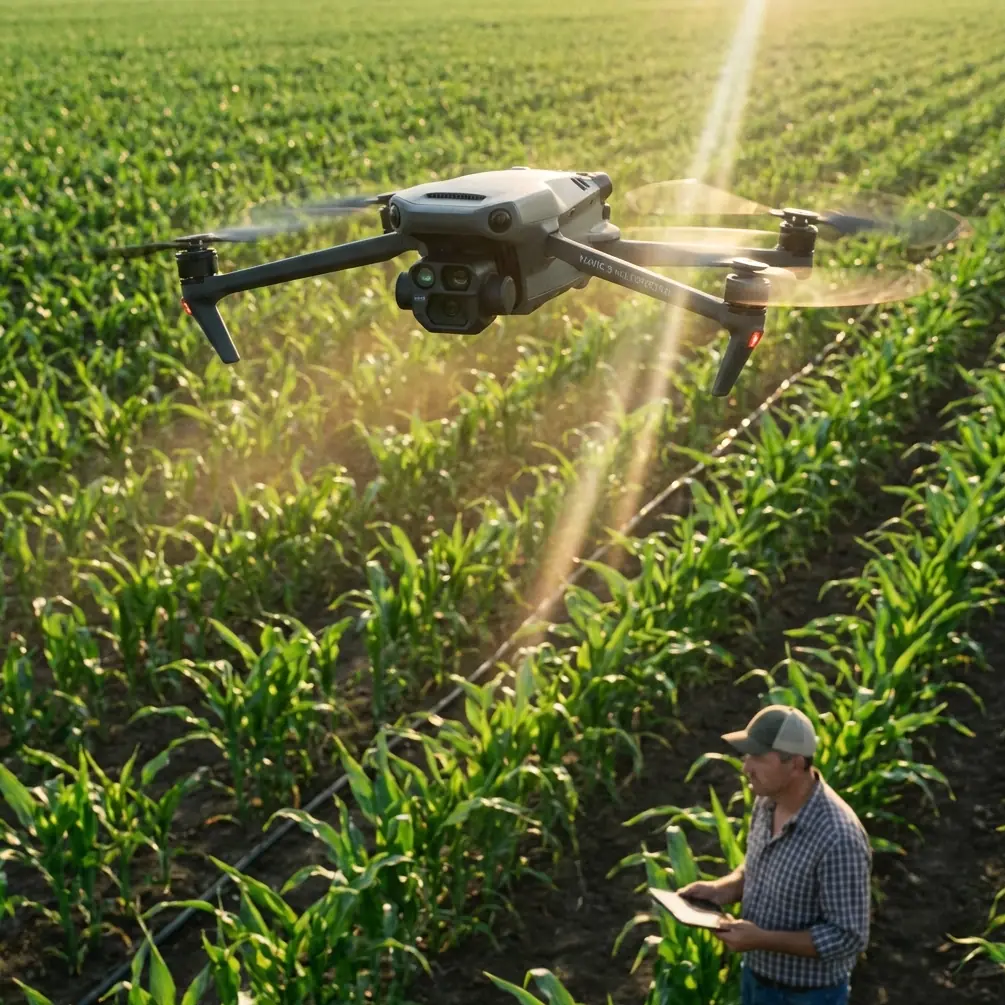
Mavic 4 Pro for Fields in Low Light: A Photographer’s How-To
META: A practical expert guide to using the Mavic 4 Pro for filming fields in low light, with tips on camera setup, obstacle avoidance, subject tracking, D-Log workflow, and useful accessories.
Low-light field work sounds simple until you actually fly it.
Open land gives people false confidence. They picture a clear horizon, easy GPS lock, and plenty of room to move. Then dusk arrives. Tree lines turn into dark walls. Utility wires disappear. Wet crops reflect stray highlights. Your subject drifts from visible to barely readable in a matter of seconds. This is where the Mavic 4 Pro becomes less about headline features and more about disciplined setup.
I approach this as a photographer first. When I film fields in low light, I am not trying to make the drone do something magical. I am trying to preserve detail, maintain stable motion, and come home with files that still give me choices in the edit. That means using the Mavic 4 Pro as a system: camera, tracking, obstacle sensing, flight planning, and post-production pipeline all working together.
This guide is built around that exact scenario.
Why low-light field filming is harder than it looks
A field at sunset or blue hour is visually clean to the eye but messy for a camera. Large areas of similar texture can flatten contrast. Shadows build quickly at the edge of crops and hedgerows. If there is a tractor, combine, irrigation rig, or walking subject in frame, your exposure has to balance the dark land against the brighter sky.
The operational challenge is just as real. Obstacle avoidance matters more in fields than many pilots expect. The obvious hazards are not the ones that catch people out. It is the isolated pole, the fence line at the edge of frame, the lone tree, or the narrow farm access road that creates trouble during a lateral move.
That is why low-light field work is not simply “fly slower and raise ISO.” It requires a plan.
Start with the right mission profile
Before changing a single camera setting, define the shot type. I break field filming into four practical categories:
Establishing passes
Wide, slow movements that show the shape of the land.Subject-led tracking
Following a person, vehicle, or machine moving through the field.Pattern shots
Repeating crop lines, irrigation geometry, tire marks, or rows.Transition shots
Dusk-to-night movement, often with horizon glow or farm lights entering frame.
Each one pushes the drone differently.
If I am filming a quiet establishing pass, obstacle avoidance and smooth stick input matter more than aggressive tracking. If I am following a moving combine or ATV on a farm road, ActiveTrack becomes useful, but only if I understand where it might struggle as contrast drops. If I am building a motion sequence for social content or a short documentary, QuickShots and Hyperlapse can save time, but only when the light and terrain support them safely.
The mistake is treating every low-light scene like a tracking shot. Usually, fields reward restraint.
Pre-flight decisions that matter more at dusk
The Mavic 4 Pro’s intelligence features are helpful, but dusk punishes lazy preparation. My pre-flight routine for fields is very specific.
Walk the edge of the field first
I want to know where the hidden hazards are before the drone leaves the ground. On farmland, that often means:
- overhead wires
- isolated trees
- irrigation equipment
- tall machinery parked near hedges
- uneven terrain that makes return and landing harder in dim light
This is where obstacle avoidance has real operational significance. It is not just a convenience feature. In low light, even a capable sensing system has less visual information to work with than it would at midday. If I already know where the hazards are, I can use the system as a second layer of protection rather than my only layer.
Set a realistic return point
Fields can feel wide open, but dusk compresses visual reference fast. I set my home point carefully and choose a landing spot I can still clearly identify if the scene gets darker than expected.
Check wind at low and working altitude
Field shoots often tempt pilots into smooth, low glides over rows and then higher pull-backs for context. Wind can differ a lot between those levels. If your return leg fights a stronger headwind than your outbound leg, battery planning changes immediately.
Camera setup for low light: protect the shadows, don’t destroy the sky
Most failed low-light field footage suffers from one of two problems: muddy land or blown sky.
The solution is not to chase brightness. It is to preserve usable data.
Use D-Log when you expect to grade
D-Log is one of the most practical tools for this kind of scene because fields at dusk often contain subtle tonal transitions that standard profiles can clip or crush too quickly. If the sky still has color and the field is already darkening, a flat profile gives you more room to rebalance later.
This is an operationally significant choice, not an aesthetic one. If you shoot a high-contrast dusk scene in a baked-in profile, you reduce your ability to recover crop texture or separate tree lines from the background in post. With D-Log, you can hold onto that information longer.
That does mean your workflow needs discipline. I expose with recovery in mind, not with the goal of making the monitor preview look finished.
Keep shutter speed tied to motion, not fear
Pilots often let shutter speed climb too high in low light because they are worried about blur. But if you want field footage to feel cinematic and fluid, especially during forward or lateral passes, motion blur has to stay natural. If you are recording at 24 fps, 1/50 is the reference point many shooters start from. At 30 fps, 1/60 is common.
Raise ISO only as far as needed. The cleaner move is often to simplify the shot rather than forcing a noisy one.
Watch the histogram, not just the screen
At dusk, the live view can trick you. Your eyes adapt. The monitor may look brighter than the recorded file really is. A histogram gives you a more honest read on whether the land is collapsing into unusable shadow.
How I use obstacle avoidance in darkening fields
Obstacle avoidance is one of the most misunderstood tools on any camera drone. It does not make low-light field flying automatic. It gives you margin.
In practical terms, I use it for three things:
- reducing risk during slow reveal shots near tree lines
- adding confidence during sideways moves over uneven boundaries
- backing up my situational awareness when tracking a moving subject
This matters because field edges are where composition gets interesting. The center of a field is usually safe and visually repetitive. The story often lives where the crop meets a road, a fence, a barn, or a stand of trees. Those are exactly the places where obstacle sensing earns its keep.
Still, I fly as if no system is perfect. In low-light conditions, sensors may have less contrast to interpret. If the scene is dim, I leave more clearance and choose cleaner paths.
Subject tracking and ActiveTrack: useful, but only if the subject is readable
When people hear “field filming,” they often imagine tracking a vehicle or farmer moving through rows. That is a perfectly valid use for ActiveTrack, and in good contrast conditions it can make solo operation much more efficient.
The catch is simple: low light reduces separation between subject and background.
A dark vehicle on dark soil at the end of civil twilight is harder to track than a bright tractor in golden hour. A person in muted clothing walking along a hedgerow can blend into the frame quickly. That means the operational value of subject tracking depends on visibility, speed, and background complexity.
My rule is this:
- use ActiveTrack when the subject has strong visual separation
- keep speed moderate
- give the drone a predictable path
- be ready to take over manually the moment contrast fades
Used well, subject tracking lets you focus on framing and altitude rather than constantly micro-correcting yaw. Used carelessly, it can turn an elegant shot into an unpredictable one.
Best shot types for fields in low light
Some movements consistently work better than others.
1. Low forward glide above crop lines
This is one of the strongest dusk shots because rows create natural leading lines even when detail is dropping. Keep altitude conservative and speed controlled.
2. Lateral slide along a field boundary
The side movement reveals texture differences between crops, roads, ditches, and tree lines. Obstacle awareness is essential here because boundaries hide the most hazards.
3. Slow rise with horizon glow
If there is still color in the sky, a vertical or diagonal rise can reveal the full layout of the land. This is where D-Log pays off by preserving the tonal split between dark foreground and brighter horizon.
4. Follow shot behind a moving subject
This works well with ActiveTrack if the subject is clear and the route is unobstructed. I avoid making this too low in poor light unless I have already inspected the path.
Where QuickShots and Hyperlapse actually fit
QuickShots are often dismissed by experienced operators, but for short-form field content they can be useful when time is tight and light is fading. The key is choosing movements that suit open land rather than forcing dramatic proximity moves near obstacles.
Hyperlapse is especially interesting in fields during low light because the environment changes visibly over a short period. Headlights, farm building lights, and the last ambient sky color can create a stronger sense of place than a standard clip. But Hyperlapse only works if the wind is manageable and your foreground reference is stable enough to avoid messy flicker.
I usually treat both tools as supplements. The core footage still comes from manual passes I can repeat reliably.
A third-party accessory that genuinely helped
One accessory that improved my low-light field workflow was a high-quality landing pad with weighted corners and reflective edge markers. It sounds unglamorous, but in farmland it solved a real problem.
At dusk, bare ground can be dusty, damp, or uneven. Cropped stubble can interfere with a clean takeoff. A proper landing pad gives you a defined launch zone and a clearer visual target for landing as ambient light drops. The reflective edging also makes the pad easier to identify on approach without turning the site into a distraction for nearby subjects.
I have also found that a brighter third-party tablet sun hood helps even when the light is low, because twilight often includes strong residual sky glare. Being able to judge exposure and focus accurately is more useful than adding yet another automated effect.
If you are trying to sort out a field-specific setup for your own workflow, I’ve found it easiest to discuss accessories and configuration directly through this WhatsApp contact.
A simple low-light settings workflow that works
Here is the sequence I use when the light is falling quickly:
Step 1: Shoot a short test clip
Ten to fifteen seconds is enough. Review the file, not just the live view.
Step 2: Decide whether this is a D-Log scene
If the sky is still significantly brighter than the field, I want grading latitude.
Step 3: Lock in frame rate and shutter
I keep motion natural first, then solve brightness around that.
Step 4: Raise ISO carefully
I do not chase perfect brightness at the cost of noisy shadows.
Step 5: Simplify the shot path
As visibility drops, complexity should drop too. Shorter routes. More clearance. Cleaner composition.
Step 6: Track only if contrast supports it
If ActiveTrack cannot clearly read the subject, I stop forcing it.
Editing low-light field footage without making it look fake
This is where many otherwise good shoots fall apart. The temptation is to brighten everything evenly. That usually ruins the mood and reveals noise.
My edit approach is narrower:
- lift shadows only enough to recover useful land texture
- protect the remaining sky color
- control green saturation carefully so fields do not turn artificial
- add contrast locally, not globally
- apply noise reduction with restraint
If you shot in D-Log, the goal is not to make dusk look like late afternoon. It is to preserve the feeling of low light while keeping the scene readable.
The biggest mistake: staying up too long
The Mavic 4 Pro can help you stretch useful shooting time, but there is always a point where the scene stops giving back enough detail to justify the risk and effort. I stop before that point.
The final five minutes of “maybe it still works” are where rushed decisions happen. Tracking gets unreliable. Obstacle clearance shrinks. Your landing zone is harder to judge. Field work is rarely improved by squeezing out one more pass in failing light.
Get the shot earlier. Refine it sooner. Leave with clean footage and a controlled landing.
That is the difference between using a capable drone well and asking it to rescue poor planning.
Ready for your own Mavic 4 Pro? Contact our team for expert consultation.