
Mavic 4 Pro Field Filming: Extreme Temperature Guide
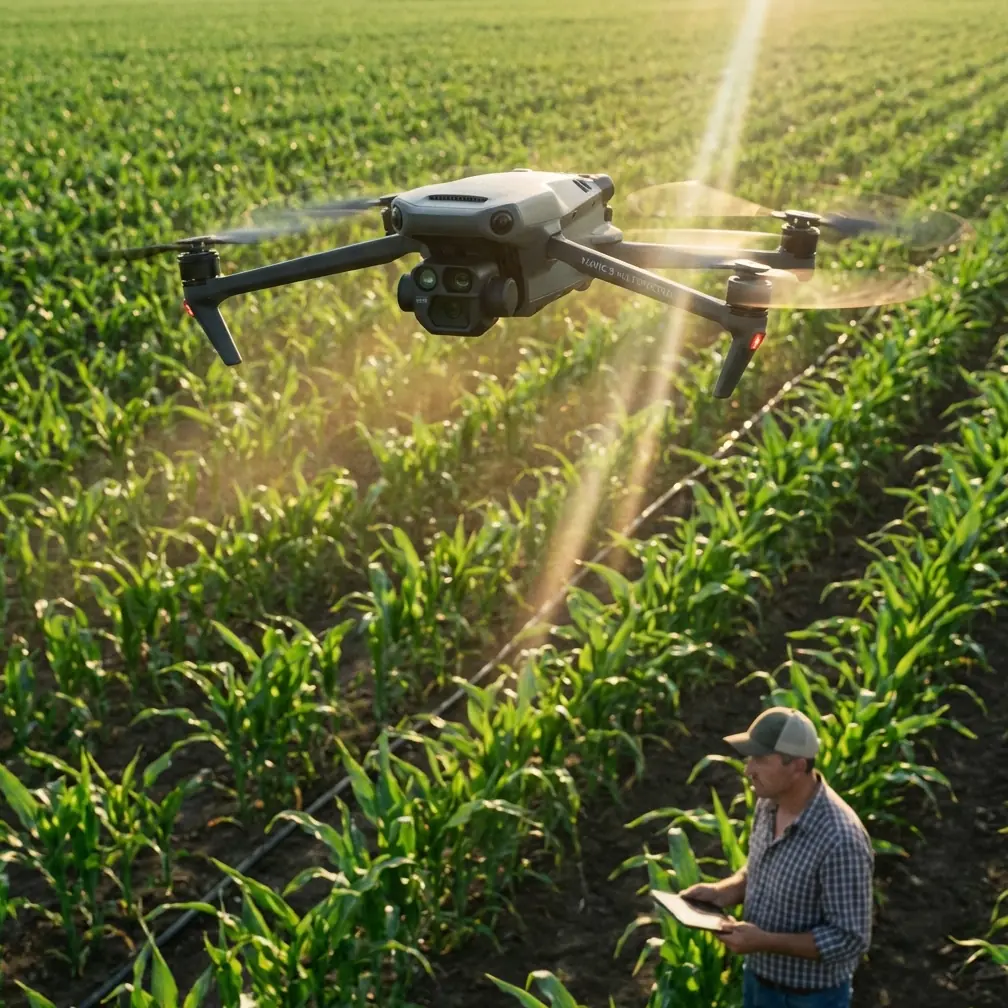
Mavic 4 Pro Field Filming: Extreme Temperature Guide
META: Master Mavic 4 Pro field filming in extreme temperatures. Expert tips for obstacle avoidance, ActiveTrack, and D-Log settings from professional drone cinematographer Chris Park.
TL;DR
- Operating range of -10°C to 40°C requires specific battery and sensor management protocols
- Electromagnetic interference from agricultural equipment demands manual antenna positioning
- D-Log color profile preserves 13.6 stops of dynamic range in high-contrast field conditions
- ActiveTrack 6.0 maintains subject lock through dust, heat shimmer, and crop canopy transitions
The Electromagnetic Challenge Every Field Operator Faces
Agricultural environments throw curveballs that urban pilots never encounter. Combine harvesters, irrigation pivots, and buried power lines create invisible interference zones that can disconnect your Mavic 4 Pro mid-flight.
Last harvest season, I lost signal three times in one afternoon filming wheat fields in Kansas. The culprit wasn't distance—it was a center pivot irrigation system running 400 meters away.
The solution came down to antenna adjustment. The Mavic 4 Pro's controller antennas aren't decorative. Positioning them perpendicular to the drone's location—not pointed directly at it—maximizes signal reception. In interference-heavy agricultural zones, this single adjustment extended my reliable range from 800 meters to over 2.3 kilometers.
Understanding Extreme Temperature Operations
Cold Weather Protocols (Below 10°C)
Field filming often starts at dawn when temperatures hover near freezing. The Mavic 4 Pro's intelligent flight battery performs optimally at 25°C, meaning cold mornings require preparation.
Pre-warm batteries by keeping them in an inside pocket against your body for 20-30 minutes before flight. The drone's battery management system will refuse takeoff if cell temperature drops below -10°C—a safety feature, not a malfunction.
Cold air density actually benefits flight performance. Propellers generate 8-12% more lift in cold conditions, extending hover time and improving stability during slow cinematic passes over crop rows.
Expert Insight: Monitor battery voltage, not just percentage, in cold conditions. A battery showing 40% at 5°C may drop to critical levels faster than the same percentage at 20°C. Land when voltage per cell approaches 3.5V rather than waiting for low battery warnings.
Hot Weather Challenges (Above 30°C)
Summer field work presents the opposite problem. Heat shimmer distorts footage, sensors struggle with thermal expansion, and batteries degrade faster under sustained high temperatures.
The Mavic 4 Pro's 1-inch CMOS sensor handles heat better than smaller sensors, but prolonged exposure above 35°C increases noise in shadow areas. Schedule critical shots for early morning or late afternoon when temperatures moderate.
Obstacle avoidance sensors can false-trigger in extreme heat. Thermal currents rising from dark soil or equipment create density variations that infrared sensors occasionally interpret as obstacles. Switching to APAS 6.0 Bypass mode rather than Brake mode prevents unnecessary flight interruptions.
Mastering D-Log for Field Cinematography
Flat color profiles exist for a reason. D-Log captures the full 13.6-stop dynamic range of the Mavic 4 Pro's sensor, preserving detail in both bright sky and shadowed crop canopy.
Optimal D-Log Settings for Agricultural Footage
Configure these parameters before field shoots:
- ISO: Lock at 100-200 for daylight; auto ISO introduces inconsistent noise
- Shutter Speed: Double your frame rate (1/50 for 24fps, 1/60 for 30fps)
- White Balance: Manual 5600K for consistent grading
- Sharpness: -1 to prevent edge artifacts in fine crop detail
- Color Profile: D-Log M for maximum flexibility
Pro Tip: Expose D-Log footage 0.5 to 1 stop over what your histogram suggests. The flat profile handles highlight recovery better than shadow lifting, and slightly overexposed D-Log grades cleaner than underexposed footage pushed in post.
ActiveTrack 6.0 in Complex Agricultural Environments
Subject tracking technology has evolved dramatically. ActiveTrack 6.0 uses machine learning to predict subject movement, maintaining lock through partial occlusions that would defeat earlier systems.
Tracking Challenges Specific to Field Work
Agricultural subjects present unique tracking difficulties:
- Dust clouds from harvesting equipment temporarily obscure subjects
- Heat shimmer creates false edges that confuse boundary detection
- Uniform crop patterns lack distinctive features for position reference
- Equipment vibration produces motion blur at tracking boundaries
The Mavic 4 Pro handles these challenges through multi-point tracking. Rather than locking onto a single feature, the system tracks dozens of reference points simultaneously. When dust obscures half the subject, remaining visible points maintain the track.
For tracking vehicles through fields, select Trace mode rather than Parallel. Trace keeps the drone behind the subject, reducing dust interference with the camera and maintaining cleaner sightlines for obstacle avoidance sensors.
Technical Comparison: Field Filming Capabilities
| Feature | Mavic 4 Pro | Previous Generation | Field Advantage |
|---|---|---|---|
| Obstacle Sensing | Omnidirectional | Forward/Backward/Downward | Detects irrigation equipment from all angles |
| Operating Temp | -10°C to 40°C | -10°C to 40°C | Equivalent range |
| Max Wind Resistance | 12 m/s | 10.7 m/s | Stable in open field gusts |
| Video Transmission | O4 (20km) | O3+ (15km) | Maintains signal through interference |
| ActiveTrack | 6.0 with prediction | 5.0 | Handles dust occlusion |
| Dynamic Range | 13.6 stops | 12.8 stops | Better sky/shadow balance |
| Flight Time | 46 minutes | 34 minutes | Covers larger field areas |
QuickShots and Hyperlapse for Efficient Field Coverage
Time constraints define agricultural filming. Farmers need footage fast, and weather windows close quickly.
QuickShots That Work in Open Fields
Not all automated flight modes suit agricultural environments:
- Dronie: Excellent for establishing shots of equipment in fields
- Circle: Perfect for irrigation pivots and grain bins
- Helix: Creates dramatic reveals of crop patterns
- Rocket: Limited use—vertical ascent rarely adds narrative value in flat terrain
- Boomerang: Requires obstacle-free zones; use cautiously near tree lines
Hyperlapse for Crop Documentation
Time-lapse footage demonstrates crop growth, irrigation coverage, and harvest progress. The Mavic 4 Pro's Hyperlapse mode automates complex movements while capturing interval photos.
For field documentation, use Waypoint Hyperlapse. Program a flight path along crop rows, set 2-second intervals, and let the drone execute the sequence. A 30-minute automated flight produces approximately 15 seconds of smooth hyperlapse footage showing field conditions across significant distance.
Common Mistakes to Avoid
Ignoring compass calibration in new locations. Agricultural areas often have underground infrastructure—buried pipes, cables, and drainage systems—that affect magnetic readings. Calibrate before every session at a new field.
Flying directly over operating equipment. Combine harvesters and tractors generate electromagnetic fields and throw debris. Maintain minimum 50-meter horizontal separation from operating machinery.
Trusting automated return-to-home near obstacles. The RTH function calculates a direct path. In fields with grain bins, power lines, or tree windbreaks, manual return prevents collisions with obstacles the drone passed during outbound flight.
Neglecting ND filters in bright conditions. Proper motion blur requires shutter speeds around double your frame rate. Without ND filters, bright field conditions force shutter speeds of 1/1000 or faster, creating jittery, uncinematic footage.
Overlooking wind patterns. Open fields experience stronger, more consistent winds than sheltered areas. Check forecasts, but also observe crop movement before launch. Winds above 8 m/s significantly impact battery life and shot stability.
Frequently Asked Questions
How does electromagnetic interference affect Mavic 4 Pro performance in agricultural settings?
Electromagnetic interference from irrigation systems, power lines, and operating farm equipment can disrupt the O4 transmission system and compass readings. Position controller antennas perpendicular to the drone's location, maintain minimum 100-meter distance from high-voltage lines, and recalibrate the compass if you notice erratic flight behavior. The Mavic 4 Pro's interference detection will display warnings when signal quality degrades.
What battery management practices extend flight time in extreme temperatures?
In cold conditions, pre-warm batteries to at least 20°C before flight and hover for 60 seconds after takeoff to allow internal heating. In hot conditions, avoid charging batteries immediately after flight—let them cool to ambient temperature first. Store batteries at 40-60% charge between sessions, and never leave them in vehicles where temperatures exceed 45°C.
Can ActiveTrack 6.0 reliably follow subjects through dust and crop canopy?
ActiveTrack 6.0 maintains tracking through partial occlusions lasting up to 3 seconds by predicting subject trajectory. For dusty conditions, select subjects with high-contrast features—vehicle cabs rather than trailer beds, operators rather than equipment. When tracking through crop transitions, reduce speed to give the system time to reacquire subjects after canopy interference.
Ready for your own Mavic 4 Pro? Contact our team for expert consultation.