
How to Film Coastal Fields with Mavic 4 Pro
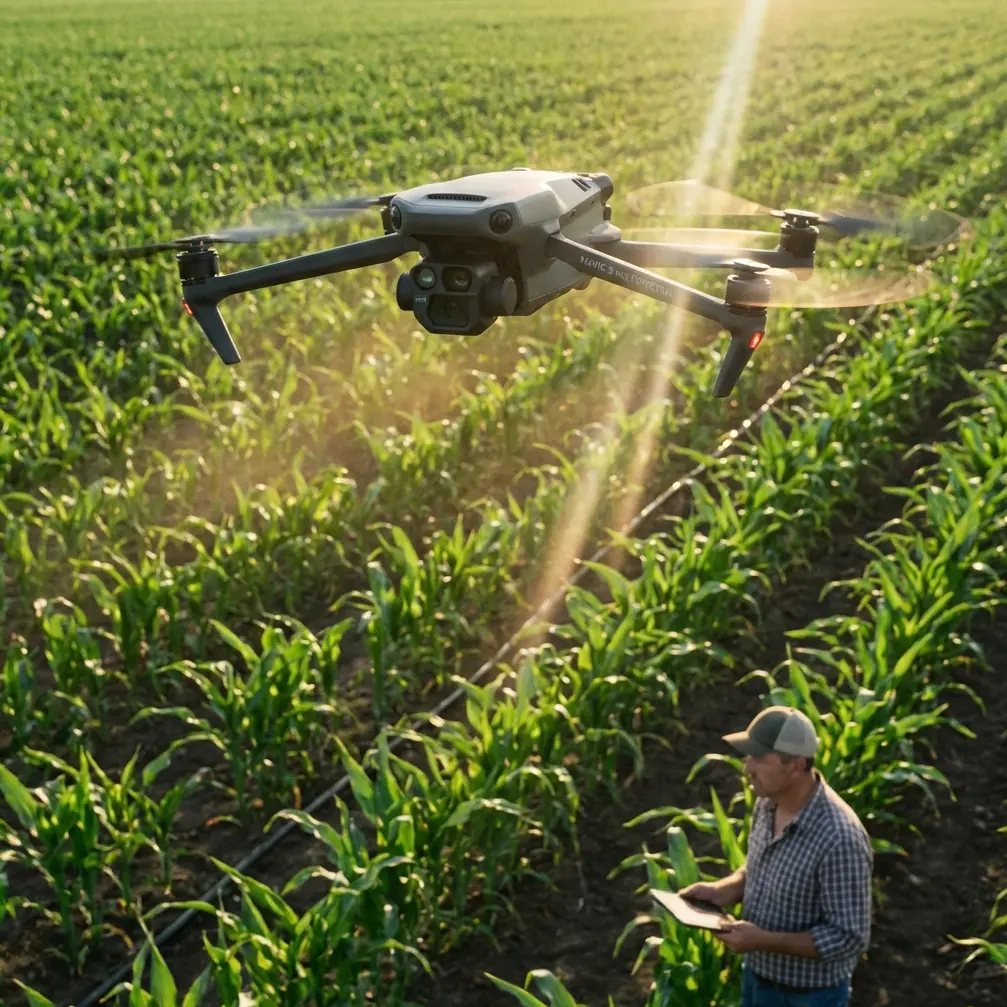
How to Film Coastal Fields with Mavic 4 Pro
META: Master coastal field filming with the Mavic 4 Pro. Learn essential techniques for obstacle avoidance, D-Log settings, and battery management in challenging environments.
TL;DR
- Wind resistance up to 12 m/s makes the Mavic 4 Pro ideal for unpredictable coastal conditions
- D-Log color profile preserves 14+ stops of dynamic range for dramatic sky-to-field contrast
- ActiveTrack 6.0 maintains subject lock even when filming across uneven agricultural terrain
- Pre-warming batteries to 25°C minimum prevents mid-flight power drops in cool coastal air
Coastal field filming presents unique challenges that ground most consumer drones. Salt air, unpredictable gusts, and rapidly shifting light conditions demand professional-grade equipment and refined technique. The Mavic 4 Pro addresses these challenges with enhanced obstacle avoidance, superior color science, and wind resistance that keeps your shots stable when conditions turn hostile.
This guide walks you through the complete workflow for capturing cinematic coastal agricultural footage—from pre-flight battery preparation to post-processing D-Log files.
Understanding Coastal Filming Challenges
Coastal environments combine the worst elements for drone operation. You're dealing with salt-laden air that accelerates component wear, thermal currents rising from sun-warmed fields, and offshore winds that shift direction without warning.
The Mavic 4 Pro's omnidirectional obstacle avoidance system uses 8 wide-angle vision sensors combined with two fisheye cameras. This 360-degree awareness becomes critical when filming near hedgerows, power lines, or farm structures that border coastal fields.
Wind Patterns and Flight Planning
Morning flights typically offer the calmest conditions. Coastal thermals begin developing around 10:00 AM as land temperatures rise above sea temperature. By early afternoon, you're fighting gusts that can exceed the Mavic 4 Pro's 12 m/s wind resistance rating.
Plan your shot list around this pattern:
- 6:00-9:00 AM: Complex tracking shots and low-altitude passes
- 9:00-11:00 AM: Medium altitude establishing shots
- 11:00 AM-2:00 PM: High altitude wide shots only
- 4:00-7:00 PM: Golden hour tracking as winds typically subside
Expert Insight: I always check wind forecasts at three altitudes—ground level, 50 meters, and 120 meters. Coastal wind shear can mean calm conditions at takeoff while experiencing 8+ m/s gusts at filming altitude. Apps like UAV Forecast provide altitude-specific wind data that prevents nasty surprises.
Battery Management for Coastal Conditions
Here's a lesson learned the hard way during a winter shoot on the Oregon coast. I launched with batteries showing 100% charge at an ambient temperature of 12°C. Within four minutes, voltage dropped so rapidly that the Mavic 4 Pro initiated an automatic landing sequence—right into a muddy field access road.
Cold coastal air, especially in morning conditions, dramatically affects lithium-polymer battery performance. The Mavic 4 Pro's intelligent batteries include internal heating, but they need help in challenging conditions.
Pre-Flight Battery Protocol
Before any coastal shoot, I follow this preparation sequence:
- Store batteries in an insulated bag with hand warmers during transport
- Check battery temperature via the DJI Fly app—target 25°C minimum
- Hover at 2 meters altitude for 60 seconds before ascending
- Monitor voltage differential between cells during initial hover
- Plan routes with 35% battery reserve rather than the standard 25%
The Mavic 4 Pro's 46-minute maximum flight time drops to approximately 32-35 minutes in cool coastal conditions with moderate wind. Build this reduction into your shot planning.
Field Charging Strategy
For extended shoots, I bring a portable power station rated at minimum 500Wh capacity. The Mavic 4 Pro's charging hub draws 100W when fast-charging three batteries simultaneously. A full charge cycle takes approximately 96 minutes from depleted to flight-ready.
| Battery Condition | Charge Time | Recommended Action |
|---|---|---|
| 0-20% remaining | 96 minutes | Full charge required |
| 20-40% remaining | 70 minutes | Charge during lunch break |
| 40-60% remaining | 45 minutes | Quick top-up between locations |
| 60%+ remaining | 25 minutes | Ready for short supplemental shots |
Camera Settings for Coastal Agricultural Footage
The contrast between bright sky and shadowed field rows challenges any camera system. The Mavic 4 Pro's 1-inch CMOS sensor with Dual Native ISO handles this range effectively—but only with proper configuration.
D-Log Configuration
D-Log preserves highlight and shadow detail that standard color profiles clip. For coastal field work, I use these baseline settings:
- Color Profile: D-Log
- Resolution: 4K at 24fps for cinematic work, 4K at 60fps for slow-motion
- ISO: 100-400 (stay within first native ISO range)
- Shutter Speed: Double your frame rate (1/50 for 24fps)
- ND Filter: Variable ND or ND16-ND64 depending on conditions
- White Balance: 5600K (manual, never auto)
The Mavic 4 Pro records 10-bit color depth in D-Log, providing over one billion color values compared to 16.7 million in 8-bit modes. This latitude becomes essential when balancing bright coastal skies against darker field textures.
Pro Tip: Always shoot a gray card reference at the start of each location. Coastal light has a distinct blue cast from water reflection that shifts throughout the day. A gray card reference simplifies white balance correction across multiple clips.
Hyperlapse for Agricultural Storytelling
Hyperlapse mode transforms hours of field activity into compelling time-compressed sequences. The Mavic 4 Pro offers four Hyperlapse modes, but two work particularly well for agricultural content:
Waypoint Hyperlapse: Program a flight path along field rows, capturing the geometric patterns that make agricultural footage visually striking. Set intervals at 2-3 seconds for smooth motion across a 15-minute capture window.
Circle Hyperlapse: Position the drone above a central point—a tractor, irrigation system, or distinctive tree—and let it orbit while capturing. The resulting footage shows changing light and shadow across the field surface.
Subject Tracking Across Uneven Terrain
ActiveTrack 6.0 represents a significant upgrade for agricultural filming. Previous generations struggled with subjects moving across varied elevation—tractors climbing hillsides, workers moving between raised beds, or livestock crossing undulating pastures.
The Mavic 4 Pro's tracking algorithm now incorporates terrain awareness from its downward-facing sensors. When your subject descends into a depression or climbs a rise, the drone adjusts altitude to maintain consistent framing.
Tracking Configuration for Field Work
For tracking agricultural vehicles or workers across coastal fields:
- Set tracking mode to Trace for following behind subjects
- Enable Obstacle Avoidance to maximum sensitivity
- Set altitude lock to Off for terrain-following capability
- Configure tracking distance between 15-25 meters
- Use Spotlight mode when you need manual flight control while maintaining subject centering
The obstacle avoidance system deserves special attention in agricultural environments. Coastal fields often feature unexpected hazards—guy wires, unmarked poles, bird netting over crops. The Mavic 4 Pro's omnidirectional sensing detects obstacles as small as 0.5 meters in diameter at distances up to 40 meters.
QuickShots for Efficient B-Roll Capture
When time pressure mounts, QuickShots provide professional-looking sequences with minimal setup. The Mavic 4 Pro includes six QuickShots modes, each producing a 10-15 second clip with automated camera movement.
For coastal agricultural content, these three modes deliver the most usable footage:
Dronie: The drone flies backward and upward while keeping the subject centered. This reveals the field context surrounding a specific point of interest—ideal for showing crop patterns or field boundaries.
Helix: A spiraling ascent that combines orbit and altitude gain. Particularly effective for isolated structures like barns, silos, or distinctive trees within field boundaries.
Rocket: Straight vertical ascent with downward-facing camera. Creates dramatic reveals of field patterns, irrigation systems, or the relationship between cultivated land and coastal features.
Common Mistakes to Avoid
Ignoring Salt Air Exposure: Salt accelerates corrosion on motor bearings and electrical contacts. After every coastal session, wipe down the entire aircraft with a slightly damp microfiber cloth, then dry thoroughly. Pay particular attention to motor vents and gimbal mechanisms.
Filming During Midday: The harsh overhead light eliminates the shadows that give agricultural footage depth and dimension. Coastal locations offer spectacular morning and evening light—use it.
Neglecting ND Filters: Proper exposure in bright coastal conditions requires ND filtration. Without it, you're forced to increase shutter speed beyond the 180-degree rule, creating unnaturally sharp motion that looks amateurish.
Overlooking Wind Direction for Audio: If you're capturing ambient sound or narration, position yourself upwind of the drone. Propeller noise carries surprisingly far downwind and contaminates audio recordings.
Skipping Pre-Flight Compass Calibration: Coastal locations often require fresh compass calibration due to mineral deposits in soil and proximity to large metal structures. The Mavic 4 Pro will prompt calibration when needed—never skip this step.
Frequently Asked Questions
How does salt air affect the Mavic 4 Pro's obstacle avoidance sensors?
Salt deposits on sensor lenses degrade detection accuracy over time. Clean all eight vision sensors with a lens-safe microfiber cloth after every coastal session. If you notice reduced obstacle detection range, the sensors likely need cleaning. DJI recommends professional sensor cleaning annually for pilots who frequently operate in marine environments.
Can the Mavic 4 Pro handle sudden coastal wind gusts during filming?
The Mavic 4 Pro maintains stable flight in sustained winds up to 12 m/s and can handle gusts up to 15 m/s without losing control. The gimbal's 3-axis stabilization compensates for minor position shifts, keeping footage smooth. However, in gusty conditions, you'll notice increased battery consumption as motors work harder to maintain position—plan for 20-25% reduced flight time.
What's the best approach for filming fields that border the ocean?
Maintain a minimum distance of 50 meters from the waterline to avoid salt spray and unpredictable updrafts where land meets sea. Use the Mavic 4 Pro's geofencing feature to create a virtual boundary that prevents accidental flight over water. For shots that include the ocean in frame, position the drone over land and use the camera's 3x optical zoom to compress the perspective between field and sea.
Coastal agricultural filming rewards preparation and patience. The Mavic 4 Pro provides the technical capability to capture stunning footage in challenging conditions—but only when you understand its systems and respect environmental limitations.
Ready for your own Mavic 4 Pro? Contact our team for expert consultation.