
Mavic 4 Pro Filming Tips for Urban Construction Sites
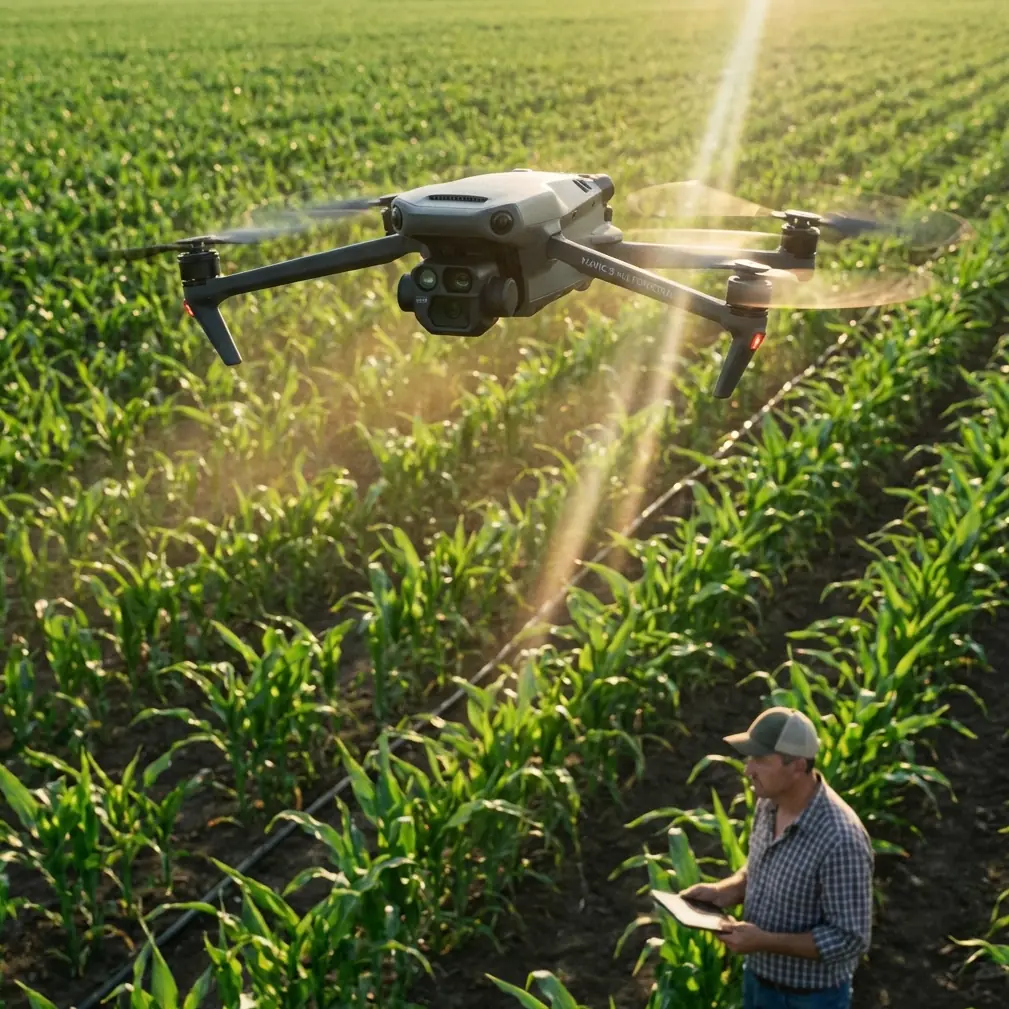
Mavic 4 Pro Filming Tips for Urban Construction Sites: What Accuracy Standards Actually Mean in the Field
META: A technical review of using Mavic 4 Pro for urban construction filming, with practical guidance tied to aerial survey accuracy standards, terrain classes, obstacle avoidance, D-Log workflow, and site-safe capture strategy.
Urban construction filming looks simple until the site starts fighting back.
Steel frames interrupt GPS geometry. Tower cranes slice through your flight path. Concrete dust flattens contrast. Crews, trucks, scaffolding, and temporary barriers keep changing positions. On top of that, many clients no longer want “nice drone footage.” They want imagery that can support progress verification, stakeholder reporting, planning coordination, and sometimes visual records that sit beside survey outputs.
That is where the Mavic 4 Pro becomes more interesting than a standard camera drone. Not because it magically turns cinema capture into formal photogrammetry, but because the features people usually discuss for creative work—obstacle avoidance, ActiveTrack, Hyperlapse, QuickShots, and D-Log—become operational tools on a dense urban jobsite.
The smarter way to judge the Mavic 4 Pro for construction is not to ask whether it shoots dramatic footage. Most modern flagships can do that. The real question is whether it helps an operator collect stable, repeatable, site-safe material in conditions where accuracy expectations are already shaped by mapping standards.
Why urban construction filming is closer to measurement work than most pilots admit
A useful reference point comes from Chinese aerial photogrammetry guidance for urban, industrial, flat, and hilly areas. It sets very specific tolerances for map production. For example, at a 1:500 scale, point-position error for urban and industrial zones is listed at ±0.15 m, while error between adjacent feature points is ±0.12 m. At 1:1000, those values relax to ±0.30 m and ±0.24 m. In difficult or obscured areas, the tolerances widen further.
Even if your construction client is asking for promotional progress footage rather than a formal map, these numbers matter. They establish a professional mindset: on a city site, consistency is not optional. Small deviations in camera position, lens perspective, orbit radius, and flight line repeatability can change how viewers interpret stockpile growth, façade progress, crane staging, access routes, and safety buffer zones.
This is one of the reasons the Mavic 4 Pro stands out in construction workflows. Competing drones may offer good image quality, but they often become harder to trust when the mission shifts from “capture something impressive” to “capture the same perspective every two weeks without flirting with site hazards.”
The hidden advantage of obstacle avoidance on construction sites
Obstacle avoidance is often marketed as pilot assistance. On an urban jobsite, it is also a planning asset.
Construction sites are cluttered in a way that open landscapes are not. Rebar cages, edge protection, cable runs, site offices, cranes, temporary lighting towers, and concrete pump booms all create a three-dimensional environment that changes faster than many mission plans. A drone with strong obstacle sensing lets you fly tighter visual narratives without relying on luck.
That matters when documenting perimeter progress near half-completed structures. If you are filming façade installation or rooftop mechanical works, the difference between a capable sensing system and a merely adequate one is confidence. Not recklessness—confidence. You can maintain a cleaner line around structural elements and spend less mental bandwidth on emergency corrections.
Compared with weaker systems on older or lower-tier aircraft, the Mavic 4 Pro is better suited to controlled movement in cramped urban airspace. This becomes especially useful when combining ActiveTrack with slow-moving equipment or supervisor walk-throughs. On a construction site, subject tracking is not about following athletes through forests. It is about holding a stable relationship to a person, vehicle, or process while the environment around them remains busy and unpredictable.
The operational significance is simple: more stable tracking means fewer resets, fewer broken takes, and less exposure to pilot-induced errors near obstacles.
Terrain classification still matters, even in a city
The reference material also classifies terrain by ground slope:
- Flat terrain: α < 3°
- Hilly terrain: 3° ≤ α < 10°
- Mountainous terrain: 10° ≤ α < 25°
- High mountain terrain: α ≥ 25°
At first glance, that looks irrelevant to urban filming. It is not.
Construction sites often contain artificial terrain conditions that behave like mixed-class topography. A city-center site may have basement excavation ramps, spoil heaps, temporary access roads, elevated podium decks, and adjacent roads with different grade levels. A pilot who thinks only in terms of “urban site” can misjudge altitude relationships very quickly.
For Mavic 4 Pro operators, this has two practical consequences.
First, obstacle avoidance should not be treated as a replacement for terrain awareness. If you are filming a crane lift from the edge of an excavation, your relative height above the lower slab can change dramatically even while the drone’s absolute altitude readout appears stable.
Second, repeatable footage requires repeatable altitude reference. If your monthly progress sequence includes a dolly-in from the street to the superstructure, slight changes in launch point elevation can affect framing enough to distort side-by-side comparisons. That is one reason experienced operators build fixed shot plans with reference waypoints and not just “fly by eye.”
The Mavic 4 Pro supports that disciplined style of work better than drones aimed purely at casual creators.
D-Log is not just for colorists
Construction sites are brutal on dynamic range. Bright sky, reflective glazing, dark scaffold shadows, concrete washout, and high-visibility PPE all coexist in a single frame. If you shoot with a baked-in profile and expose carelessly, one of two things happens: either the sky clips, or shadow detail in structural steel and service cavities collapses.
This is where D-Log earns its place.
For a construction client, the value is not cinematic mood. It is information retention. D-Log gives you more flexibility to recover sky detail behind crane jibs, preserve texture on unfinished concrete, and hold color separation in safety markings and site signage. That becomes useful when the same footage has to satisfy both marketing and project reporting teams.
Some competing drones produce strong-looking footage straight out of camera, but they can be less forgiving in harsh midday conditions common on active sites. The Mavic 4 Pro’s professional imaging workflow makes it easier to build a repeatable color pipeline across weekly or monthly progress shoots. That matters if multiple stakeholders are reviewing footage over time and expecting visual continuity.
Aerial documentation loses value when every update looks like it was shot by a different company.
QuickShots and Hyperlapse have a real job here
A lot of pilots dismiss QuickShots as beginner tools. That is shortsighted.
On construction sites, QuickShots can serve as controlled templates for recurring reveal moves. If you need the same upward pullback over a steel frame at each project milestone, an automated move can reduce variation and help standardize your visual reporting package. Standardization is often more valuable than artistic improvisation, especially when the footage is going into investor decks, stakeholder briefings, or internal project reviews.
Hyperlapse is even more underrated. On an urban build, its best use is not novelty. It is process compression. Concrete pours, façade panel installation, material flow, and traffic staging around the site all become easier to interpret when time is compressed from an overhead vantage point. For project teams, that kind of sequence can reveal site rhythm in a way conventional clips cannot.
The Mavic 4 Pro handles these modes in a package that remains practical for rapid deployment. That is important because construction filming usually happens inside narrow scheduling windows. You may get twenty minutes between weather shifts, crane operations, or restricted access periods. The drone needs to move from setup to useful output quickly.
Where Mavic 4 Pro beats weaker rivals on a live jobsite
Plenty of drones look competitive on paper. Urban construction exposes the difference between specs and field behavior.
A lesser drone may still capture attractive 4K footage in open space. But once you need to track a superintendent along a slab edge, arc around a tower core, maintain horizon stability in gusts, preserve highlight detail, and avoid protruding structure without turning the whole shoot into a stop-start exercise, the gap becomes obvious.
That is the category where the Mavic 4 Pro excels.
Its advantage is not one headline feature. It is the combination. Strong obstacle avoidance reduces risk. ActiveTrack helps maintain continuity around moving site subjects. D-Log protects image data in punishing contrast. QuickShots and Hyperlapse support repeatable documentation. Put together, those features make the aircraft more useful for construction professionals than drones that are optimized mainly for travel creators or hobby use.
For an urban site, utility beats novelty every time.
A practical filming framework for city construction work
If I were building a standard operating pattern for Mavic 4 Pro construction shoots, I would break it into five capture blocks.
1. Fixed progress anchors
Choose three to six repeatable positions around the site boundary. Keep altitude, heading, and lens choice consistent every visit. This is the closest you will get to visual comparability without moving into full mapping methodology.
Why it matters: the reference standards show that positional discipline is central to trustworthy interpretation. Even when you are not producing a 1:500 map, your footage should respect the same logic.
2. Perimeter safety orbit
Use a measured orbit outside the densest obstacle zone rather than diving straight into structural voids. Let obstacle avoidance support the move, but do not let it define it.
Why it matters: urban and industrial areas are exactly the environments where tight tolerance thinking belongs. Dense surroundings amplify small piloting mistakes.
3. ActiveTrack walk-throughs
Track a project manager, engineer, or foreman moving through a designated safe corridor. Keep speed conservative and avoid relying on tracking near cranes, suspended loads, or congested worker zones.
Why it matters: the resulting footage connects aerial perspective to site-level context, which makes progress updates more legible to non-technical stakeholders.
4. D-Log façade and roof passes
Schedule these when the sun angle helps rather than hurts. Protect highlights. Let the log profile preserve detail for later grading.
Why it matters: construction surfaces can look deceptively flat unless exposure is handled carefully.
5. Hyperlapse milestone sequences
Use these selectively for visible process change: concrete activity, heavy equipment movement, or logistics transitions.
Why it matters: this is often the fastest way to communicate operational complexity in a short edit.
Accuracy culture should shape your filming, even when no one asks for survey outputs
One of the more revealing points in the reference material is that difficult or obscured areas are allowed wider error margins. That is realistic. Dense sites with visual blockage, reflective surfaces, or limited access are harder to capture well.
But there is another way to read that guidance: complexity does not excuse sloppiness. It simply changes the tolerance budget.
That mindset is useful for every Mavic 4 Pro operator working in urban construction. If the site is cramped, do not chase overly ambitious low-altitude moves that produce inconsistent footage and elevated risk. Adjust the shot design. Increase your stand-off distance. Use tracking and obstacle sensing intelligently. Capture cleaner sequences from safer geometry.
This is where professional drone operation differs from social-media flying. The best construction footage is rarely the most aggressive. It is the most dependable.
Final take
The Mavic 4 Pro is a strong fit for filming urban construction sites because it bridges two worlds that often get separated: cinematic capture and disciplined documentation.
The reference photogrammetry standards give us a useful benchmark. In urban and industrial settings, even map products at 1:500 are judged against tolerances as tight as ±0.15 m for point position and ±0.12 m between adjacent feature points. While a progress video is not a survey deliverable, the same operational truth applies: dense built environments reward precision, repeatability, and conservative flight logic.
That is why the Mavic 4 Pro makes sense here. Its obstacle avoidance is not just convenient; it supports safer path control around dynamic structures. Its ActiveTrack is not just flashy; it helps maintain coherent site narratives. Its D-Log profile is not only for filmmakers; it preserves usable visual data under ugly lighting. And its automated creative modes are not toys when used correctly—they are templates for consistent reporting.
If you are documenting construction in a city, the best drone is not the one that promises the loudest feature list. It is the one that helps you come back with footage the project team can actually trust.
If you want to compare site workflows or discuss a specific urban filming setup, you can message our drone team directly on WhatsApp.
Ready for your own Mavic 4 Pro? Contact our team for expert consultation.