
Mavic 4 Pro for Coastal Construction Filming
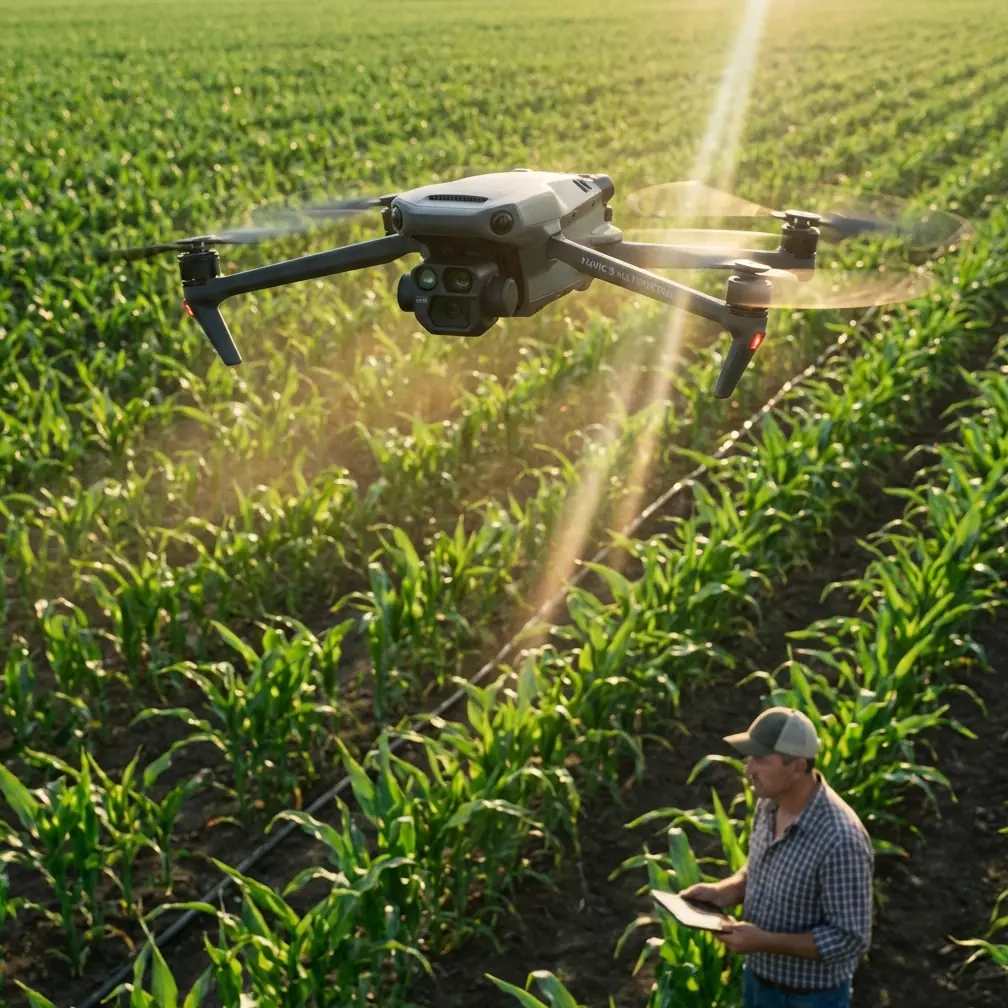
Mavic 4 Pro for Coastal Construction Filming: A Technical Review from the Field
META: A practical technical review of the Mavic 4 Pro for filming coastal construction sites, covering obstacle avoidance, ActiveTrack, D-Log, Hyperlapse, wind handling, and workflow tips that matter on real jobs.
Coastal construction is a strange assignment for a drone. You are not just filming a building site. You are filming a moving environment layered with glare, wind, salt, cranes, scaffolding, reflective water, fast-changing light, and often a client who wants both polished visuals and useful documentation in the same flight window.
That combination is where a lot of otherwise capable drones start to feel awkward.
I have had shoots where the real battle was not camera quality. It was keeping the aircraft predictable near partially erected steel, getting stable tracking as vehicles moved between shadow and hard sun, and preserving enough highlight detail that the sea did not turn into a white sheet behind the subject. Coastal work exposes weak points fast. It punishes hesitation in obstacle sensing, inconsistent tracking, and cameras that look good only when the light behaves.
The Mavic 4 Pro, viewed through that lens, is most interesting not as a headline product but as a workflow tool. For construction filmmakers, survey-adjacent media teams, and project marketing crews, its value comes from how several systems work together: obstacle avoidance, subject tracking, automated flight modes like QuickShots and Hyperlapse, and a log profile such as D-Log for difficult light. Those features are familiar on paper. What matters is their operational significance on an active coastal site.
Why coastal construction is harder than standard real-estate work
A normal property shoot is usually about aesthetics. A coastal construction shoot is about aesthetics plus legibility plus safety margins.
You may need a sunrise establishing pass for investors, a midday progress record for the project manager, and a late-afternoon tracking shot of material handling or facade work for social media. The same drone has to handle all three. The site itself is changing every week. Safe airspace on Monday can disappear by Thursday because a tower crane has slewed into a new envelope or temporary structures have gone up.
Then there is the coast. Salt air is not just a maintenance note. It affects how carefully you manage takeoff and landing zones, how often you inspect motors and gimbal surfaces, and how conservative you stay with low-altitude runs over wet concrete and exposed aggregate. Wind close to water is rarely uniform. You can have calm conditions at launch and a very different crosswind pattern once you rise above the perimeter fencing.
That is why obstacle avoidance and stable tracking are not luxury features here. They reduce friction in the exact places where construction filming usually becomes messy.
Obstacle avoidance is not about laziness. It is about repeatability.
On a construction site, obstacle avoidance earns its keep when you are trying to reproduce a camera move under pressure.
Imagine a reveal shot that starts behind a stack of materials, rises to clear a temporary office roofline, then arcs toward a concrete core with the ocean in the background. A manual pilot can absolutely do that. The problem is consistency. If the client wants three versions for different focal lengths or slight variations in altitude, small errors stack up. One run is smooth. The next is cautious. The third drifts wider than planned because a crane cable entered your peripheral scan.
The Mavic 4 Pro’s obstacle avoidance matters because it gives the pilot more confidence to fly precise lines around dynamic site geometry. That does not mean flying carelessly near structures. It means having a better margin when repeating a move close to scaffolding, facade elements, temporary fencing, or machinery paths. In practical terms, that often reduces the number of abandoned takes.
The significance is operational, not theoretical: fewer resets, cleaner repeated passes, and less mental load when composing around protruding site elements. On commercial jobs, that translates directly into more useful footage within narrow site access windows.
ActiveTrack and subject tracking solve a very specific construction problem
Construction clients increasingly want more than pretty overviews. They want footage that shows activity: a concrete pump operating, a vehicle route, a team installing facade panels, barges arriving, or a supervisor walking a perimeter edge at a safe standoff distance. Static aerials do not tell that story well.
This is where ActiveTrack and subject tracking become more than creator-friendly labels.
On coastal sites, moving subjects often pass through ugly lighting transitions. A truck can emerge from a shaded staging area into harsh reflected sunlight off wet ground. A worker in a high-visibility vest can be visually swallowed by pale concrete and sea glare. Tracking reliability in those conditions matters because restarting the action is often impossible. The pour continues. The lift happens once. The vehicle path is controlled by operations, not by the camera team.
The practical advantage of subject tracking on the Mavic 4 Pro is that it helps preserve framing continuity during these one-take moments. Instead of devoting all attention to manually centering a moving subject while also checking site obstacles and exposure, the operator can allocate more bandwidth to route planning and composition. That is a genuine field advantage.
It also improves communication with site managers. When you can say, “Walk the path once and I can hold a consistent overhead or trailing frame,” you simplify the operation for everyone. Less disruption. Better footage. Fewer requests for repeated site movements.
D-Log is where the camera starts paying for itself in post
If you have filmed near water, you already know the trap: the building looks fine, the machinery looks fine, and the sea blows out first. Or the opposite. You hold the highlights in the sky and water, and the site itself becomes flat and lifeless.
That is why D-Log matters in coastal construction filming. Not because log footage sounds advanced, but because dynamic range management is a daily problem on these jobs.
A half-built structure beside reflective water creates brutal contrast. Add light-toned concrete, metallic surfaces, and pale sky haze, and standard profiles can paint you into a corner quickly. D-Log gives the colorist more latitude to recover detail and shape a balanced image where both the project and its environment remain readable.
Operationally, this changes how you shoot. You do not have to avoid compositions just because the ocean sits behind the hero angle. You can keep the geographic context, which is often one of the project’s strongest visual selling points, without sacrificing the legibility of the build itself. For documentation teams and marketing editors, that flexibility has real value. The footage cuts together more cleanly across different times of day and weather shifts.
For construction brands trying to show progress over months, consistency matters as much as absolute beauty. D-Log helps create a steadier visual baseline.
QuickShots are useful, but only when treated as disciplined tools
QuickShots often get dismissed by experienced operators because they sound consumer-oriented. On a worksite, though, they can be efficient when used with intention.
The trick is not to use them as novelty moves. Use them as pre-structured geometry.
A controlled reveal around a completed retaining wall, an orbit to show the relationship between a building core and shoreline defenses, or a pullback to situate the site within the harbor edge can all benefit from automated motion if the flight envelope is clean and pre-checked. QuickShots reduce pilot workload on shots that need smooth, predictable pathing more than improvisation.
That consistency is especially useful when you revisit a site every two weeks and want visual continuity in progress reels. Similar motion patterns let clients compare changes in a way that feels coherent rather than random.
Still, automation on construction sites only works when the operator treats it conservatively. You check the route, understand moving hazards, and verify wind before you hand any part of the move to the system. Used that way, QuickShots can speed up capture without turning the flight into a gimmick.
Hyperlapse is underrated for project storytelling
If I had to pick one mode that construction clients consistently undervalue before seeing the finished result, it would be Hyperlapse.
Coastal builds change appearance by the hour. Tides move. Shadows sweep across slabs. Cranes rotate against the horizon. Clouds roll in from the water and break apart. Hyperlapse condenses all of that into a format that makes a site feel alive rather than merely documented.
On the Mavic 4 Pro, Hyperlapse becomes especially useful for showing schedule momentum or environmental context. A static elevated hyperlapse can reveal how site traffic patterns evolve through a work block. A subtle programmed move can show the relationship between shoreline conditions and active works. For public-facing stakeholders, this often explains a project better than a dozen stills.
Its significance is not artistic alone. It can also clarify operations. Teams can review how sunlight, access, or crane movement affect usable working zones over time. For marketing, it creates high-retention content. For internal review, it gives decision-makers compressed visual context they might otherwise miss.
A past headache this kind of platform reduces
One of the more frustrating shoots I remember involved a waterfront construction parcel with partially installed facade framing and a very narrow approved flight period. The client wanted a tracking sequence of vehicles entering from the temporary access road, then a rising reveal of the structure with the sea behind it. On paper, easy.
In reality, the reflective water wrecked the exposure balance, the access road passed close to vertical materials that narrowed the safe line, and every repeated take burned time we did not have. The final edit worked, but only after more manual correction in post and more on-site resets than the schedule could really absorb.
That is exactly the type of assignment where the Mavic 4 Pro’s mix of ActiveTrack, obstacle avoidance, and D-Log starts to feel less like a spec sheet and more like relief. Better tracking reduces broken sequences. Stronger obstacle awareness helps when repeating tight lines near temporary structures. D-Log preserves a more workable file when the sea and sky insist on overpowering the build.
None of these features replaces pilot judgment. They simply remove some of the friction that used to consume disproportionate time on jobs like this.
Best-practice setup for coastal construction filming
If your main use case is coastal project work, I would approach the Mavic 4 Pro with a disciplined capture plan.
First, prioritize flight windows with the site team, not just the weather app. The safest and cleanest time to fly is often when specific machinery is inactive or when a crane’s movement pattern is known in advance.
Second, use obstacle avoidance as a safety net, not as permission to crowd structures. Coastal wind shear near unfinished buildings can shift the aircraft more than expected.
Third, shoot critical hero passes in D-Log when contrast is high. Water reflections and pale concrete can exceed what a standard look handles gracefully.
Fourth, reserve ActiveTrack for sequences where subject motion is predictable and the route has already been visually cleared. It is best used to reduce operator workload, not to improvise around uncertainty.
Fifth, capture at least one Hyperlapse on every major visit. Clients often do not request it until they see how effectively it communicates progress.
And finally, maintain the aircraft carefully after salt-air operations. That is not glamorous advice, but coastal use punishes neglect. A reliable platform is built as much in inspection and cleaning as in flight performance.
If you are comparing setup options or need a field-oriented recommendation for construction filming, you can reach out directly here: message Chris on WhatsApp.
Is the Mavic 4 Pro a strong fit for this niche?
For coastal construction filming, yes. Not because it promises perfection, and not because automation should replace pilot skill. It is a strong fit because its key systems align with the actual pain points of the job.
Obstacle avoidance helps preserve repeatability around irregular site geometry. ActiveTrack and subject tracking improve the odds of keeping one-take activity sequences usable. D-Log gives you a fighting chance against bright water, sky, and concrete in the same frame. QuickShots and Hyperlapse, when used with discipline, speed up repeatable capture and make progress storytelling more effective.
That combination is what matters.
A drone for this kind of work should not just produce attractive footage. It should reduce operational drag. It should help the pilot stay composed in difficult light, changing site layouts, and narrow access windows. The Mavic 4 Pro looks best when judged on those terms.
Ready for your own Mavic 4 Pro? Contact our team for expert consultation.