
Mavic 4 Pro in Extreme Temperatures: A Field Workflow
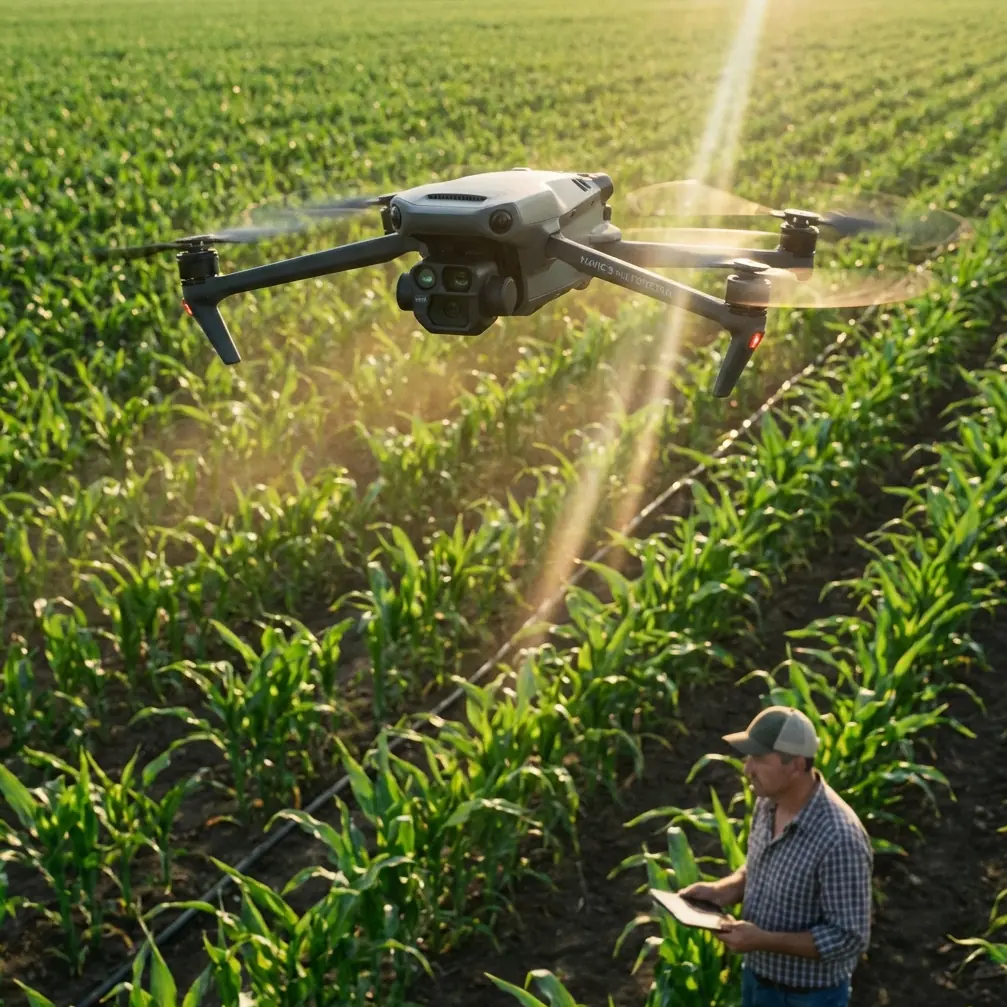
Mavic 4 Pro in Extreme Temperatures: A Field Workflow for Wildlife Delivery and Observation
META: Practical how-to guide for using the Mavic 4 Pro in extreme heat and cold for wildlife-related delivery and observation, with battery management tips, obstacle avoidance strategy, ActiveTrack use, and D-Log capture advice.
I spend a lot of time thinking about what happens before takeoff.
Not the glamorous part. Not the footage. Not the reveal shot over a frozen ridgeline or the quiet pass above a sun-blasted estuary. I mean the part where your hands are cold, the case is open, the air is doing something unfriendly to battery chemistry, and the mission has a living deadline. If you are using a Mavic 4 Pro for wildlife support work in extreme temperatures, that preflight window matters more than people admit.
This article is built for a very specific scenario: operating a Mavic 4 Pro in harsh heat or cold where the aircraft is helping deliver lightweight wildlife support items or document animal response safely and efficiently. That could mean moving small medical supplies to a remote rehabilitation team, dropping non-invasive monitoring payloads where regulations allow, or transporting urgent field essentials to researchers who cannot reach a nesting or migration area on foot without disturbing habitat. The aircraft is only one piece of the job. Temperature management is the other.
The Mavic 4 Pro is attractive for this kind of work because it combines mobility with intelligent flight tools that reduce pilot workload. Features like obstacle avoidance, ActiveTrack, QuickShots, Hyperlapse, and D-Log are often discussed as creative or convenience functions. In difficult environmental conditions, they become operational tools. Used well, they protect battery margin, reduce unnecessary maneuvering, and help you leave the site with usable footage or observational data instead of a half-finished sortie.
Start with the battery, not the route
My strongest field advice is simple: in extreme temperatures, fly the battery you managed, not the battery percentage you hoped you had.
Cold weather steals confidence because the pack may look healthy at launch and then sag under load. Heat creates a different trap. The numbers may appear stable, but thermal stress can push you into a conservative landing sooner than planned, especially if you force the aircraft to climb hard, hover long, or fight gusts while carrying even a modest delivery rig.
A practical rule from my own workflow: never let your first decision of the day be made on the launch pad. Decide your battery rotation and thermal strategy before you leave the vehicle or shelter.
My field battery tip
In cold conditions, I keep flight batteries insulated until just before use and avoid loading a pack into the aircraft too early while I am still setting up. That sounds minor. It is not. A battery sitting in freezing air while you fiddle with landing zone markers and radio checks can lose the benefit of whatever warmth it started with. I want that pack going from protected storage into the aircraft with as little idle exposure as possible.
In heat, I do the opposite in spirit. I never let batteries bake in a closed vehicle or direct sun between flights. I stage them in shade, allow them to normalize, and resist the urge to turn around a sortie too quickly if the pack comes back warm. A fast relaunch with a heat-soaked battery is one of the easiest ways to shorten both endurance and peace of mind.
The mission effect is obvious: steadier voltage, more predictable power delivery, fewer surprise low-battery warnings, and better reserve for return-to-home. The less obvious effect is camera quality. When you are not rushing because of energy uncertainty, you frame better, track better, and make fewer abrupt inputs.
Build a shorter route than your confidence suggests
Wildlife work in extreme temperatures punishes optimism. Plan the mission in thirds: outbound, task time, return. Then cut task time again unless the first pass proves conditions are better than expected.
If the Mavic 4 Pro is being used to deliver a small approved item to a field team, the aircraft should not loiter above the handoff zone just because the live view looks good. Complete the delivery or release procedure cleanly and move. If your purpose is observation, decide in advance what success looks like. For example, “confirm animal position, capture 20 seconds of stable identification footage, and exit.” Clarity prevents energy drift.
This is where obstacle avoidance earns its keep. In wooded habitat, rocky canyons, reed beds, or uneven coastal terrain, manual route corrections cost time and battery. A capable avoidance system is not a substitute for planning, but it reduces the energy waste that comes from braking late, backing out of blind approaches, or making repeated line adjustments. In temperature-stressed flying, every inefficient correction matters.
Operationally, obstacle sensing also helps you preserve a safer altitude buffer when your attention is split between the aircraft, the wildlife, and the receiving team on the ground. In normal weather that is useful. In bad weather, with gloves on or with heat fatigue creeping in, it is a layer of discipline.
Use ActiveTrack carefully, and only when it reduces workload
People hear “subject tracking” and imagine cinematic convenience. For wildlife support work, that is the wrong mindset.
ActiveTrack can be valuable when your real goal is to maintain consistent framing of a moving field vehicle, a ranger on foot, or a research team relocating through difficult terrain. In that context, the feature can reduce stick input, smooth pathing, and conserve both pilot focus and battery. Less overcorrection usually means less wasted power.
What ActiveTrack should not become is an excuse to pressure animals with persistent pursuit. Ethical distance comes first. If the aircraft’s tracking function helps you hold a stable offset from a human team or document a movement corridor from a respectful range, good. If it pulls you into prolonged close-follow behavior around wildlife, disengage and fly manually.
That distinction matters because temperature stress narrows your margin for mistakes. When batteries are affected by cold or heat, you do not want your mission profile driven by curiosity. You want a disciplined, repeatable sequence with minimal acceleration spikes and predictable exits.
QuickShots and Hyperlapse are not just creative extras
I know the instinct is to dismiss QuickShots and Hyperlapse when the assignment is practical. That is a mistake.
QuickShots can help field teams capture standardized contextual footage quickly. If you need a short, repeatable visual record of terrain around a release site, access path, or temporary camp, an automated movement can get the job done faster than manual improvisation. The key is restraint. Use these modes only when the airspace is open enough and the route is clearly understood. Automated elegance is useless if it adds risk near trees, cliff faces, or stressed animals.
Hyperlapse has a more specialized role. In environmental documentation, it can condense changing light, water movement, or animal-adjacent habitat activity into a format that is easier to review later. In extreme temperatures, though, long-duration capture should be planned with brutal honesty. If the conditions are draining the battery faster than normal, a shorter interval-based sequence may be smarter than a prolonged hover-heavy timeline.
The operational significance here is time compression. Automated capture modes can reduce the number of manual passes needed to document a site. Fewer passes usually mean lower battery consumption, less disturbance, and a cleaner safety profile.
Why D-Log matters in hard environments
When people discuss D-Log, they often frame it as a post-production luxury. In harsh field conditions, it is closer to insurance.
Snow, sand, reflective water, pale rock, and harsh overhead sun can produce scenes with punishing contrast. If you are documenting wildlife support operations, habitat condition, or handoff points in those environments, preserving highlight and shadow detail matters. D-Log gives you more flexibility when the scene exceeds what a baked-in look can comfortably hold.
That has real field value. A washed-out patch of snow can hide tracks or terrain texture. Deep blocked shadows can conceal movement paths, gear placement, or hazards around a receiving team. If you are shooting for later analysis as well as storytelling, capturing in a flatter profile can protect information you would otherwise lose.
There is a workflow tradeoff, of course. D-Log expects thoughtful grading later. But I would rather spend extra time in post than discover that the only useful segment from a difficult mission clipped important visual detail because I chose convenience over latitude.
A practical extreme-temperature workflow
Here is the sequence I recommend for a Mavic 4 Pro mission supporting wildlife fieldwork in cold or heat.
1. Define the minimum successful outcome
Do not launch with a vague objective. Write down the exact delivery point, observation angle, or visual confirmation needed.
2. Prepare batteries for the environment
In cold, keep packs protected and insert them only when the aircraft is ready. In heat, store them out of direct sun and allow recovery between sorties.
3. Shorten the route on paper
Assume less endurance than ideal conditions would suggest. Build in a bigger reserve than usual.
4. Use obstacle avoidance as a margin saver
Avoidance tools help conserve battery by reducing abrupt corrections and unnecessary rerouting, especially near vegetation, rock, or irregular terrain.
5. Use ActiveTrack only when it reduces manual workload around human collaborators
A stable tracked movement of a field team can be useful. Chasing wildlife is not.
6. Capture essential footage first
Get the proof, the delivery confirmation, or the observational clip before any secondary creative work.
7. Shift to QuickShots or Hyperlapse only if reserve is healthy
These modes are efficient when used intentionally, but they should never come before mission-critical capture.
8. Record in D-Log when lighting is harsh or analysis matters
The extra grading step later is worth it when snow, water, sand, or strong sun compresses visible detail.
9. Land early, not right on time
Battery behavior in extreme temperatures can change fast near the end of the pack. A cautious landing window is part of professionalism.
Small handling choices make a big difference
A lot of successful extreme-temperature flying comes down to habits nobody sees in the finished work.
Do not stand there with the aircraft powered on while discussing the plan. Do not hover while waiting for someone on the radio to answer. Do not force a dramatic climb because the view is better from higher up. Those habits consume the exact reserve you may need later if wind changes or terrain complicates the return.
I also recommend keeping your interface simple. Use the screen brightness you actually need, not maximum by default. Preload maps. Confirm return behavior before launch. If you are working with a field team, agree on clear phrases for “drop complete,” “site clear,” and “abort.” Less radio confusion means less hover time.
If you want to compare notes on setup choices for your environment, I’d suggest sending a message through this field support contact before your next deployment.
The real goal is reliability
The Mavic 4 Pro is a capable platform, but extreme temperatures expose whether your operation is built on discipline or wishful thinking. Intelligent features are useful because they remove friction, not because they make the environment forgiving. Obstacle avoidance can preserve route efficiency. ActiveTrack can reduce pilot workload when following human movement. QuickShots and Hyperlapse can gather context quickly. D-Log can preserve visual detail under difficult light. All of those features matter more when the air is hostile and your battery margin is not negotiable.
For wildlife-related delivery and observation, that reliability matters beyond the aircraft itself. A delayed handoff can disrupt a field team’s schedule. An unnecessary extra pass can disturb habitat. A battery misjudgment can turn a straightforward sortie into a rushed recovery. The best Mavic 4 Pro workflow in these conditions is not the most ambitious one. It is the one that remains calm, repeatable, and useful when temperature starts rewriting your assumptions.
That is the standard I aim for every time I open the case.
Ready for your own Mavic 4 Pro? Contact our team for expert consultation.