
Delivering Highways in Urban Areas with Mavic 4 Pro
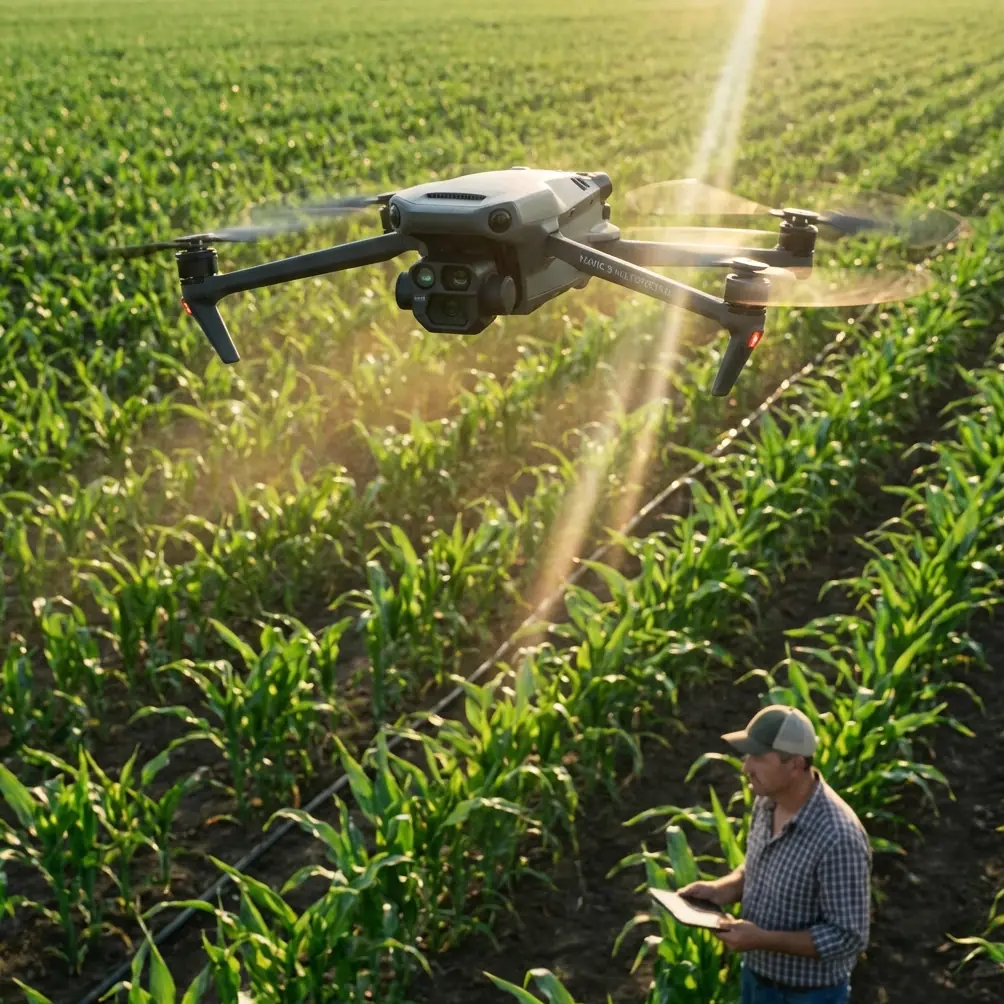
Delivering Highways in Urban Areas with Mavic 4 Pro: Camera Mission Tips That Actually Hold Up
META: Practical Mavic 4 Pro how-to for urban highway delivery and documentation flights, with camera mission logic, altitude guidance, waypoint shooting strategy, and gimbal workflow inspired by ArduPilot mission planning principles.
Urban highway work exposes every weakness in a drone workflow. Fast traffic, narrow launch choices, reflective surfaces, overpasses, signage, and patchy GPS geometry between buildings all put pressure on the pilot and the camera plan at the same time.
That is why the smartest way to approach a Mavic 4 Pro highway job is not to think about it as “just flying and filming.” It is a camera mission. That sounds obvious, but many operators still separate flight planning from image planning, and that usually leads to missing angles, uneven overlap, or footage that looks dramatic but cannot support inspection notes, stakeholder review, or progress reporting.
A useful framework comes from an older but still very relevant ArduPilot mission-planning concept: a camera task can be built almost exactly like an auto waypoint mission, except the aircraft is also told when to trigger the shutter between waypoints. That one detail changes everything operationally. Instead of improvising image capture as you fly, you define where the drone should be, what the camera should do, and how the gimbal should behave as part of one system.
For Mavic 4 Pro operators working urban highways, that mindset is the difference between a nice-looking flight and a repeatable deliverable.
Start with the mission logic, not the lens choice
The reference material behind this discussion focuses on camera commands, camera gimbal commands, servo and relay commands, auto-mission types, a survey grid example, and creating composite images. Even though that source is tied to ArduPilot and Mission Planner, the operating lesson translates well to Mavic 4 Pro: your camera decisions should be embedded in your route design, not added afterward.
On a highway assignment in a city, I break the mission into three layers:
- Transit layer: how the aircraft moves safely through the corridor
- Capture layer: when stills or video segments are recorded
- Orientation layer: where the gimbal points and how it transitions
Most pilots spend too much effort on the first layer only. Safety matters, of course. Obstacle avoidance, return path awareness, and traffic separation are non-negotiable. But highway deliverables usually depend on consistency. If the client needs lane-surface condition records, barrier checks, signage visibility, drainage review, or construction progress tracking, then repeatable framing matters as much as flight safety.
This is where the ArduPilot-style distinction becomes practical: the route is not merely a path. It is the timing backbone for image capture.
Why waypoint-linked capture matters in an urban corridor
The source mentions that for simple tasks, photos can be taken manually between waypoints, while more complex work should use automated tools in Mission Planner. That is a clean summary of a problem every professional eventually runs into.
Manual capture works until the scene becomes dense.
Urban highways are dense. You may be tracking:
- merge points
- overhead signs
- bridge joints
- sound barriers
- lane markings
- temporary construction diversions
- retaining walls
- rooftop edge intrusion near the roadway
If you rely on memory and thumb timing, image spacing becomes inconsistent. Some sections get oversampled. Others are missed. Then back in post, the highway looks patchy. For composite outputs or progress comparisons, that inconsistency hurts.
The operational significance of “triggering the shutter between waypoints” is that it creates predictable image intervals along the route. On Mavic 4 Pro, even if you are using DJI-native planning tools rather than Mission Planner, the principle still applies: design the route so capture cadence is tied to movement, not pilot guesswork.
For a highway corridor, this usually means splitting the run into segments based on what the deliverable needs:
- Straight corridor passes for longitudinal coverage
- Cross-angle observation points for ramps, intersections, or interchanges
- Static hover captures over critical infrastructure details
- Repeatable oblique passes for progress tracking over time
The best altitude range for urban highway delivery work
The brief asks for optimal flight altitude insight, and this is where one answer does not fit every highway mission.
For most urban highway documentation with Mavic 4 Pro, a practical working band is 45 to 75 meters above the operating surface, adjusted for surrounding structures, local regulations, and sightline constraints.
Why this range works:
- Below 45 meters, you often get more dramatic perspective, but your field of view narrows too much for efficient corridor coverage. You also increase the burden of obstacle monitoring around poles, gantries, cables, and elevated road furniture.
- Above 75 meters, the corridor becomes easier to cover in broad strokes, but lane-level detail, pavement texture, crack visibility, and roadside asset legibility begin to suffer unless the task is purely overview mapping.
For urban highways specifically, around 60 meters is often the sweet spot for general still-image collection when you need a balance of context and readable roadway detail. It is high enough to smooth out small terrain and vehicle occlusion issues, but low enough to preserve useful inspection value in the frame.
That altitude also tends to help obstacle avoidance systems perform more predictably than ultra-low, high-speed runs through cluttered roadside geometry. Mavic 4 Pro’s obstacle avoidance can assist, but in urban corridors it should be treated as a support layer, not the plan itself. A route that depends on the aircraft “figuring it out” around every sign and pole is not a professional route.
Use the gimbal as part of the route design
One of the strongest details in the source material is the separate treatment of camera gimbal commands. That is not a minor technical category. For highway work, it is central.
A lot of footage fails because the pilot thinks in terms of aircraft direction only. But for deliverables, the useful part of the mission often depends more on gimbal angle than on heading.
Three gimbal patterns are especially effective for Mavic 4 Pro in urban highway scenarios:
1. Near-nadir for surface condition and layout
Use a steeper downward angle when the goal is lane organization, patch repairs, shoulder condition, or drainage context. This is the closest analogue to the survey-grid mindset mentioned in the reference.
The reason it matters operationally: steep downward images are much easier to compare across dates. They also support composite creation more cleanly because perspective distortion is reduced.
2. Mid-oblique for asset relationships
A moderate downward tilt helps show how barriers, signs, exits, service roads, and adjacent structures relate to the main corridor. This is often the best angle for client-facing progress visuals because it carries both detail and context.
3. Forward-oblique for narrative movement
This is where features like ActiveTrack, subject tracking, QuickShots, or Hyperlapse may tempt pilots into making the mission too cinematic. Use them selectively. A forward-oblique angle can communicate traffic flow and route geometry well, but not every deliverable benefits from automated motion effects.
If the job is progress documentation or infrastructure review, consistency beats flair.
Borrow the survey-grid idea, even when the road is linear
The source explicitly references a Survey (Grid) Example and creating composite images. At first glance, that sounds more relevant to open land than to highways. In practice, it is highly relevant.
A highway is just a stretched survey area.
You can adapt grid logic into a corridor method:
- Build a centerline pass for continuity
- Add one offset pass on each side where safe and legal
- Keep camera angle and speed consistent
- Maintain image overlap through timed capture or distance-based trigger logic
- Re-fly the same structure on future visits for comparison
The significance of this is simple: composite-friendly capture gives you options later. A client may ask for edited video first, then weeks later request stitched still sequences, annotated condition boards, or side-by-side progress comparisons. If your original flight used disciplined overlap and stable gimbal geometry, you can support those requests without reshooting.
That is exactly why the ArduPilot reference does not stop at “camera control.” It extends into mission types and composite image creation. The real output is not the flight. It is the image set.
When to use manual capture instead
The source also makes room for simple manual shooting between waypoints. That remains useful with Mavic 4 Pro when urban constraints make strict automation awkward.
Examples include:
- temporary traffic diversions that change the corridor shape
- emergency maintenance zones with moving equipment
- highly reflective wet pavement causing exposure shifts
- confined launch locations that force a modified route
In these cases, I still pre-plan the route, but I loosen the capture method. The key is to keep the logic intact even if the shutter work becomes more manual. Decide in advance what each segment must produce. Don’t drift into random image gathering.
A helpful hybrid method is this:
- fly preplanned route sections
- use manual capture at complex nodes like ramps and overpasses
- return to structured interval shooting on the straight runs
That keeps the mission efficient without sacrificing the details that matter.
Mavic 4 Pro settings that support better highway outputs
The user context includes D-Log, Hyperlapse, ActiveTrack, QuickShots, obstacle avoidance, and subject tracking. For urban highway delivery work, these tools need discipline.
D-Log
Use D-Log when the scene has hard contrast transitions: bright concrete, dark underpasses, glass buildings, reflective vehicles, and shadow bands from elevated structures. It preserves grading flexibility, especially if the final output needs to show both structural detail and surrounding context cleanly.
ActiveTrack and subject tracking
These are useful for following maintenance vehicles, escorted survey movement, or construction-progress activity in a controlled civilian environment. They are less useful for general infrastructure capture if they distract from fixed framing objectives.
QuickShots
Best reserved for a short establishing sequence, not the core documentation pass. They can help tell the story of an interchange or bridge approach, but they are not a substitute for repeatable capture geometry.
Hyperlapse
Strong for showing traffic pattern shifts around a work zone over time, assuming the mission approvals and site safety planning support that use. It can be valuable for public communications or stakeholder summaries, though it is usually secondary to still-image documentation.
Obstacle avoidance
Critical in city corridors, but you should still maintain conservative speed, line of sight, and route spacing. Urban highway airspace is full of vertical surprises. Avoidance is a backup, not your confidence source.
A simple field workflow I recommend
Here is the process I use when the goal is disciplined urban highway capture with Mavic 4 Pro:
Preflight
- Define the final deliverable first: inspection stills, progress board, stitched visual set, or edited corridor footage
- Split the route into segments based on geometry, not battery alone
- Choose a base altitude, usually near 60 meters unless detail needs dictate lower or surrounding obstacles push higher
- Decide which segments need nadir, oblique, or forward-oblique gimbal angles
On site
- Launch and hold briefly to assess wind behavior around structures
- Verify GPS and visual stability before entering the corridor
- Fly the first pass slower than you think you need
- Watch the edges of frame composition, not just the center
Capture logic
- Use repeatable interval shooting or planned image trigger logic on straight sections
- Shift to manual capture for complex ramps, stacked roads, and bridge transitions
- Record a short video pass after stills if the client may later want narrative context
Postflight
- Review spacing consistency immediately before leaving site
- Check whether any critical asset was hidden by traffic or shadow
- If needed, reshoot the problem segment while conditions are still stable
If you need a second set of eyes on route planning for a city highway mission, I often suggest sending a draft corridor map and shot objective list first through this WhatsApp planning link. It saves time because the flight profile and camera logic can be refined before batteries ever leave the case.
The real lesson from the reference material
The manual excerpt is brief, but its structure says a lot. It groups camera commands, gimbal commands, auto-mission types, survey workflow, and composite creation into one practical chain. That chain matters because highway drone work is rarely about a single spectacular clip. It is about producing reliable visual information.
For Mavic 4 Pro pilots, the takeaway is not that you need to copy ArduPilot tools exactly. It is that the professional standard remains the same:
- build the route around the output
- link movement to image timing
- treat gimbal orientation as mission-critical
- fly with future stitching, comparison, and reporting in mind
That is how a highway job becomes scalable. It is also how a photographer’s eye and an operator’s discipline can work together instead of fighting each other.
The Mavic 4 Pro is capable of excellent urban corridor results, but the aircraft alone does not create usable deliverables. The mission design does. Once you start thinking like a camera planner instead of only a pilot, the quality jump is immediate.
Ready for your own Mavic 4 Pro? Contact our team for expert consultation.