
Mavic 4 Pro Field Report: High-Altitude Delivery Work
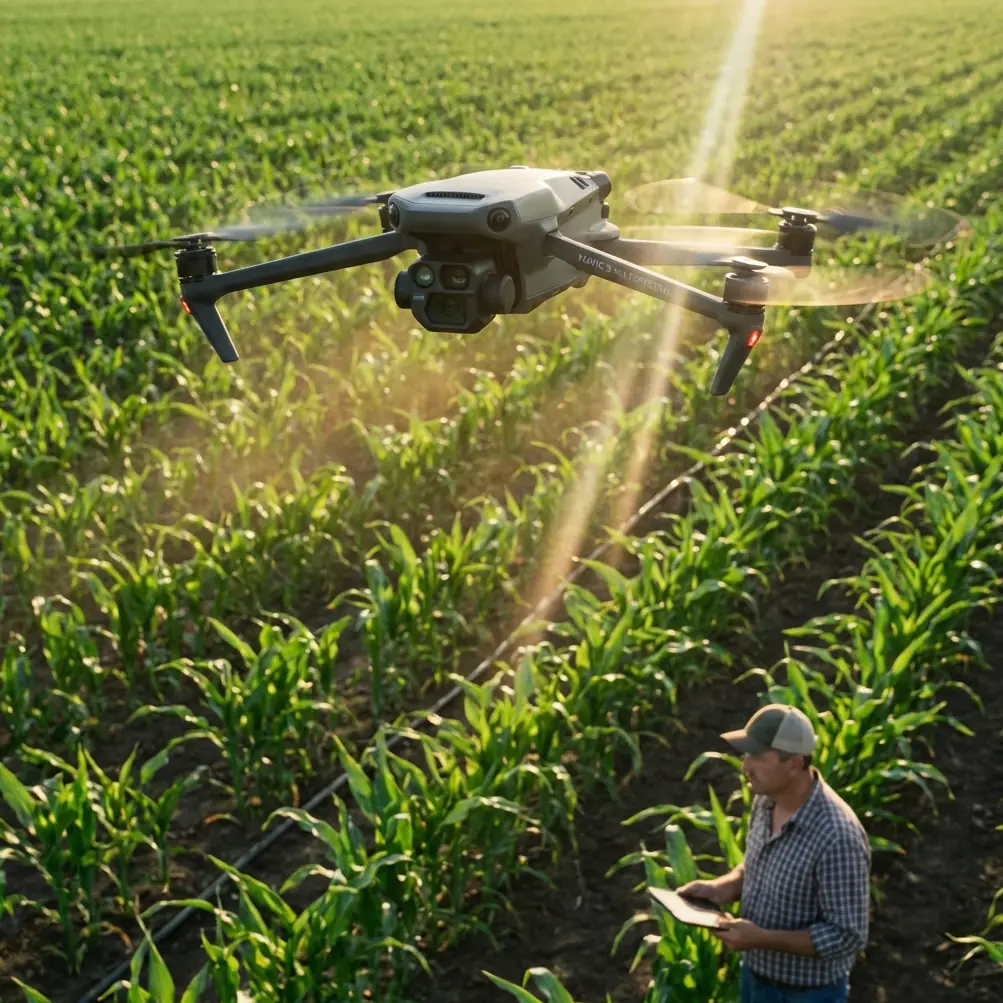
Mavic 4 Pro Field Report: High-Altitude Delivery Work, Mapping Logic, and What Actually Matters in the Air
META: A field-based expert article on using Mavic 4 Pro for high-altitude delivery support, with practical insight on GSD, relative flight height, overlap, electromagnetic interference, obstacle avoidance, ActiveTrack, D-Log, and mission planning.
High-altitude field delivery sounds simple until the terrain starts lying to you.
On paper, you launch from one point, climb, cross a ridgeline, and move supplies or visual payload support across a set route. In practice, the ground rises and falls beneath the aircraft, signal conditions shift near metal infrastructure, and the margin between a clean mission and unusable data often comes down to details many pilots skip over. That is where the Mavic 4 Pro becomes interesting—not as a lifestyle drone, but as a working platform that sits between imaging, route verification, and operational support.
I’ve been looking at the Mavic 4 Pro through the lens of a photographer who also has to think like a survey planner. That combination matters in mountain delivery scenarios. Pretty footage is irrelevant if the aircraft cannot maintain consistent image scale over sloped ground, or if electromagnetic interference forces sloppy antenna orientation and weak link quality right when you need a precise pass over a landing or drop zone.
The central lesson is this: in high-altitude field work, flight height is not just a legal or safety number. It is a data-quality number, a route-reliability number, and often a cost-control number.
The number many pilots misread: relative altitude
One of the most useful photogrammetry concepts for Mavic 4 Pro operators is the distinction between relative flight height and absolute flight height.
Relative flight height is the distance from the camera’s optical center to the photographed ground surface. Absolute flight height is referenced to mean sea level. In mountain operations, confusing the two leads to bad planning. If you launch at a high base camp and then cross into a valley, your sea-level altitude may remain reasonable while your relative height above the terrain changes dramatically. The opposite can happen when the terrain rises under the aircraft: you can be legal on paper and still end up flying too low over the actual ground relief.
Why does that matter? Because ground sampling distance, or GSD, is controlled largely by the relationship between sensor characteristics, lens geometry, and relative height over the terrain. The source material makes this point plainly: when pixel size and focal geometry are fixed, changing relative flight height is the practical way to control GSD. That is not an academic footnote. For anyone using the Mavic 4 Pro to support field delivery corridors, temporary landing zones, agricultural access paths, or utility-side mountain logistics, it is the difference between seeing enough detail and flying blind with soft spatial information.
If the mission involves documenting a route before repeated deliveries, the aircraft should be flown against the terrain, not against the launch point alone. In other words, plan for relative height over the route’s reference surface, not simply the takeoff altitude display.
Why mapping logic belongs in a delivery workflow
A lot of operators separate “delivery” from “mapping” as if they were different worlds. In rugged terrain they overlap constantly.
Before a high-altitude delivery route becomes routine, someone needs to verify approach conditions, identify obstructions, inspect slope breaks, and confirm where the aircraft can safely transition in and out of a work zone. That reconnaissance may be visual, photographic, or fully mapped. The Chinese photogrammetry reference highlights a standard planning principle: ground resolution should be selected according to mapping scale, terrain conditions, contour interval needs, baseline-to-height ratio, and the intended image use. In plain language, resolution should match the job, not ego.
There is a useful rule in the source for oblique cadastral work: ground resolution can be estimated as map scale denominator divided by 300, in centimeters. For a 1:500 output, that gives roughly 500/300 = 1.67 cm. Even if you are not producing cadastral deliverables with the Mavic 4 Pro, that number gives you a practical benchmark. If your route assessment needs to identify narrow foot access, edge erosion, cable clearance, or small landing markers, centimeter-level thinking matters. A vague “it looks sharp enough” mindset does not.
This is the operational significance: when you are delivering into high fields, terraces, or mountain staging points, route imagery needs to be collected at a planned GSD that supports the decisions you actually need to make. Too coarse, and small hazards disappear. Too fine, and you increase workload, flight time, data volume, and processing burden without adding decision value.
The reference also warns that a larger photographic scale improves interpretation and mapping precision, but pushes up workload and cost. That tradeoff applies directly to the Mavic 4 Pro. Flying lower for very high detail sounds attractive, yet in mountain wind it can force more passes, tighter terrain-following margins, and unnecessary battery consumption. The smart move is to match the image resolution to the operational question. If the goal is route clearance and landing-zone confirmation, you do not always need the most extreme detail. You need enough detail, captured consistently.
Electromagnetic interference is rarely dramatic—until it is
The scenario seed mentions electromagnetic interference and antenna adjustment, and that is exactly the kind of issue that defines real field performance.
In high-altitude delivery work, interference often appears around repeater sites, power infrastructure, steel-roof buildings, temporary generators, and communication masts. The signal problem is not always a hard disconnect. More often it shows up as link instability, delayed telemetry response, or inconsistent video quality right when the aircraft turns across terrain or passes behind a ridge shoulder.
With the Mavic 4 Pro, one of the most practical habits is to treat antenna orientation as an active flight input, not a preflight checkbox. When I’m working a route near communication towers or metallic agricultural infrastructure, I do not simply point the controller vaguely toward the aircraft and hope the system sorts it out. I adjust as the aircraft changes bearing and altitude, especially during diagonal traverses where the line-of-sight geometry shifts faster than people realize.
The reason this matters in mountainous delivery support is that degraded signal often coincides with the moments when obstacle avoidance needs clean situational awareness from the pilot. If the live view stutters while you’re evaluating a ridgeline crossing or a narrow approach over trees, your reaction window shrinks. Better antenna discipline does not replace the Mavic 4 Pro’s obstacle avoidance, but it makes the whole safety stack work more predictably.
My field rule is simple: if interference is suspected, stop treating the route like a straight line. Reposition yourself if needed, regain the best antenna-to-aircraft geometry you can, and only then continue the run. A few extra minutes on the ground is cheaper than a rushed correction in the air.
Overlap, stereo quality, and the hidden cost of “more is better”
Another technical detail from the source deserves more attention than it usually gets: the baseline-to-height ratio influences forward overlap, and excessive overlap can reduce stereo observation quality and elevation measurement precision.
That sounds counterintuitive to many pilots because they are taught that more overlap is always safer. For basic reconstruction, generous overlap helps. But once you move into terrain-sensitive documentation, indiscriminately increasing overlap can reduce the stereo effect because the intersection angle between image pairs becomes too small. The source explains that heavier forward overlap weakens the stereoscopic model and can hurt elevation accuracy.
Why mention this in a Mavic 4 Pro delivery article? Because high-altitude route planning often relies on terrain interpretation. If you are surveying a hillside access strip, a mountain greenhouse approach, or a narrow plateau drop area, the quality of height perception matters. It is not just about getting “enough photos.” It is about getting photos collected with geometry that supports reliable reading of slope and relief.
For operators using the Mavic 4 Pro to generate route models before recurring field deliveries, this means mission settings should not be copied blindly from flatland jobs. Mountain terrain rewards disciplined image geometry. More overlap can create more files while giving you less useful depth discrimination than expected.
Camera thinking still matters, even on a smart drone
The reference includes a straightforward sensor example: a Sony A7R with a 35.9 mm by 24 mm sensor and a 7360 by 4912 image size yields a pixel size of 4.87 μm. Even though the Mavic 4 Pro is not that camera, the lesson transfers cleanly. Pixel size is not a trivia spec. It is part of how you understand what level of ground detail is feasible at a given height.
A lot of drone content reduces imaging to profiles and presets. D-Log, normal color, QuickShots, Hyperlapse—those are all useful in the right context, but mission output starts with geometry, not mood. If you need route documentation that can support repeat delivery planning, the first question is not which color profile looks cinematic. It is whether your chosen flight height and camera setup produce the ground detail the task demands.
That said, D-Log still has a place here. In high-contrast mountain light—snow edges, reflective rock, bright cloud gaps, dark terraces—D-Log can preserve more grading latitude for post-flight review and reporting. That is especially useful when the footage needs to reveal surface detail in both shadow and highlight areas along a route. Hyperlapse and QuickShots are less central to core field delivery work, but they can support site communication. A short, stable overview clip is sometimes the fastest way to brief a farm manager, utility coordinator, or site supervisor on approach conditions.
Obstacle avoidance and ActiveTrack: useful, but only if you define the job correctly
Obstacle avoidance on the Mavic 4 Pro is valuable in broken terrain, especially when crossing uneven tree lines, irrigation structures, or temporary poles near field margins. But high-altitude operators make mistakes when they assume avoidance equals route understanding. Avoidance systems react to what the drone perceives. They do not replace preplanned terrain logic.
The more useful workflow is layered. First, assess the route with proper relative-height thinking. Second, capture imagery at a GSD appropriate to the task. Third, use obstacle avoidance as a live safety buffer, not as the primary planner.
ActiveTrack and subject tracking can also help in certain support tasks. If a field team or pack vehicle is moving along a mountain access path, ActiveTrack can document timing, congestion points, or handoff locations. That has value for logistics refinement and training. But the operator should resist turning a structured route mission into a tracking demo. In difficult terrain, manual authority and route discipline still beat convenience.
What I would prioritize on a real mountain field job
If I were configuring a Mavic 4 Pro for recurring high-altitude delivery support, I would focus on five things before creative output ever enters the conversation.
First, define the route by terrain-referenced relative height, not launch-point ego altitude.
Second, choose a target GSD based on the smallest feature that must be seen clearly. The reference’s 1.67 cm example for 1:500 work is a useful calibration point for understanding what “small enough to matter” looks like.
Third, tune overlap and flight geometry for terrain interpretation, not just photo count.
Fourth, plan for electromagnetic interference. That means site selection for the pilot, active antenna adjustment during bearing changes, and no casual flying near communications hardware.
Fifth, decide which deliverable actually matters: inspection stills, route video, a surface model, or an operational brief for the next crew. Different outputs justify different settings.
This is where experienced Mavic 4 Pro operators separate themselves. They stop treating the aircraft as a one-button solution and start using it as a disciplined aerial instrument.
The human side of the aircraft
As a photographer, I still care about how the scene feels. Light on terraced fields at altitude can be extraordinary. A ridgeline crossing at dawn, mist hanging below a delivery path, rows of crops breaking around stone channels—those images have value beyond utility.
But the best field footage usually comes from flights that were technically well planned. Stable link. Correct relative height. Resolution chosen with purpose. Interference managed before it becomes a problem. Obstacle avoidance understood for what it is. That foundation produces cleaner images and safer operations at the same time.
If your team is trying to build a repeatable mountain delivery workflow with the Mavic 4 Pro, the most productive conversation is not “How far can it fly?” It is “What level of ground detail do we need, at what relative height, across what terrain, under what signal conditions?” Answer that honestly, and the rest of the mission architecture becomes much clearer.
If you need help thinking through that kind of setup, I’d point you toward a direct field-ops chat here rather than a generic product discussion.
High-altitude field delivery is unforgiving of vague planning. The Mavic 4 Pro can do strong work there, but only when the operator respects the geometry beneath the aircraft as much as the aircraft itself.
Ready for your own Mavic 4 Pro? Contact our team for expert consultation.