
Mavic 4 Pro on Dusty Construction Deliveries
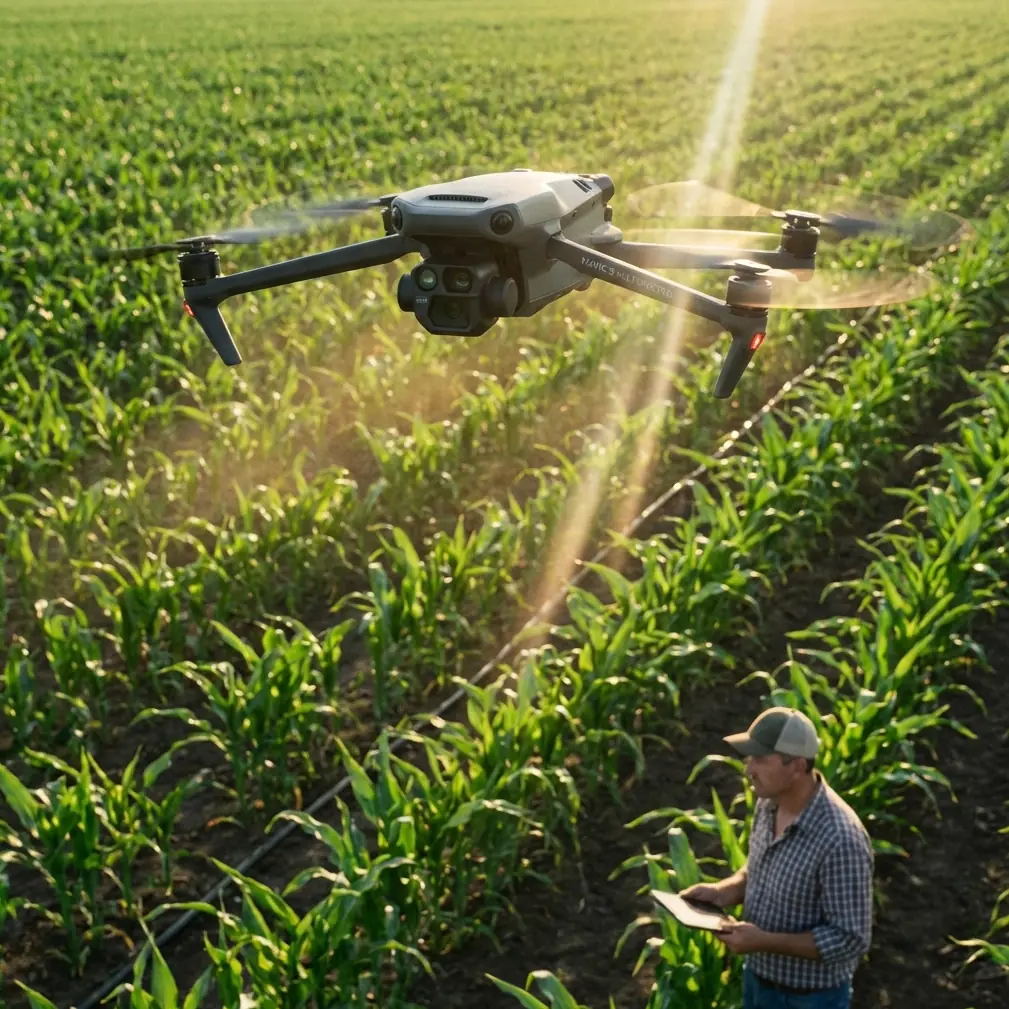
Mavic 4 Pro on Dusty Construction Deliveries: What Actually Matters in the Field
META: A field-focused look at using Mavic 4 Pro for construction site delivery in dusty conditions, with practical insight on exposure control, burst capture, low-light intervals, and antenna handling under electromagnetic interference.
Construction delivery flights sound straightforward until the site reminds you who is in charge.
Dust hangs in the air. Rebar forests distort signal behavior. Site cabins, generators, temporary power runs, and steel decking create pockets of electromagnetic noise that can make a clean route suddenly feel unreliable. And when the job includes documenting each drop, checking the landing zone, and keeping visual records under difficult lighting, the aircraft matters less than the operator’s workflow.
That is where a Mavic 4 Pro setup benefits from borrowing discipline from another camera system entirely.
One of the most useful reference points comes from the HERO4 Silver manual, specifically its treatment of photo metering and multi-shot behavior. On paper, that sounds unrelated to a modern delivery drone. In practice, it maps directly to the kind of image decisions construction operators make every day.
The real problem on dusty sites is not just dust
Dust is obvious. The hidden problem is inconsistency.
A delivery run across a construction project often shifts through radically different visual conditions in a matter of seconds. You might launch near a shaded container office, cross an open slab in hard midday glare, then descend toward a partially enclosed area where bright sky sits behind dark structural steel. If you rely on broad automatic behavior for every frame, your documentation can become uneven fast.
The HERO4 reference highlights a specific function: spot metering for scenes where the camera is aimed from a darker space toward a brighter one, such as shooting outdoors from inside a vehicle. That exact principle matters on a site. Think of a drone approaching from the shadow of a materials bay and looking outward into bright concrete reflection. Or the reverse: descending from bright sun into a shaded receiving zone under scaffolding.
The operational significance is simple. If the pilot needs a usable still image of the drop point, payload condition, or receiving crew position, metering priority has to match the subject, not the average brightness of the whole frame. A drone like the Mavic 4 Pro may offer far more advanced imaging than the HERO4 generation, but the exposure discipline is the same: identify what must be readable in the image and meter accordingly.
That is not a photography nicety. It affects whether the operator can confirm a safe handoff area, verify material placement, and retain a consistent visual record for project teams.
Delivery flights need a camera workflow, not just flight skill
A lot of operators treat delivery as if the mission ends at accurate navigation. It does not.
On busy projects, the drone is often doing three jobs at once:
- moving the item,
- validating the route and receiving area,
- capturing visual evidence of conditions.
This is where the second useful detail from the manual becomes relevant. It states that in Multi-Shot mode there are three available capture types: Burst, Time Lapse, and Night Lapse.
That matters because a construction delivery mission rarely benefits from one-photo thinking.
Burst for the landing zone and release moment
The manual describes Burst as taking photos at a specified rate. For a drone operator, burst-style capture is valuable during the highest-risk visual moments: final approach, load release, and initial climb-out. Dust can briefly obscure the frame. Ground crew may step in or out of the receiving area. A tarp corner may lift in rotor wash. A single still can miss the exact condition you need to review later.
Using burst logic means the operator increases the chance of recording the one frame where the touchdown area, package position, and surrounding personnel spacing are all clearly visible. On a site with moving equipment and airborne dust, that extra image density is not cosmetic. It reduces ambiguity.
The HERO4 manual even notes that after burst capture, the system may show BUSY while processing files before the next action can occur. Translate that to a modern drone operation and the lesson is still useful: image-rich workflows create short processing or attention bottlenecks. Pilots should not stack critical maneuvering, capture review, and route adjustment all into the same few seconds. Build that into the mission rhythm.
Time Lapse for progress accountability
The same manual defines Time Lapse as taking photos at a specified interval. That fits construction delivery better than many crews realize.
If a drone is making repeated supply runs to the same workface, interval captures can provide a timeline of access conditions, dust density, material buildup, crew congestion, and visibility changes. This can be useful when site management later asks why an afternoon route slowed down or why one receiving zone became impractical.
Time-based stills also give context that a single hero image never will. They can show whether a pathway became crowded with lifts, whether a scaffold net shifted into the flight corridor, or whether wind-driven dust worsened during a specific window.
Night Lapse for low-light shifts at dawn and dusk
The manual’s third mode, Night Lapse, is intended for low-light shooting at set intervals. For a drone working a civilian site, that is relevant during early starts and late handoffs when ambient light is inconsistent and visibility at the drop zone is changing quickly.
Many projects begin before the light is stable. Others continue into the blue-hour period when site lights and remaining daylight produce mixed exposure conditions. A low-light interval mindset helps the operator build a more accurate visual record of the environment over time rather than depending on a single poorly exposed frame.
Again, the lesson is not that a Mavic 4 Pro should behave like an older action camera. It is that the mission benefits when the pilot deliberately chooses the capture pattern that fits the operational question.
Why mode-specific settings matter more than most crews think
The manual makes another sharp point: changes to Spot Meter in Photo mode apply only to photos, and video or multi-shot adjustments need to be made in their own respective modes.
That detail is easy to overlook, but it has real consequences for construction delivery teams. If the pilot configures exposure behavior while checking stills before launch, then expects the exact same behavior during video documentation or interval capture, the footage may not match expectations. The result can be a clean set of preflight photos and a much less useful video record of the actual delivery.
For Mavic 4 Pro operators, the broader principle is this: do not assume one image setting change carries across every recording mode. Before takeoff, verify the exact profile and behavior for stills, video, and automated capture sequences separately. That matters even more if you are using D-Log for post work on progress footage while expecting immediate readability from stills used in site communications.
The best crews separate their imaging intent into layers:
- stills for verification,
- video for route and event context,
- automated capture for trend tracking.
Once you think that way, your preflight becomes much more disciplined.
Electromagnetic interference is a route problem and an antenna problem
The context here specifically calls for handling electromagnetic interference with antenna adjustment, and that deserves straight talk.
On construction sites, interference rarely announces itself politely. Signal quality can dip near temporary electrical installations, high-power tools, elevator cores, container stacks, or dense steel structures. Pilots often misread this as a drone defect when it is really a site geometry problem.
The first response should be route logic. Avoid flying low and close alongside long conductive structures if the mission does not require it. Gain a little separation. Change your angle of approach. Use the Mavic 4 Pro’s obstacle avoidance and subject-awareness tools to maintain safer stand-off margins when rerouting around cranes, stacked materials, or scaffolding edges.
The second response is antenna discipline. If interference appears, stop fixating on the screen and fix the link. Reorient the controller antennas to present their broadside toward the aircraft rather than pointing the antenna tips directly at it. Small adjustments can materially improve signal stability. On sites with reflective steel and cluttered RF behavior, a few degrees of controller repositioning combined with a short lateral move by the pilot can clean up a weak link faster than repeatedly climbing and descending in place.
This is especially relevant during delivery because the most sensitive phase often comes at the far end of the route, exactly where site clutter is worst and visual line geometry is least forgiving. A pilot who understands antenna behavior will recover composure faster and keep the mission from turning into a hesitant hover over an active work zone.
Dust changes how you should use automation
Features like ActiveTrack, QuickShots, Hyperlapse, and obstacle avoidance get a lot of attention, but dusty construction work rewards selective use rather than blind trust.
Obstacle avoidance is valuable, particularly around scaffold lines, hoists, and temporary structures that seem to multiply between flights. But heavy airborne dust can soften scene contrast and reduce the visual clarity those systems rely on. That does not make the technology useless. It means the pilot should treat it as an extra layer, not the primary layer.
Subject tracking has a place when monitoring a receiving vehicle or following a defined movement corridor for inspection-style documentation after a drop. But during the actual delivery phase, especially close to personnel, manual precision is usually the better call.
QuickShots and Hyperlapse are best reserved for progress storytelling or management updates, not core delivery execution. Dusty sites demand operational images first, cinematic extras second.
A better construction delivery workflow for Mavic 4 Pro crews
The most reliable teams tend to follow a sequence like this:
1. Preflight for light, not just weather
Check where glare and shadow transitions will occur along the route. If the receiving area sits under roofing, mesh, or scaffolding, plan your exposure strategy before launch.
2. Set capture modes intentionally
Use still-photo logic for verification frames. Use burst behavior near final approach and delivery confirmation. Use interval-based capture when the mission also needs progress evidence over time.
3. Confirm mode-specific image settings
The HERO4 reference is valuable here because it reminds us that settings are not always universal across modes. Verify still, video, and sequence settings separately.
4. Brief for EMI hotspots
Mark steel-dense areas, generators, site offices, and temporary power zones. Decide in advance where you will widen the route or raise altitude.
5. Manage antennas actively
If signal quality starts to degrade, adjust antenna orientation first, then improve spatial separation from reflective structures. Keep the broad face of the antennas aligned toward the aircraft.
6. Use automation where it helps, not where it flatters
Obstacle sensing is a safety aid. It is not a substitute for a clean route and a stable receiving area.
Why these old camera details still matter in a modern drone article
Because the strongest flight operations are built on transferable principles.
A manual note about spot metering in a dark-to-bright scene may seem small, but on a dusty site it can be the difference between a clearly documented drop zone and an unusable image. A note about three multi-shot modes may sound basic, yet it points directly to how serious operators should think about burst confirmation, interval-based accountability, and low-light progression records. Even the reminder that settings apply differently across modes is a useful warning against sloppy assumptions during preflight.
That is the real takeaway for Mavic 4 Pro users in construction delivery. The aircraft can be advanced, the obstacle avoidance can be sophisticated, the tracking can be clever, and D-Log can give post teams room to work. But none of that replaces disciplined camera logic and RF awareness in the field.
If your team is building a dusty-site delivery workflow and wants to compare route planning, image settings, or controller handling practices, you can start the conversation here: message Chris Park directly
Ready for your own Mavic 4 Pro? Contact our team for expert consultation.