
Capturing Wildlife in Complex Terrain With the Mavic 4 Pro
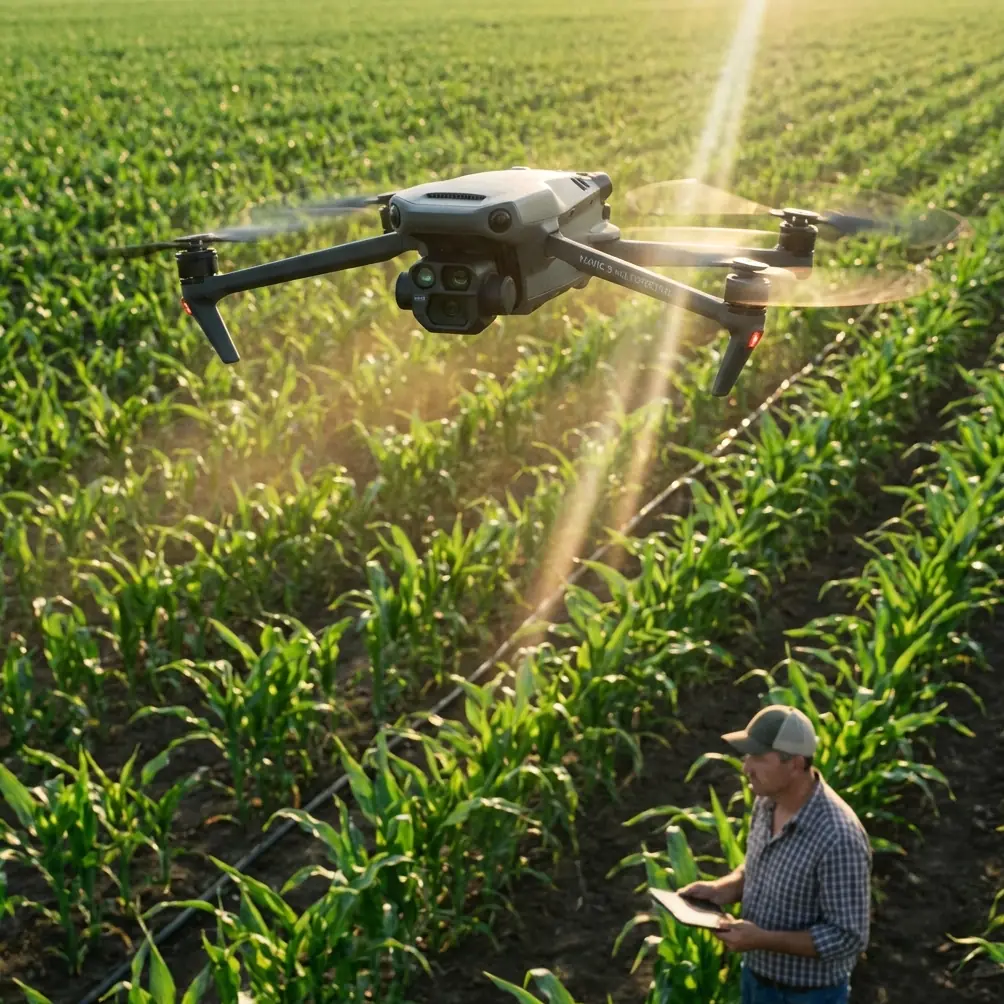
Capturing Wildlife in Complex Terrain With the Mavic 4 Pro: A Practical Field Method
META: Learn how to use the Mavic 4 Pro for wildlife filming in difficult landscapes, with field-tested tips on obstacle avoidance, ActiveTrack, D-Log, Hyperlapse, QuickShots, and a critical pre-flight cleaning routine.
Wildlife work asks more from a drone than a scenic flight ever will. Ridge winds change direction without warning. Tree lines interrupt GPS confidence. Water, dust, pollen, and salt can quietly degrade the very sensors you rely on to avoid a collision. And unlike a predictable real-estate orbit, animals do not repeat themselves for your convenience.
That is where the Mavic 4 Pro becomes interesting—not as a spec sheet trophy, but as a flying camera platform that can help you stay further back, react faster, and fly with more discipline in terrain that punishes sloppy habits.
If your goal is to film wildlife in forests, valleys, coastal cliffs, wetlands, or broken mountain terrain, the biggest gains rarely come from flying more aggressively. They come from preparation, restraint, and understanding how features like obstacle avoidance, ActiveTrack, QuickShots, Hyperlapse, and D-Log actually behave when the environment stops being clean and simple.
This is a practical how-to built around that reality.
Start With the One Step Pilots Skip: Clean the Vision System Before Every Wildlife Flight
Before battery checks, before compass sanity checks, before deciding your launch angle, clean the aircraft’s sensing surfaces.
That sounds minor until you fly near wildlife in complex terrain.
Obstacle avoidance and subject tracking are only as reliable as the cameras and sensors feeding them. A thin smear from a previous hand launch, mist from surf, dry dust from a trailhead, or pollen settling on the sensor windows can reduce contrast and make the aircraft less certain about what it is seeing. In open ground, you may never notice. In a canyon edge with crossing branches, or above uneven rock where shadows break up the scene, that loss of clarity matters.
My field rule is simple:
- Wipe the vision sensors and camera glass with a clean microfiber cloth before takeoff.
- Check for salt residue if you were near the coast.
- Look for dried water spots after early-morning shoots.
- Recheck after each battery if conditions are dusty, humid, or windy.
Operationally, this matters for two reasons.
First, obstacle avoidance depends on a clean view of the environment. If you are skimming a slope with scattered brush, the aircraft needs every bit of visual confidence it can get.
Second, ActiveTrack performance benefits from a cleaner visual feed. Wildlife subjects often blend into the environment by design. If the drone is trying to distinguish an animal from patchy light, brush texture, and terrain clutter, dirty sensor surfaces make the task harder.
That pre-flight cleaning step is not housekeeping. It is a safety routine.
Keep Distance as Your First Creative Choice
The Mavic 4 Pro is useful for wildlife because it allows you to create strong footage without forcing a close approach. This is the discipline many pilots learn too late.
Complex terrain encourages overcorrection. You get one clear lane through trees or over a ridge shoulder, and the temptation is to press in while you still have a visual. That usually leads to one of two mistakes: disturbing the animal or compressing your reaction time until obstacle avoidance becomes a last resort instead of a backup layer.
A better workflow is to treat distance as part of the shot design.
If the animal is moving along a river bend, let the landscape carry the scene. If it is crossing a scree slope, use the shape of the terrain to frame the movement. The result often feels more cinematic anyway, because the footage shows behavior in context rather than turning the animal into a nervous close-up.
The Mavic platform gives you enough stabilization and intelligent flight support to work this way effectively. Use that advantage. Wildlife footage improves when the aircraft is less intrusive.
Build Your Flight Plan Around Terrain, Not Around the Animal
Newer pilots often plan around where the subject is now. Experienced wildlife pilots plan around where the terrain will constrain them 20 seconds later.
With the Mavic 4 Pro, that means studying:
- Wind direction over ridgelines
- Escape routes if the subject changes direction
- Tree height variation
- Places where shadows may reduce visual contrast
- Surfaces that can confuse depth perception, such as water, snow patches, or dark rock
Why does this matter if the aircraft has obstacle avoidance?
Because obstacle avoidance is support, not strategy.
In dense or irregular terrain, you should already know where you can safely drift, climb, or brake before you start a tracking pass. If a deer cuts into brush, if a bird changes elevation, or if a herd moves behind terrain relief, your job is not to chase. Your job is to transition smoothly to a safer position and wait for a better line.
That approach preserves both the aircraft and the footage.
Use ActiveTrack Selectively, Not Automatically
ActiveTrack is one of the most appealing features for wildlife work because it can reduce stick workload while you concentrate on composition. But in complex terrain, you should think of it as a situational tool rather than a default mode.
It works best when three conditions are present:
- The subject is clearly separated from the background.
- The path ahead has manageable visual complexity.
- You have enough lateral and vertical space to let the aircraft make small adjustments.
For example, an animal moving across a meadow edge below a hillside may be a good candidate. An animal weaving between trees, crossing alternating patches of sun and shade, and disappearing behind foreground brush is not.
The operational significance here is straightforward. ActiveTrack can help produce smoother footage with fewer abrupt manual inputs, but if you activate it in a cluttered setting where the subject is constantly occluded, you may spend more time recovering the shot than if you had simply flown manually and kept your distance.
I recommend a hybrid method:
- Acquire the subject manually.
- Let ActiveTrack help on the clean portion of the movement.
- Exit tracking before the terrain tightens.
- Reposition manually and reacquire if the path opens again.
This is less glamorous than “set and forget,” but it is how you get repeatable results in the field.
Obstacle Avoidance Is Best Used as a Buffer, Not a Dare
This deserves plain language. If you rely on obstacle avoidance as permission to fly close to branches, rock faces, or uneven canopy edges, you are setting yourself up for a bad day.
In wildlife filming, the better use is as a protective buffer while you maintain conservative spacing. That distinction matters.
When the drone is working near ravines, forest margins, or broken cliff geometry, your safest margin can disappear fast if a gust pushes the aircraft sideways or if you pan while moving and lose your own sense of closure rate. Obstacle avoidance can help prevent a mistake from becoming an impact. It should not be the thing making the mission possible in the first place.
This is another reason the pre-flight cleaning step matters. Clean sensing surfaces improve your odds when the aircraft has to interpret a layered, messy environment.
QuickShots: Useful, But Only in Open Wildlife Scenes
QuickShots can be valuable when used with restraint. They are not a universal wildlife solution.
In open terrain—a lone animal moving across a shoreline, for instance, or a broad grassland scene with clear vertical separation—automated shot patterns can create polished establishing footage with minimal pilot workload. But the moment the environment becomes constrained, those automated movements can become risky or simply artistically wrong.
Wildlife scenes are rarely improved by a flashy move that ignores behavior or habitat.
Use QuickShots for:
- Habitat reveals
- Wide contextual introductions
- Safe, open-area motion with clear obstacle separation
Avoid them when:
- Tree cover is nearby
- Terrain elevation changes sharply
- The animal is likely to alter direction suddenly
- You cannot maintain respectful distance
The right automated move can save time. The wrong one can spook the subject and reduce your control at the exact moment you need it most.
Hyperlapse Is Underused for Wildlife Storytelling
Most people think wildlife filming means direct subject pursuit. That is only one piece of the story.
Hyperlapse can be far more powerful when the goal is to show how animals exist within a landscape rather than forcing every clip to feature active motion from the subject itself. The Mavic 4 Pro’s utility here is less about chasing and more about observation.
Use Hyperlapse to capture:
- Fog moving through a valley before dawn
- Tidal changes around a nesting area
- Cloud shadows crossing a feeding zone
- The shift from first light to active habitat movement
Operationally, this helps in two ways.
First, you reduce disturbance because the aircraft can work at a greater remove and focus on environmental dynamics.
Second, you create editorial structure. A wildlife sequence becomes stronger when it includes transitions showing the terrain, weather, and time-of-day conditions that shape animal behavior.
That context is often what separates a clip collection from a coherent film.
Shoot in D-Log When the Scene Has Extreme Contrast
Wildlife in complex terrain often means high dynamic range whether you asked for it or not. Bright sky over a dark ravine. Sunlit grass beside shaded woodland. Reflections on water with dense forest behind.
This is where D-Log earns its place.
A flatter recording profile preserves more flexibility for color work later, especially when the subject moves through mixed lighting that would otherwise force you to choose between clipped highlights and blocked shadows. If you are filming animals crossing in and out of tree shade, or moving below a ridge under a bright sky, that extra grading latitude can make the footage far more usable.
The practical catch is that D-Log is not magic. You still need disciplined exposure and a clear post-production plan. If you are delivering fast-turn social clips with no time for grading, a standard profile may be more efficient. But for serious wildlife storytelling, D-Log gives you a stronger negative to work from.
This is one of those decisions that should be made before takeoff, not improvised once the subject appears.
Control Noise and Presence
Wildlife pilots tend to fixate on image settings and forget the animal can hear the aircraft.
Even with a capable platform like the Mavic 4 Pro, your acoustic signature matters. In still air, over water, or in enclosed terrain like gullies, drone noise can carry further than expected. A bird may tolerate a high, offset position but flush if you descend into a direct overhead line. Mammals may ignore lateral movement at distance but react to a sudden vertical approach.
That means your route should avoid:
- Direct approaches from above
- Rapid altitude changes near the subject
- Repeated passes from the same angle
- Hovering too low in acoustically reflective terrain
The best wildlife drone footage often comes from the least confrontational aircraft behavior.
A Simple Field Sequence That Works
If I were heading into complex terrain with the Mavic 4 Pro for wildlife, this is the sequence I would use:
1. Observe before launching
Spend at least 10 minutes watching movement patterns, wind behavior, and likely escape directions. Ten minutes on the ground can save one wasted battery in the air.
2. Clean the aircraft’s camera and vision surfaces
This is non-negotiable if you plan to trust obstacle avoidance or use any intelligent tracking features.
3. Launch well away from the subject
Avoid teaching wildlife that the drone is arriving because of them.
4. Gain altitude conservatively and assess the route
Look at the terrain relief, not just the subject.
5. Start with manual flight
Get a safe baseline shot before involving ActiveTrack or QuickShots.
6. Use ActiveTrack only in cleaner sections
Turn it off before clutter increases.
7. Capture one environmental sequence
A Hyperlapse or wide habitat pass often becomes essential in editing.
8. Record key action in D-Log if you plan to grade
Especially useful for mixed light and difficult contrast.
9. End early rather than pushing the subject
If the animal changes behavior because of the aircraft, the flight has gone too far.
When to Walk Away
A professional wildlife pilot needs a stronger abort instinct than a recreational scenic pilot.
Walk away if:
- The subject shows stress or altered movement
- Wind pushes you toward terrain funnels
- The visual environment is too cluttered for safe tracking
- Glare, haze, or low contrast reduces confidence in obstacle sensing
- You skipped the cleaning step and cannot trust the sensor picture
That last one sounds small. It is not. A smudged vision system on a drone being used around ridges, branches, and moving animals is a preventable own goal.
Final Thought
The Mavic 4 Pro is at its best in wildlife work when you use its intelligence to become calmer, not bolder. Obstacle avoidance is there to cushion a mistake, not justify one. ActiveTrack is there to reduce workload in the right conditions, not to chase through every branch gap. D-Log matters when the terrain produces harsh contrast. Hyperlapse and QuickShots are strongest when they serve the habitat story rather than distract from it.
And before any of that, clean the aircraft.
If you want help setting up a wildlife-friendly field workflow or refining your Mavic 4 Pro configuration for difficult terrain, you can message Chris Park directly here.
Ready for your own Mavic 4 Pro? Contact our team for expert consultation.