
Mavic 4 Pro Tips for Capturing Stunning Venue Shots
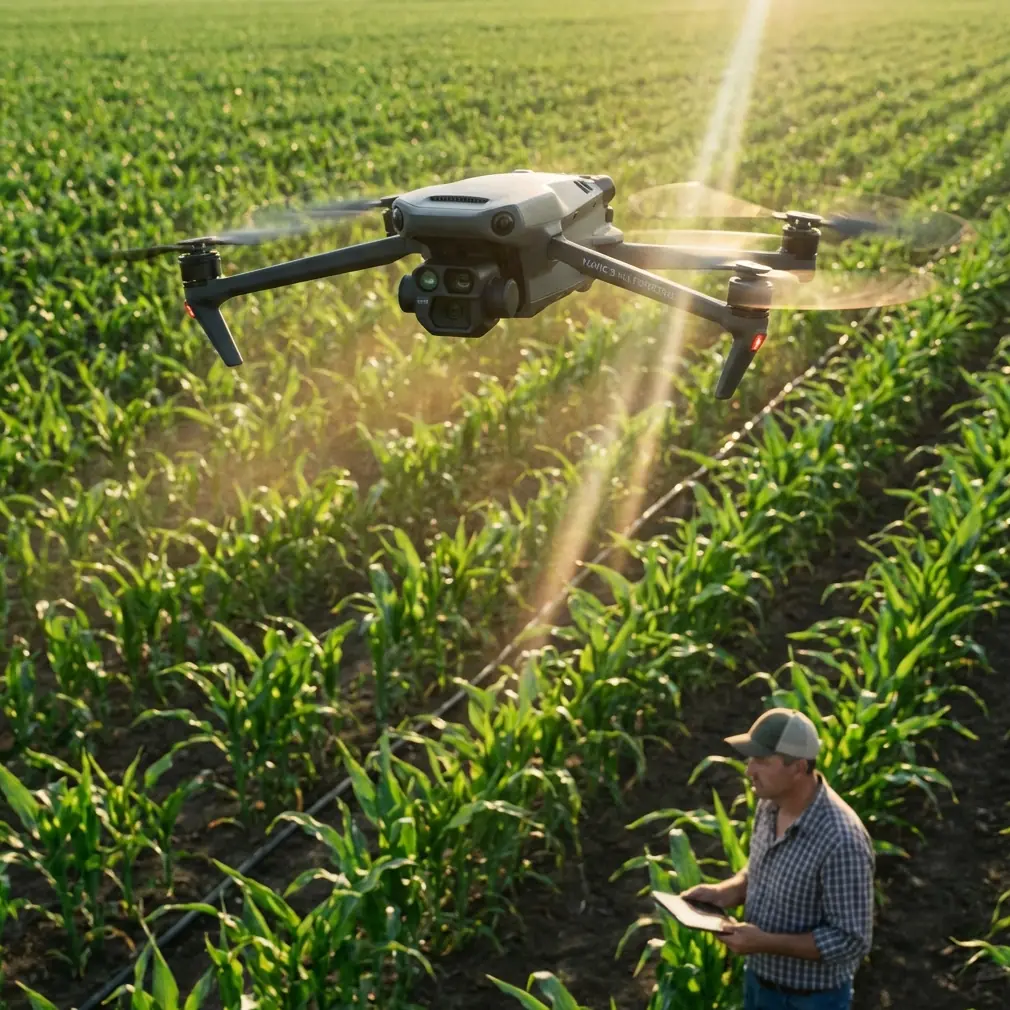
Mavic 4 Pro Tips for Capturing Stunning Venue Shots
META: Master venue photography with the Mavic 4 Pro. Learn expert techniques for obstacle avoidance, subject tracking, and cinematic shots in complex terrain.
TL;DR
- Omnidirectional obstacle avoidance lets you focus on composition while the drone handles safety in tight venue spaces
- ActiveTrack 360° maintains smooth subject tracking even when performers or guests move unpredictably
- D-Log M color profile captures 14+ stops of dynamic range for professional-grade venue footage
- QuickShots and Hyperlapse modes create cinematic content without requiring advanced piloting skills
Venue photography presents unique challenges that separate amateur drone operators from professionals. The Mavic 4 Pro transforms how I approach complex terrain—from concert halls with intricate rigging to outdoor amphitheaters surrounded by trees. After struggling for years with older equipment that couldn't handle tight spaces or rapidly changing lighting conditions, this drone has fundamentally changed my workflow.
This guide breaks down exactly how to leverage the Mavic 4 Pro's advanced features for capturing venues, whether you're documenting wedding locations, concert spaces, or corporate event facilities.
Understanding Venue Photography Challenges
Every venue presents a unique combination of obstacles. Indoor spaces feature low ceilings, hanging fixtures, and unpredictable crowd movement. Outdoor venues often include trees, power lines, and structures that create GPS interference zones.
Traditional drone photography required constant manual adjustments and heightened awareness of surroundings. One wrong move near a chandelier or stage rigging could mean equipment damage—or worse, injury to people below.
The Mavic 4 Pro addresses these challenges through integrated sensor technology that works continuously during flight. Rather than relying solely on pilot skill, the aircraft actively participates in collision prevention.
Mastering Obstacle Avoidance in Tight Spaces
The omnidirectional obstacle sensing system on the Mavic 4 Pro uses multiple vision sensors and infrared technology to detect objects in all directions. This creates a protective bubble around the aircraft during flight.
Configuring Avoidance Settings for Venues
Before each venue shoot, I adjust obstacle avoidance parameters based on the environment:
- Brake mode for indoor spaces with hard surfaces—the drone stops completely when detecting obstacles
- Bypass mode for outdoor venues where the aircraft can navigate around trees and structures
- APAS 6.0 for dynamic environments where automatic path planning creates smoother footage
Pro Tip: Set your obstacle avoidance distance to minimum 3 meters when flying near expensive venue fixtures. The extra buffer prevents close calls with chandeliers, speakers, and stage equipment that could cost thousands to replace.
Real-World Application
Last month, I documented a historic theater with ornate ceiling details and hanging crystal fixtures. Previous drones required me to fly extremely slowly, constantly checking clearances manually. The Mavic 4 Pro's sensing system allowed me to focus entirely on framing shots while the aircraft maintained safe distances automatically.
The forward-facing sensors detect obstacles up to 50 meters away, giving ample warning time even at higher speeds. Downward sensors proved essential when descending between rows of theater seating to capture audience-perspective shots.
Subject Tracking for Dynamic Venue Content
Static venue shots tell only part of the story. Modern clients expect dynamic content showing spaces in action—performers on stage, guests moving through reception areas, or staff preparing for events.
ActiveTrack 360° Configuration
The Mavic 4 Pro's ActiveTrack system uses machine learning to identify and follow subjects through complex environments. For venue work, this means:
- Spotlight mode keeps the camera locked on subjects while you control aircraft movement
- Point of Interest 3.0 creates smooth orbital shots around venue centerpieces
- Trace mode follows subjects from behind or in front as they move through spaces
| Tracking Mode | Best Venue Application | Speed Range |
|---|---|---|
| Spotlight | Stage performances, speeches | 0-27 mph |
| Trace | Venue walkthroughs, tours | 0-20 mph |
| POI 3.0 | Architectural features, centerpieces | 3-22 mph |
| Parallel | Outdoor venue perimeters | 0-27 mph |
Handling Tracking Challenges
Venues present tracking difficulties that open environments don't. Subjects disappear behind pillars, lighting conditions change dramatically between areas, and multiple people often move through frame simultaneously.
The Mavic 4 Pro handles these situations through predictive tracking algorithms. When a subject temporarily disappears behind an obstacle, the system anticipates their reemergence point and reacquires tracking automatically.
Expert Insight: When tracking performers on stage, set your tracking sensitivity to "High" in the DJI Fly app. Stage lighting creates rapid exposure changes that can confuse tracking systems set to lower sensitivity levels.
Cinematic Techniques with QuickShots and Hyperlapse
Not every venue shoot requires complex manual flying. The Mavic 4 Pro includes automated flight modes that create professional-looking content with minimal input.
QuickShots for Venue Reveals
QuickShots execute pre-programmed flight patterns that would require significant skill to perform manually:
- Dronie pulls back and up from a subject—perfect for revealing venue scale
- Rocket ascends straight up while keeping the camera pointed down—ideal for showing floor layouts
- Circle orbits around a point of interest—excellent for architectural features
- Helix combines ascending spiral movement—creates dramatic reveals of tall venues
- Boomerang flies an oval path around subjects—adds energy to promotional content
Each QuickShot can be customized for distance and speed. For indoor venues, I typically reduce default distances by 40-50% to stay within safe flying zones.
Hyperlapse for Venue Atmosphere
Hyperlapse mode captures the energy of venues over time. Wedding reception spaces transform as lighting changes from afternoon to evening. Concert venues come alive as crews set up equipment and audiences arrive.
The Mavic 4 Pro offers four Hyperlapse modes:
- Free allows complete manual control over flight path
- Circle creates time-lapse orbits around fixed points
- Course Lock maintains consistent heading while you control position
- Waypoint follows pre-programmed paths for repeatable results
For venue work, Waypoint Hyperlapse proves most valuable. I can program a flight path during site surveys, then execute identical passes at different times to show venue transformation.
Color Grading with D-Log M
Professional venue content requires flexibility in post-production. The Mavic 4 Pro's D-Log M color profile captures maximum dynamic range for color grading.
Why D-Log Matters for Venues
Venues present extreme lighting challenges. A single shot might include bright windows, shadowed corners, and artificially lit stage areas. Standard color profiles force compromises—either blown highlights or crushed shadows.
D-Log M captures over 14 stops of dynamic range, preserving detail across the entire brightness spectrum. This flat, desaturated footage looks unimpressive straight from the camera but contains enormous information for color grading.
Practical D-Log Workflow
My venue workflow follows these steps:
- Set D-Log M in camera settings before flight
- Expose for highlights to prevent unrecoverable blown areas
- Monitor histogram rather than LCD preview during capture
- Apply base LUT immediately when importing footage
- Fine-tune exposure and color based on venue aesthetic
| Color Profile | Dynamic Range | Best Use Case |
|---|---|---|
| Normal | 8.7 stops | Quick social media content |
| HLG | 10+ stops | HDR delivery requirements |
| D-Log M | 14+ stops | Professional color grading |
Common Mistakes to Avoid
Flying Without Site Surveys
Every venue requires advance scouting. Identify potential obstacles, GPS dead zones, and areas where obstacle avoidance might struggle. Reflective surfaces like mirrors and glass can confuse vision sensors.
Ignoring Indoor GPS Limitations
Indoor venues often lack GPS signal. The Mavic 4 Pro switches to vision positioning, which works well but has limitations. Avoid flying over uniform surfaces like polished floors or solid-color carpets where vision sensors struggle to maintain position.
Overlooking Battery Management
Complex venue shots drain batteries faster than open-air flying. Obstacle avoidance systems, tracking features, and frequent speed changes all increase power consumption. Plan for 20-25% shorter flight times compared to manufacturer specifications.
Neglecting Audio Considerations
Drone noise disrupts venue operations. Schedule flights during setup or breakdown periods rather than during events. The Mavic 4 Pro's quieter propeller design helps, but no drone operates silently.
Skipping Backup Footage
Automated modes occasionally fail in complex environments. Always capture manual backup footage of critical shots. QuickShots and Hyperlapse modes can be interrupted by unexpected obstacles or tracking losses.
Frequently Asked Questions
Can the Mavic 4 Pro fly safely indoors without GPS?
Yes, the aircraft uses downward vision sensors and infrared positioning when GPS signal is unavailable. This system maintains stable hover and responds to control inputs accurately. However, avoid flying over reflective or featureless surfaces where vision positioning struggles. Indoor flights also benefit from reduced speed settings and increased obstacle avoidance distances.
What settings work best for low-light venue photography?
For low-light venues, set ISO between 400-1600 depending on available light, use D-Log M for maximum shadow recovery, and reduce shutter speed to 1/50 for 24fps or 1/60 for 30fps footage. The Mavic 4 Pro's larger sensor handles noise well at moderate ISO values. Consider using the aircraft's built-in lighting for close-range detail shots.
How do I prevent tracking loss during stage performances?
Stage performances challenge tracking systems with rapid lighting changes and multiple moving subjects. Lock tracking on your subject before dramatic lighting shifts occur, use Spotlight mode rather than Trace for stationary performers, and maintain 15-20 meter distance to keep subjects within the tracking system's optimal range. Increasing tracking sensitivity in app settings also helps maintain lock during exposure changes.
Venue photography demands equipment that handles complexity without adding pilot workload. The Mavic 4 Pro delivers professional results through intelligent automation that enhances rather than replaces operator skill. From obstacle avoidance that prevents costly accidents to tracking systems that maintain focus on moving subjects, this aircraft transforms challenging venue shoots into manageable productions.
Ready for your own Mavic 4 Pro? Contact our team for expert consultation.