
Mavic 4 Pro in the Corridor: A Field Case Study on Power
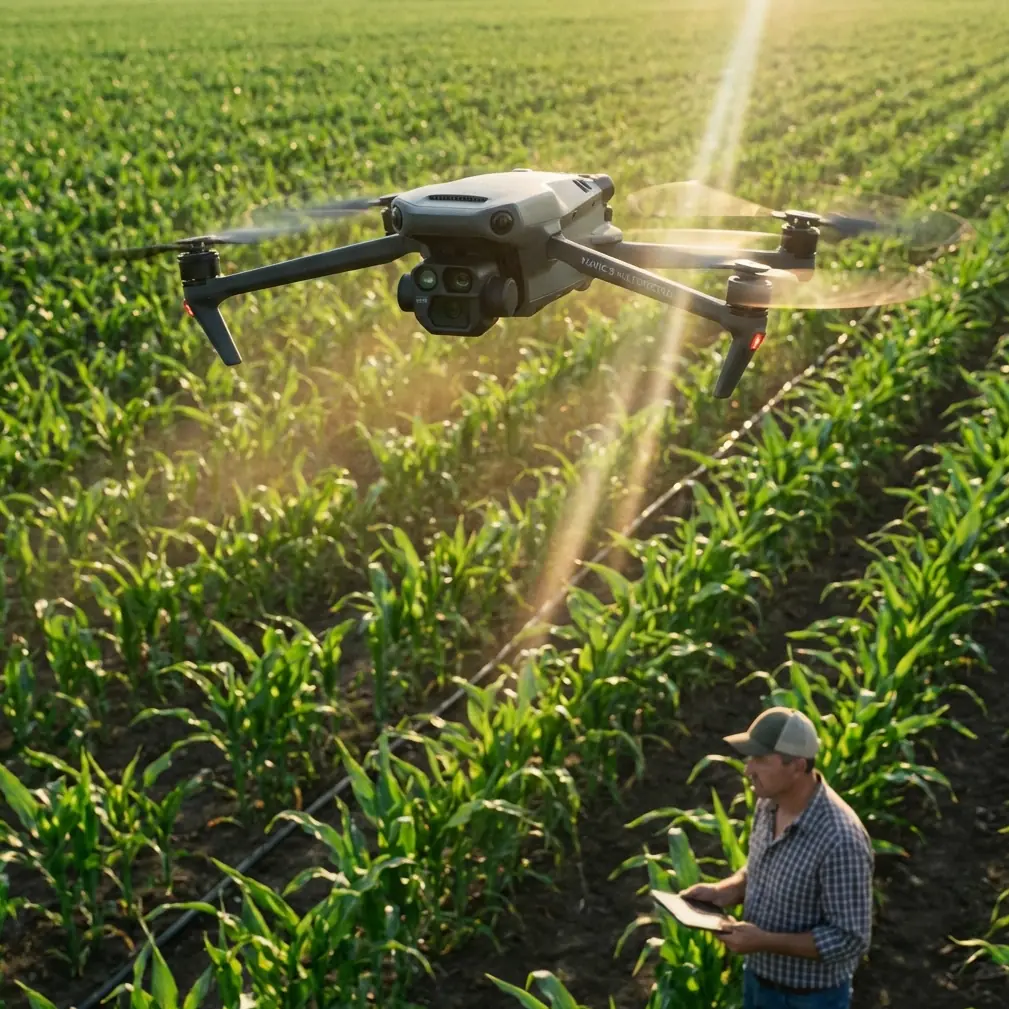
Mavic 4 Pro in the Corridor: A Field Case Study on Power Line Capture, LiDAR Workflows, and Service Reality
META: A field-focused case study on using Mavic 4 Pro around power lines in complex terrain, with practical insight on interference, safe capture workflow, LiDAR support expectations, and maintenance implications.
Power-line work strips away marketing fast. Mountains compress signal paths. Towers create awkward sightlines. Wind funnels through valleys and ridgelines. Add electromagnetic interference near energized infrastructure and the difference between a pleasant flight and a costly one comes down to workflow discipline, aircraft behavior, and support structure after the mission.
That is why the most useful way to talk about the Mavic 4 Pro is not as a lifestyle camera drone, but as a tool inside a real corridor inspection environment.
I recently mapped out a capture plan for a utility-facing documentation job in broken terrain where the client needed visual records of conductors, insulators, tower geometry, and access conditions along a difficult segment of line. The assignment did not call for speculative hero shots. It required repeatability. It required the kind of footage that can support engineering discussion later, especially when a visual flight is paired with a LiDAR-based power-line inspection workflow.
The reference material behind this discussion is not glamorous, but it is revealing. It comes from a dedicated power-line UAV LiDAR solution document, specifically pages 23 to 25, and most of those pages focus on something many operators neglect until it hurts: maintenance boundaries, response procedures, remote support, firmware upgrades, and what happens when things go wrong. For anyone considering the Mavic 4 Pro for power-line capture in complex terrain, those details matter as much as camera specs.
Why the Mavic 4 Pro fits the first half of the job
For corridor capture, the Mavic 4 Pro sits in an interesting place. It is agile enough to reposition quickly when terrain blocks your angle, yet advanced enough to support structured image acquisition rather than casual flying. Features like obstacle avoidance and subject-aware tracking systems are often discussed in broad terms, but near utility infrastructure, their significance changes.
Around transmission or distribution assets, obstacle avoidance is less about convenience and more about preserving margin when your visual frame is crowded by towers, crossarms, static wires, vegetation encroachment, and uneven relief. The terrain itself becomes part of the risk envelope. If you are edging laterally along a slope to maintain conductor separation in frame, a drone that can help maintain spatial awareness reduces pilot workload. That matters because pilot attention should stay on line geometry, signal quality, changing wind, and aircraft attitude—not just on avoiding a tree that suddenly enters the edge of the corridor.
ActiveTrack and related subject tracking tools can also be useful, though not in the social-media sense implied by most product demos. In utility imaging, tracking helps maintain consistency on linear assets when the drone is moving through a narrow visual corridor. A tower, string of insulators, or access road can serve as a compositional anchor while the pilot focuses on offset, height, and safe stand-off distance. Used carefully, that consistency speeds review later. You spend less time sorting through footage that drifts off the asset just when the structure detail becomes relevant.
Then there is D-Log. Again, outside of a power-line workflow, D-Log is often treated as a creative luxury. In inspection-adjacent operations, it can be a practical choice. Utility corridors often produce brutal contrast—bright sky, dark tower steel, reflective hardware, shaded valleys, sunlit slopes. D-Log gives more grading headroom to recover information from those mixed lighting conditions. If the goal is to preserve visual evidence for later technical discussion, that tonal flexibility can make a difference.
QuickShots and Hyperlapse are lower priority here, but not irrelevant. Hyperlapse can document route context and access conditions over time, especially when stakeholders need a fast visual summary of corridor surroundings. QuickShots are less central to engineering value, yet controlled automated camera moves can still help create orientation clips for teams that did not attend the field operation. The point is not cinematic flair. It is communication.
The interference problem nobody should romanticize
The most delicate part of flying near power lines is not bravery. It is restraint.
Electromagnetic interference does not always announce itself dramatically. Sometimes it shows up as subtle control hesitation, compass unease, or telemetry behavior that feels slightly off before it becomes obvious. In complex terrain, those small deviations can be amplified because your route options are already constrained by slope, vegetation, and tower placement.
One practical habit I rely on is antenna adjustment as a live discipline, not a one-time preflight action. If I am working a corridor section where a tower blocks direct path or the aircraft turns behind terrain contour, I do not assume the original controller orientation is still ideal. I consciously realign the antennas to preserve the strongest possible link geometry as the aircraft changes position relative to me. That sounds basic, but in the vicinity of energized infrastructure, little signal-management habits often separate a smooth visual capture pass from a flight that becomes unnecessarily tense.
This is where the Mavic 4 Pro’s handling profile matters. A stable aircraft with predictable response lets you make those micro-adjustments in controller posture, body position, and aircraft heading without compounding workload. You should not be wrestling the platform while also evaluating interference signatures.
Still, discipline beats technology. Near power infrastructure, I avoid the temptation to “thread the needle” for dramatic imagery. A safer lateral offset often produces better reviewable footage anyway. Compression from focal length can visually tighten the shot without physically tightening the risk.
Where LiDAR changes the conversation
The reference document centers on a power-line UAV LiDAR solution. That shifts the discussion from simple aerial imaging to integrated data operations. The Mavic 4 Pro may not be the entire LiDAR platform in every utility workflow, but it can play a useful supporting role in the documentation chain.
Here is the operational significance: LiDAR excels at geometric understanding—span, clearance, structure environment, vegetation relationship. High-quality visual capture, by contrast, helps human reviewers interpret the scene quickly. If a LiDAR dataset identifies an area of concern, visual footage from a Mavic 4 Pro gives context. Was the apparent anomaly linked to conductor sag visibility, insulator condition, hardware orientation, or terrain shadow? Visual and spatial datasets answer different questions, and power-line teams benefit when the two align.
That is why the support commitments in the source document deserve attention. On page 25, the provider states that when new firmware is released, users receive free upgrade service. In a utility environment, that is not a minor perk. Firmware consistency affects workflow reliability, compatibility, and sometimes the behavior of data-handling components. If your operation depends on repeatable field performance, free upgrade support reduces the friction of staying current.
The same page also mentions regular technical exchanges to resolve usage problems. That may sound administrative, but in corridor operations, recurring technical review is often where real improvements happen. Teams learn which capture angles best complement point-cloud review, which terrain situations trigger the most communication problems, and which flight profiles create the cleanest alignment between visual and geospatial deliverables.
The pages most operators skip are the pages that protect the mission
The most valuable detail in the source material may be hidden in what many pilots would call “boring support language.”
Pages 23 and 24 lay out repair boundaries and response flow. Two points stand out.
First, unauthorized disassembly, repair, modification, or software alteration that leads to software operation faults is explicitly excluded. That matters operationally because power-line work tempts field improvisation. A connector looks loose, a mounting solution seems easy to tweak, someone wants to modify software behavior to suit a custom process. The document makes clear that these choices can push you outside normal protection. For Mavic 4 Pro operators in inspection-oriented environments, the lesson is simple: do not turn field pressure into unauthorized intervention. A drone supporting utility work needs documented, supportable configuration control.
Second, the document promises a rapid response mechanism during the contract warranty period. It specifies timely telephone technical support, remote login maintenance service, and, if those are not enough, on-site support to solve equipment faults accurately and quickly. That is a concrete operational advantage. If your aircraft or associated system goes down during a utility campaign, downtime is not just annoying. It can interrupt site access windows, crew scheduling, and client reporting deadlines. Knowing that support can begin remotely and escalate to on-site service changes how a professional operator evaluates risk.
The document also notes that the maintenance process is the same in Beijing and other locations, and that free warranty scope is the same for local and non-local products. That consistency matters more than it first appears. Utility work often spreads across wide service territories. A standardized repair pathway reduces uncertainty for operators who deploy outside their home base.
Even the repair flow on page 24 offers insight. It describes inspection by quality-control personnel, differentiation between in-warranty and out-of-warranty handling, approval paths, serial number management, and special treatment for overseas products requiring RMA application. For a field operator, this means one thing: traceability counts. Keep serial records clean. Document incidents. Protect hardware from avoidable physical damage. In the source text, unreadable or altered product serial numbers can void normal service treatment, and physical damage caused by external force—such as broken connectors, detached components, or impact-related failures—is outside ordinary warranty handling. In rough terrain with frequent pack-in, pack-out movement, that warning is not theoretical.
How this shaped my own corridor workflow
On the assignment I referenced, I built the visual plan around three layers.
The first layer was broad route context. I used steady passes to show terrain relationship, tower access conditions, and corridor narrowing points. This is where Hyperlapse-style thinking helped, even when the final deliverable was not a stylized time-sequence clip. The goal was to show how the line sat in the landscape.
The second layer was structure-level detail. Here, obstacle avoidance was useful not as a substitute for judgment but as a secondary buffer while holding a safe stand-off and refining framing. D-Log capture gave me better tolerance for deep contrast between steel members and open sky.
The third layer was anomaly-support footage: anything that might later need to be cross-referenced against LiDAR or engineering notes. This required the most patience. I slowed down, watched signal behavior carefully, and adjusted antenna orientation repeatedly as the aircraft moved relative to terrain folds and tower positions.
The biggest lesson had nothing to do with flying style. It was support planning. Before field deployment, I verified firmware state, checked that no ad hoc changes had been introduced into the workflow, and made sure every serial and service detail was documented. That decision came straight from the logic of the source material. In power-line operations, the mission does not begin at takeoff. It begins with maintainability.
If your team is building out a utility capture workflow and wants to compare planning notes for corridor imaging, this field contact channel can help start the discussion: message the project desk on WhatsApp.
What the Mavic 4 Pro can realistically do here
The Mavic 4 Pro is not magic around power lines, and it should never be treated as a reason to fly aggressively near energized assets. What it can do well is reduce friction in a disciplined visual documentation workflow. Its stabilization, intelligent imaging features, and support for consistent framing make it useful for capturing corridors in terrain where every reposition costs time.
But the bigger story from the reference material is this: professional power-line capture is an ecosystem, not just a drone choice. Pages 23 to 25 of the LiDAR solution document underline that reality with unusual clarity. Rapid remote support, possible on-site fault response, free firmware upgrades, and structured repair handling are not background details. They are part of operational readiness.
For utility-facing teams, that changes how the Mavic 4 Pro should be evaluated. Ask not only whether it can capture towers, conductors, and terrain cleanly. Ask whether your workflow around it is controlled, supportable, traceable, and resilient when something fails. Ask whether your team respects warranty boundaries enough to avoid unauthorized modifications. Ask whether your image capture method genuinely complements LiDAR review rather than duplicating it poorly.
That is where expertise shows. Not in flying closer. In building a repeatable system that keeps aircraft, data, and service support aligned.
Ready for your own Mavic 4 Pro? Contact our team for expert consultation.