
Mavic 4 Pro in Mountain Fields: A Field Report on Flying
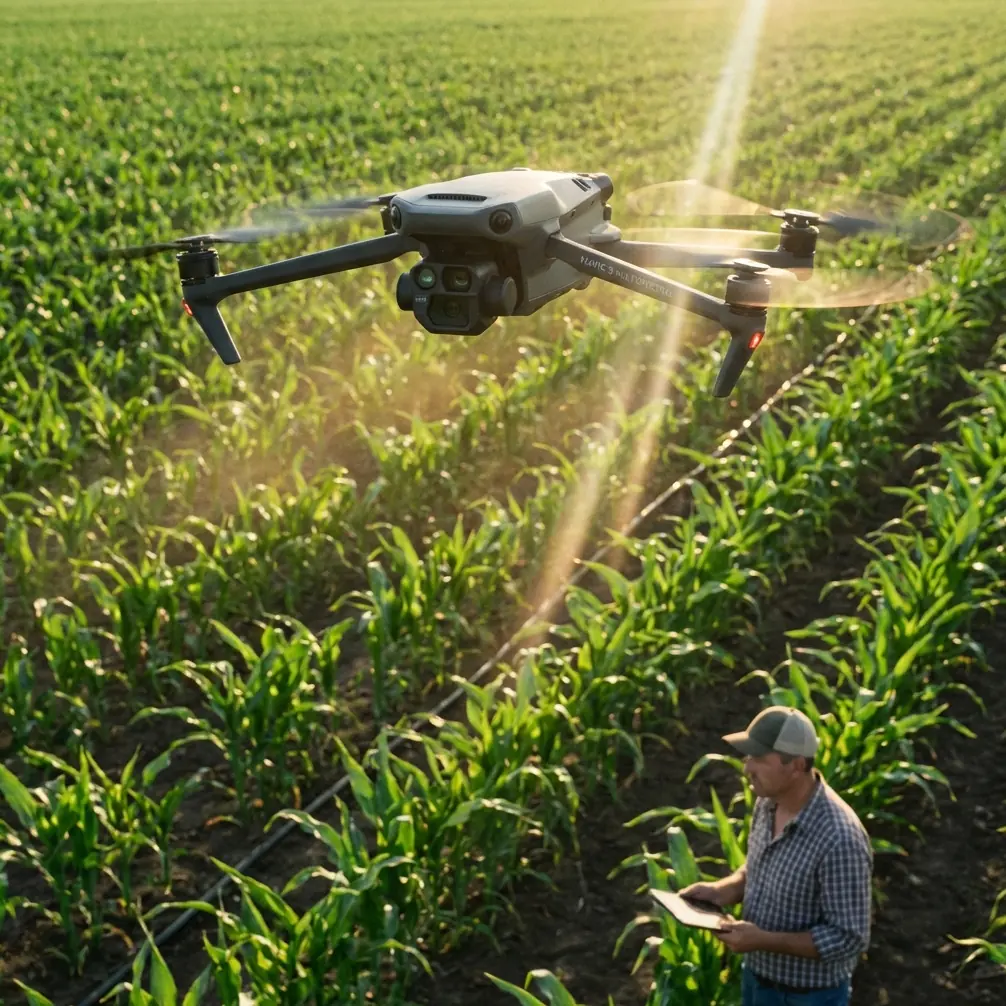
Mavic 4 Pro in Mountain Fields: A Field Report on Flying Smarter, Not Harder
META: A field-tested Mavic 4 Pro field report for photographing mountain farmland, with practical workflow notes on obstacle avoidance, ActiveTrack, D-Log capture, battery planning, and why fast 3D data processing matters.
Mountain fields look gentle from a distance. Once you are standing on a terrace edge with a drone case at your feet, they become a logistics problem.
Wind curls over ridgelines. Light changes every few minutes. Foot access is slow. Launch spots are awkward. And if your goal is more than a pretty top-down image—if you want footage, repeatable coverage, and data that can support mapping or terrain-aware planning—the flight stops being casual very quickly.
That is where the Mavic 4 Pro makes sense to me, not as a status object, but as a working camera platform. I approached it as a photographer first, but mountain agriculture pushes you into hybrid thinking. You are not only framing scenes. You are managing terrain, battery, line-of-sight, and the possibility that today’s footage may need to become tomorrow’s visual record for land management, crop documentation, or a 3D reference model.
One reference point I keep coming back to is a case from Zhongwei Kongjian Technology (Shenzhen) Co., Ltd., documented in its Pixel-Mosaic fast drone data processing solution. The example highlighted an RCD30 oblique imagery 3D modeling workflow. Even though that case is not about the Mavic 4 Pro specifically, it matters here for one reason: it reminds us that aerial capture in difficult landscapes is only half the job. The other half is what happens after the flight, when imagery is stitched, structured, and turned into something operational.
That lesson applies directly to mountain fields.
Why mountain fields punish weak flight planning
In flat farmland, you can often correct small mistakes with another pass. In mountain terrain, each missed line costs time and battery. If you hike 20 minutes between launch points, “I’ll just refly it” stops being a realistic workflow.
The Mavic 4 Pro’s value in this setting starts with control and confidence features, not headline specs. Obstacle avoidance matters more here than it does over open plains because the risk is not only trees. It is poles on slope transitions, uneven rise behind you on return, and the visual confusion of terraced edges when the light goes flat late in the day.
That same terrain also makes ActiveTrack and subject tracking more useful than many people assume. I am not talking about chasing vehicles down a road. In a mountain-field context, subject tracking can help when you want a stable moving reference in the frame: a farmer walking a terrace path, a small utility cart, or a surveyor crossing rows. The significance is practical. On unstable ground, where your own body position may be compromised by rocks or incline, letting the aircraft manage part of the compositional follow work can improve consistency and reduce overcorrection on the sticks.
Still, no automation should be treated as permission to relax. In stepped fields, the drone’s relationship to the ground changes constantly. A safe lateral move on one terrace can become a risky line a few seconds later if the terrain rises beneath the aircraft.
My battery rule for mountain sessions
The best battery tip I can give from field experience is painfully simple: in mountain fields, I divide every battery into thirds before takeoff.
- First third: primary capture
- Second third: backup angles or second pass
- Final third: repositioning, climb-out, and margin for wind or route correction
I do not wait for low-battery warnings to start thinking about descent. On a ridge, battery is not just flight time. It is terrain insurance.
A lot of pilots burn too much energy early because the first view is spectacular. They climb high, orbit wide, shoot a Hyperlapse segment, then realize the next launch point is farther downslope than expected. The return leg becomes tense. That is avoidable.
My other habit is to carry one battery mentally reserved for the “I found the real shot late” moment. Mountain light often improves when the sun lowers and the terraces begin to separate tonally. The first batteries are usually for scouting and safe coverage. The last well-managed battery is often where the keeper sequence happens.
If you are building a repeatable mountain workflow, battery discipline is worth more than any fancy flight mode.
Shooting with the end use in mind
This is where the Pixel-Mosaic reference becomes relevant again. The document points to fast drone data processing and an oblique imagery 3D modeling case using the RCD30. That tells us something important about serious aerial work in uneven landscapes: straight-down images alone are not always enough.
For photographers, oblique angles create depth and reveal the layered geometry of terraces. For commercial users, oblique capture can support clearer 3D reconstruction because it records side surfaces, embankments, path edges, and retaining structures that nadir-only imagery may miss or flatten.
With the Mavic 4 Pro, this changes how I plan a field session. I do not just think in terms of one hero photo and a couple of video clips. I usually break the site into three visual tasks:
- Nadir coverage for layout and pattern
- Low oblique passes to define terrace shape and slope separation
- Cinematic movement for storytelling, usually with slower reveals, tracking, or Hyperlapse
That third category gets the attention online, but the first two are what make the session valuable later. If someone needs a visual reference for irrigation paths, erosion points, access roads, or seasonal crop comparison, those structured passes matter.
This is the operational significance of the Pixel-Mosaic case. Fast processing is not just a software boast. In mountain agriculture, quick turnaround can help teams review whether coverage was complete before the conditions change or before crews leave the site. If imagery is intended for 3D modeling, finding gaps late can mean a wasted day.
The visual advantage of D-Log in difficult light
Mountain fields are contrast traps. You can have bright sky, reflective water in irrigation channels, and dark vegetation in the same frame. This is where D-Log becomes a practical choice rather than a stylistic one.
I use it when I know the scene will need balancing later, especially during early morning haze or late afternoon side light. The terraces often look muted in the raw monitoring view, which makes some pilots nervous. But flat-looking footage is not bad footage. In these environments, retaining flexibility in highlights and shadows gives you a better chance of preserving texture between rows, on soil ridges, and in vegetation edges.
The key is discipline. D-Log is only useful if your exposure habits are sound and your post workflow is consistent. If the purpose is a fast delivery for a landowner or farm manager, I may keep one profile for the cinematic edit and another cleaner, quicker-delivery look for reference exports. That way the footage serves both storytelling and documentation.
QuickShots and Hyperlapse are useful—if you treat them as tools, not toys
It is easy to dismiss QuickShots because they are automated. In mountain fields, I would not use them as my main capture method, but I do find them useful for one specific purpose: getting a fast, repeatable establishing motion when time is tight.
If weather is shifting and I need one polished opener before moving to structured passes, a controlled QuickShot can do the job. The caveat is obvious. You must verify clearance in every direction. Terrain and trees do not care that the move is prebuilt.
Hyperlapse is more interesting here. Terraced farming changes character beautifully with moving shadows, cloud drift, and workers crossing narrow paths. A short Hyperlapse from a stable overlook can show how light defines the geometry of the fields over time. It is one of the best ways to communicate scale without flying aggressively.
I prefer to capture Hyperlapse only after I have already secured the essential footage. If wind increases, the artistic shot should be the first thing sacrificed, not the core deliverables.
Subject tracking in agricultural storytelling
One underused angle in field reporting is the human relationship to the land. Mountain agriculture is labor-intensive, and terraces only make visual sense when you show scale. This is where subject tracking earns its place.
A person carrying tools along a contour path tells the viewer more about incline and distance than a static overhead ever could. The Mavic 4 Pro’s tracking functions can help maintain visual continuity while you focus on route safety and composition. The significance is not technical novelty. It is narrative clarity.
For training content, farm documentation, or tourism-adjacent storytelling, this can be the difference between footage that looks scenic and footage that actually explains the landscape.
How I structure a mountain-field sortie
My default pattern with the Mavic 4 Pro looks like this:
First launch: short reconnaissance
I check wind behavior near the ridge, inspect return path clearance, and identify any wires, poles, or tree clusters that do not show clearly from the ground.
Second launch: primary coverage
This is where I capture the dependable material: top-down frames, oblique terrace runs, and medium-altitude establishing shots.
Third launch: story layer
Only after I know the required images are secured do I move into ActiveTrack, a Hyperlapse sequence, or a more stylized pass.
That order protects the job. Too many field sessions fail because the pilot starts with the most exciting move.
The real workflow is capture plus processing
The strongest takeaway from the Pixel-Mosaic reference is not about a single software brand. It is about workflow architecture. The mention of fast processing and the RCD30 oblique imagery 3D modeling case points to a broader truth: aerial fieldwork creates value when image capture is aligned with what must be extracted afterward.
For mountain fields, that means asking a few questions before launch:
- Will this material be used only for marketing visuals?
- Does the client need terrain context or a 3D model later?
- Are terrace walls, access tracks, and slope breaks important?
- Will someone need rapid review of the imagery after the session?
If the answer to any of those is yes, your shooting pattern changes immediately. You stop flying only for beauty and start flying for downstream use.
That mindset is exactly why the Mavic 4 Pro is attractive for mixed-purpose fieldwork. It can support cinematic output, but it also fits a disciplined capture routine that respects documentation needs.
A final field note on safety and confidence
Obstacle avoidance is not a substitute for judgment, but in mountain conditions it does something psychologically valuable: it lowers stress enough to let you think ahead instead of only reacting. That matters. A calm pilot frames better, plans better, and wastes less battery.
When I brief newer operators, I tell them this: the drone is not there to rescue a sloppy plan. It is there to support a good one.
If you are preparing a mountain-field project and want to compare capture approaches or processing options, I usually suggest starting with a simple flight brief and image-end-use discussion first. You can reach out here for that kind of workflow conversation: message the team on WhatsApp.
The Mavic 4 Pro is at its best in places that force discipline. Mountain fields do that every time. They reward careful battery use, deliberate shot sequencing, and a clear understanding that aerial photography may also become spatial data. Once you fly with that in mind, your footage stops being just attractive. It becomes useful.
Ready for your own Mavic 4 Pro? Contact our team for expert consultation.