
Mavic 4 Pro in Windy Fields: A Smarter Capture Workflow
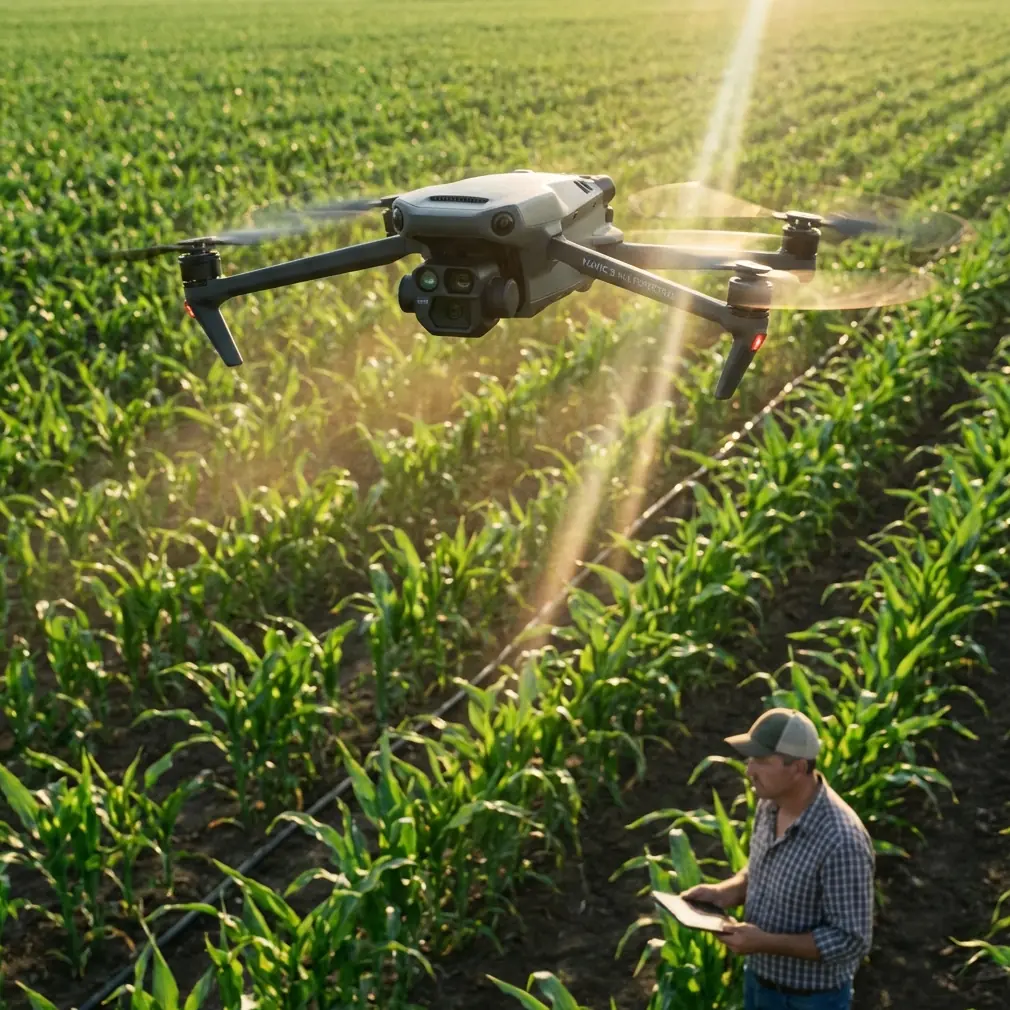
Mavic 4 Pro in Windy Fields: A Smarter Capture Workflow Borrowed From Real Aerial Survey Discipline
META: Learn how to use Mavic 4 Pro for windy field captures with a professional workflow inspired by aerial survey standards, from flight planning to file labeling and handoff.
Open farmland looks simple from the ground. In the air, especially in wind, it becomes a test of discipline.
Fields rarely give you the visual anchors that make flying easy. Tree lines can be uneven. Crop texture shifts with the gusts. Repetitive patterns confuse framing. A drone that feels effortless over a waterfront or city edge can suddenly demand much more of the pilot when the scene is wide open and the breeze keeps pushing the aircraft off its intended line.
That is where the Mavic 4 Pro earns its place. Not because “windy field shooting” is a marketing category, but because the aircraft’s feature mix fits the real problems of agricultural and rural capture: maintaining stable framing over broad areas, navigating safely around scattered poles and tree belts, tracking moving farm machinery when needed, and delivering footage or imagery in a format that remains useful after the flight is over.
What matters most, though, is not one isolated feature. It is the workflow.
For field work, I prefer to think less like a hobby pilot and more like a survey operator. That mindset is reinforced by the low-altitude digital aerial photography standard CH/Z 3005—2010, which puts unusual emphasis on something many drone users skip: traceable records, organized packaging, and formal acceptance of the finished material. That sounds dry until you are sorting multiple flights from the same site, in changing wind, for a farm owner, agronomist, or land manager who needs reliable outputs rather than just attractive clips.
Why windy field capture exposes weak habits
Fields in wind amplify mistakes in three ways.
First, your flight path drifts. Even a small sideways push changes composition over long straight runs. If you are trying to document crop condition, irrigation layout, drainage issues, or boundary relationships, that drift can make side-by-side comparisons much less useful.
Second, your subject changes shape. Crops bend. Shadows ripple. Dust can lift near tracks. If you are filming tractors or sprayers, movement from both machine and environment can create jerky framing unless the tracking system and pilot input work together smoothly.
Third, your data management gets messy fast. One field can turn into several flights, multiple batteries, different heights, and a mix of stills and video. Without structure, later review becomes guesswork.
The Mavic 4 Pro’s value in this setting is that its obstacle avoidance, ActiveTrack-style subject tracking, QuickShots, Hyperlapse options, and D-Log recording support different field tasks without forcing you into one shooting style. Compared with less capable drones that do fine in calm recreational use, a more advanced model tends to hold up better when you need repeatable results rather than a single lucky pass.
Start with a survey-style plan, not a cinematic impulse
Before propellers spin, define what the flight is for.
Are you documenting field condition after weather stress? Creating a progress record for a grower? Following machinery for training footage? Building a visual archive of drainage, access roads, and perimeter vegetation? The answer changes everything: height, route, lens choice, speed, and how you name the files.
This is where the aerial photography standard offers a practical lesson. The source text specifies that media labels should include core metadata such as the survey area name, camera model and number, focal length, flight time, mission number, number of flight lines and images, area covered, ground resolution, and operating unit. That level of labeling may feel excessive for a single drone sortie, but in windy field work it is exactly what prevents confusion.
For a Mavic 4 Pro field shoot, I recommend carrying over the same logic:
- field name
- date and local flight time
- battery or sortie number
- planned altitude
- intended output type, such as mapping stills, inspection stills, or D-Log video
- notes about wind direction
If you revisit the same field two weeks later, those details stop your archive from becoming a pile of nearly identical clips.
Use obstacle avoidance for the edges, not the open middle
When people think about obstacle avoidance in a field, they often underestimate its value because the central area is open. The real hazards sit at transitions: utility poles near access tracks, windbreak trees, irrigation equipment, sheds, wires by pump stations, and tall machinery appearing from behind hedges.
In calm weather, pilots can often manage these manually with comfortable margins. In wind, your margin gets thinner. The aircraft may hold the line well, but your visual estimate of drift can still be wrong, especially on return legs with changing headwind and crosswind effects.
This is one place where the Mavic 4 Pro stands above more basic competitors. Better obstacle awareness is not about replacing pilot judgment. It is about adding another layer of protection during the exact moments when attention is split between aircraft position, composition, and environmental movement.
Operationally, this matters most in two field scenarios:
1. Perimeter inspection
If you are flying along field edges to document drainage ditches, fence lines, or shelterbelts, obstacle avoidance reduces the risk of over-correcting into branches or posts while fighting a crosswind.
2. Machinery follow shots
If you are tracking a combine, tractor, or utility vehicle near boundary vegetation or farm structures, the system helps preserve smoother movement while the pilot manages angle and spacing.
It does not make windy flying casual. It makes it more manageable.
ActiveTrack and subject tracking are more useful in agriculture than many people think
A lot of buyers associate subject tracking with sports or social content. That misses one of the strongest civilian uses in rural work.
On large properties, equipment movement tells a story. A single tracked sequence can show turning radius at headlands, sprayer path consistency, trailer positioning, or vehicle movement through muddy access routes. For training, reporting, and operational review, that footage can be more informative than a static wide shot.
This is where the Mavic 4 Pro’s tracking capability becomes a practical tool instead of a novelty feature. In windy fields, manual tracking usually introduces visible corrections because the pilot is compensating both for aircraft drift and subject movement. A strong tracking system smooths out that workload.
Compared with drones that lose the subject easily against repetitive backgrounds, a better subject tracking implementation has a real edge over crops and stubble, where texture can look almost uniform from above. That directly affects how much usable footage you bring home.
My rule is simple: use tracking when the movement itself is the story. Use manual flight when the field geometry is the story.
D-Log matters more than “pretty color” when the wind keeps changing the light
Field captures often happen under unstable conditions. Wind shifts clouds. Sun breaks in and out. Crop surfaces reflect light differently as they bend. If you are filming around sunrise or late afternoon, one pass can look noticeably different from the next.
This is why D-Log is not just for editors chasing a cinematic look. It is a control tool. It gives you more room to unify footage captured under changing light, which is common in exposed agricultural areas.
That matters for:
- seasonal comparison videos
- client reporting
- documentation of crop stress or standing water
- mixed deliverables where wide scenic footage and closer operational footage must match
If your goal is to hand over clips that tell a coherent visual story, D-Log gives you flexibility when the environment refuses to stay consistent.
QuickShots and Hyperlapse are useful, but only if they serve the field story
QuickShots and Hyperlapse can easily become gimmicks in rural content. Used carefully, they are efficient storytelling tools.
A QuickShot-style reveal from behind a windbreak can establish the scale of a field before cutting to detailed passes over rows, drainage channels, or machinery movement. Hyperlapse is especially effective for showing weather movement across a property, activity concentration at loading areas, or the rhythm of work across a long afternoon.
In wind, though, restraint helps. Repetitive automated motion over featureless terrain can expose every little correction if the conditions are rough. The Mavic 4 Pro is capable, but the shot still has to justify itself.
If the footage is intended for operations, training, or client review, ask one question: does this sequence explain the site better than a stable manual pass? If yes, use it. If not, skip it.
Borrow the standard’s documentation habits and your field work improves immediately
The most overlooked part of the reference material is not about flying at all. It is about what happens after the aircraft lands.
The standard calls for paper documents to be bound separately and stored in A4 archive boxes, with each file containing an internal document list. It also requires electronic documents to match the paper records, and media storage to be clearly marked with the survey area name, area code, and document name. Then it sets out an acceptance sequence: the executing unit checks every output item by item, records the inspection in detail, submits the full package, and the commissioning side conducts acceptance and issues the final quality assessment.
That framework translates beautifully to Mavic 4 Pro field operations, even for smaller civilian jobs.
Here is the modern version:
Before the flight
Create a mission sheet with:
- site name
- date
- objective
- planned altitude
- expected wind direction and strength
- intended file format
- sortie count
After each flight
Log:
- actual takeoff time
- battery used
- any drift issues
- any obstacle alerts
- whether tracking was used
- whether footage was recorded in D-Log
When delivering files
Separate:
- raw stills
- raw video
- graded exports
- route screenshots
- notes on flight direction
- a short acceptance checklist
This may sound formal for a drone job, but it solves real field problems. If a client later asks which pass showed the south irrigation edge before the weather turned, you can answer in seconds.
If you need help setting up a clean field capture workflow, this direct WhatsApp line for practical drone advice is a useful place to start.
A simple how-to workflow for windy field sessions with Mavic 4 Pro
Here is the approach I trust when conditions are breezy and the site is open.
1. Inspect the field edges first
Do not launch and rush to the center. Walk the perimeter access point if possible. Look for wires, poles, pivot equipment, and tree turbulence. Wind near the edge often behaves differently than wind over the middle.
2. Decide whether the priority is coverage or storytelling
If you need documentation, prioritize stable linear passes. If you need promotional or training visuals, reserve battery for tracking, reveals, and a Hyperlapse.
3. Fly the upwind leg with intent
Get your cleanest, most disciplined route early. If the wind increases, your baseline documentation is already secured.
4. Use obstacle avoidance near transitions
When moving from open field to boundary features, let the Mavic 4 Pro’s sensing support your situational awareness. That is where it contributes most.
5. Use tracking only on clearly separated moving subjects
A tractor on an open lane is a good candidate. A machine disappearing under tree canopies is not.
6. Record key footage in D-Log
If clouds are moving quickly or light is inconsistent, give yourself post-production margin.
7. Name files the same day
Use a format tied to the standard’s discipline: field name, date, sortie number, output type. Waiting until later is how confusion starts.
8. Perform your own acceptance check
The standard’s acceptance procedure is worth copying. Review every critical deliverable item by item before you call the job finished. Check framing, continuity, metadata, and whether all intended field sections were captured.
That final check is not bureaucracy. It is quality control.
Why Mavic 4 Pro stands out here
Plenty of drones can fly over a field. That is not the benchmark.
The real benchmark is whether the aircraft helps you produce organized, repeatable, useful results when wind, repetitive terrain, and shifting light all work against you. The Mavic 4 Pro stands out because it supports both sides of the job: the flying side and the output side. Obstacle avoidance protects the awkward edges. Subject tracking and ActiveTrack-style functions reduce workload during moving sequences. QuickShots and Hyperlapse add efficient visual context when appropriate. D-Log keeps footage flexible under changing light.
Pair those tools with the disciplined habits reflected in CH/Z 3005—2010—clear labeling, structured documents, and a formal check before handoff—and your field capture quality jumps noticeably.
That is the part many pilots miss. Better field results in wind do not come from one button or one spec. They come from combining capable hardware with a method that leaves nothing ambiguous after landing.
Ready for your own Mavic 4 Pro? Contact our team for expert consultation.