
Mavic 4 Pro for High-Altitude Field Capture
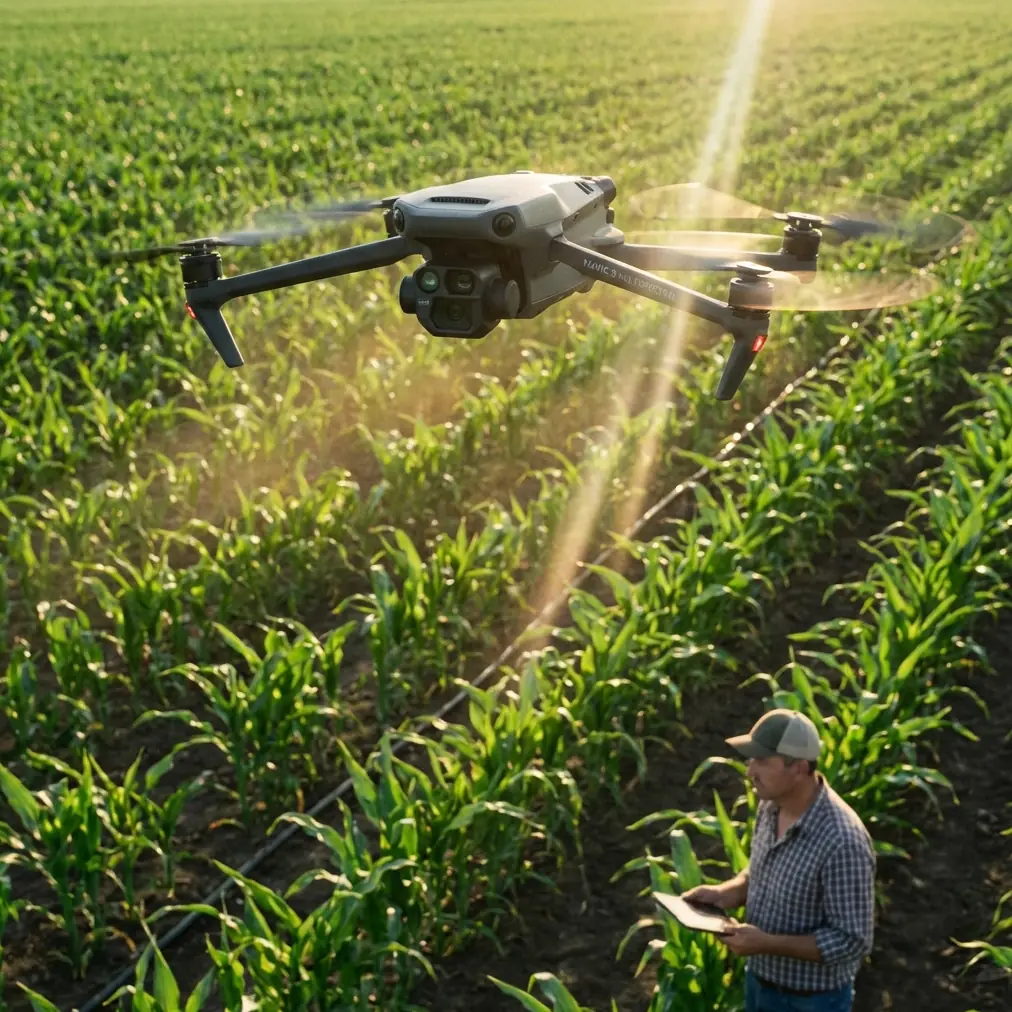
Mavic 4 Pro for High-Altitude Field Capture: A Practical Mapping Workflow That Holds Up in the Real World
META: Expert field guide to using Mavic 4 Pro for high-altitude agricultural and rural land capture, with practical mapping lessons drawn from cadastral aerial survey specs, GNSS discipline, lighting control, and EMI handling.
High-altitude field work exposes every weak habit a drone operator has.
You notice it first in the margins: soft overlaps, inconsistent exposure timing, uneven shadows across parcels, and occasional GNSS weirdness when the aircraft passes near metal structures, power lines, pump stations, or ridge-top telecom equipment. For anyone planning to use the Mavic 4 Pro over fields, especially in upland or elevated rural terrain, that matters more than headline features.
The best way to think about the Mavic 4 Pro in this scenario is not as a flying camera, but as a data collection platform that has to behave predictably. That mindset lines up well with a rural cadastral survey design document for 1:500-scale aerial mapping, where precision targets and flight discipline are treated as operational requirements, not nice extras. Even though that document is not about the Mavic 4 Pro specifically, it offers a useful benchmark for how serious field capture should be approached.
What follows is a practical, field-driven workflow for using Mavic 4 Pro in high-altitude agricultural and rural mapping conditions, with a focus on reliability, image geometry, and clean downstream processing.
Start with the standard that actually matters: usable accuracy
A lot of pilots talk about resolution first. That is usually backwards.
In the referenced cadastral workflow, vertical accuracy targets are stated as ≤0.5 m for flat terrain and ≤0.7 m for hilly areas for contour-related work, while spot elevation annotation is kept tighter at ≤0.4 m in flat ground and ≤0.5 m in hilly terrain. Those numbers are not random. They reflect a simple truth: if your mission planning, positioning, and exposure timing are sloppy, beautiful-looking footage will still fail as measurement-grade imagery.
For a Mavic 4 Pro operator capturing fields in high altitude, this changes how you plan the mission. You should not ask, “How cinematic can this look?” The better question is, “Will this flight support consistent surface interpretation, boundary reading, crop-row recognition, and repeatable orthomosaic output?”
That is where features like obstacle avoidance, ActiveTrack, QuickShots, Hyperlapse, and D-Log need to be put in their place. They are useful, but they are not the backbone of survey-grade or inspection-grade field work. The backbone is flight consistency, image timing, light control, and positional discipline.
Why high-altitude fields are trickier than they look
Open fields seem simple because they are visually uncluttered. In reality, upland rural environments create a nasty mix of variables:
- rolling terrain that changes ground sample distance across a single run
- stronger wind shear at elevation
- sharper lighting contrast at certain sun angles
- more exposed RF conditions near ridge infrastructure
- fewer visual anchors for subject tracking or automated scene logic
This is exactly why the survey reference pays such close attention to capture conditions. It specifies sun-angle thresholds by terrain type. For flat land, solar elevation should be above 20° with shadow multiples under 3. For hilly land and ordinary towns, above 25° with shadow multiples under 2.1. In steeper mountain zones and larger urban environments, the threshold rises further.
Operationally, that tells you something important for Mavic 4 Pro field capture: don’t just chase “golden hour” because it looks good on social media. Low-angle light exaggerates furrows, trees, poles, irrigation hardware, and terrace edges. That may help visual drama, but it can hurt parcel interpretation and create mismatched stitching results across slopes.
If your goal is usable field documentation or mapping, fly when the sun is high enough to control shadow length. On steep or elevated farmland, that often means working closer to midday than many camera-first pilots prefer.
The camera spec that matters is not glamour, it is geometry
The reference document includes several details that are surprisingly relevant to a Mavic 4 Pro workflow mindset: 1.8 billion total pixels, 8 mm focal length for both vertical and oblique cameras, 30° oblique camera angle, and a 40° side-view lens tilt angle. It also notes GPS fixed-point exposure with synchronized recording of POS and GPS information.
Again, this is not a Mavic 4 Pro spec sheet. But it reveals how professional aerial capture is structured: the imaging system is designed around repeatable geometry and synchronized positioning.
For Mavic 4 Pro users, the takeaway is straightforward:
- Keep your flight path repeatable.
- Use consistent altitude above ground whenever possible.
- Avoid random manual yaw corrections during mapping runs.
- Treat image metadata as part of the deliverable, not a background detail.
- If you are collecting oblique content for embankments, terraces, irrigation channels, or rural structures, plan that separately from your nadir mapping run.
This is also where D-Log can be misunderstood. D-Log is valuable if you need tonal flexibility for crop-health visual storytelling, project documentation, or client-facing edits. But for mapping or orthomosaic work, your priority is exposure consistency, not creative latitude. If you use a flat profile for documentation, make sure you are not introducing unnecessary grading complexity into a workflow that depends on visual uniformity.
Handling electromagnetic interference: don’t panic, diagnose
The most common avoidable problem in elevated field operations is not battery management. It is electromagnetic interference that the pilot notices too late.
High-altitude agricultural areas may include repeater towers, high-voltage lines crossing valleys, metal-roofed pump stations, weather stations, and fenced utility compounds. The Mavic 4 Pro can remain very capable in these conditions, but only if the pilot respects the RF environment.
Here is the practical sequence I use when interference starts showing up in a field mission:
1. Stop making control inputs more complicated
When the signal or compass behavior feels off, many pilots start over-correcting. That usually makes the aircraft appear less stable than it is. Hold the aircraft steady first. Let the telemetry settle.
2. Reassess aircraft orientation
Small orientation changes can materially affect link quality. If your system allows antenna positioning awareness at the controller, adjust the controller and your body position before assuming the aircraft is the problem. Sometimes a slight sidestep or a turn away from a reflective metal object near your takeoff spot cleans up the link immediately.
3. Adjust antenna alignment deliberately
This sounds basic, but in real field work it is often the fix. Keep the controller antennas aligned for the strongest broadside relationship to the aircraft rather than pointing the tips directly at it. In upland terrain, if the aircraft drops behind a contour break, raise your stance or move to a cleaner line-of-sight position rather than forcing the link through terrain clutter.
4. Watch for interference patterns, not single warnings
If warnings appear at the same segment of each run, that is useful intelligence. You may be crossing an interference zone or a terrain mask. Move your home point, alter track orientation, or increase your standoff from utility assets.
5. Separate EMI from GNSS limitations
The survey reference emphasizes GNSS discipline: satellite elevation angle ≥15°, at least 4 effective satellites, minimum observation period of 45 minutes, 10-second sampling interval, and PDOP under 6 for control work. Your Mavic 4 Pro mission won’t mimic that ground-control procedure exactly, but the spirit matters. Poor geometry and noisy positioning are different problems from radio interference. Learn to tell them apart.
That distinction can save a mission. RF issues call for antenna, line-of-sight, or takeoff-position adjustments. Positioning issues call for waiting, relocating, or strengthening your control strategy.
If you regularly work in difficult RF environments and want a second opinion on field setup logic, I’ve found that a quick message through this Mavic field workflow line can be more useful than guessing your way through a repeated problem.
Mission planning for fields: map first, cinema second
The Mavic 4 Pro is versatile enough to tempt operators into mixing too many goals into one flight. Resist that.
For high-altitude field work, split the mission into layers:
Layer 1: Nadir mapping pass
This is your base dataset. Keep speed, altitude, overlap, and heading consistent. Avoid playful camera movement. If you are documenting boundaries, drainage, planting patterns, or access roads, this dataset does the heavy lifting.
Layer 2: Oblique pass for interpretation
The reference’s 30° oblique angle exists for a reason. Oblique imagery helps reveal ditch profiles, retaining edges, greenhouse geometry, tree lines, and built structures that are harder to interpret from straight overhead. On Mavic 4 Pro, use a disciplined oblique pass rather than grabbing a handful of angled shots opportunistically.
Layer 3: Visual storytelling or progress documentation
This is where QuickShots, Hyperlapse, ActiveTrack, and D-Log may fit. They are useful for farm presentations, stakeholder updates, agronomy reporting visuals, and project records. They are not substitutes for structured data capture.
That separation also simplifies post-processing. Your orthomosaic or analysis dataset stays clean, while your presentation assets remain flexible.
Storage, transfer, and field discipline still matter
One detail from the survey document deserves more respect than it usually gets: 64G total storage and high-speed SD card storage with unified readout through miniUSB. The hardware specifics are dated compared with modern workflows, but the principle is timeless. Data handling should be standardized.
For Mavic 4 Pro field operations, that means:
- use a card workflow you can repeat every time
- verify write speed before important missions
- label datasets by field block, altitude band, and date
- back up before reformatting
- keep image sets from different flight purposes separated
It sounds mundane. It is also where many otherwise skilled operators become unreliable. A drone job is not done when the aircraft lands. It is done when the files are verified, organized, and ready for processing.
The survey reference also lists a full office stack: CASS, SMART3DCapture, SV360, PIX4D, ArcGIS, and image editing tools. The specific software mix is less important than what it implies: serious aerial work is a chain. Flying is one link. Processing, checking, editing, and archiving are the others.
If your Mavic 4 Pro field capture is intended for agricultural planning, land documentation, irrigation review, or rural asset management, build that chain before the mission, not after.
Obstacle avoidance and subject tracking in open farmland: useful, but know the limits
Obstacle avoidance helps most around tree belts, utility poles, farm buildings, and uneven terrain transitions. In broad open fields, the bigger benefit is confidence during ferry segments and low-altitude inspection passes around pumps, sheds, or orchard edges.
ActiveTrack and subject tracking have legitimate civilian use in agriculture and training—for following a vehicle during field access documentation, monitoring moving equipment from a safe offset, or creating repeatable educational content. But they are poor substitutes for planned mapping lines. Tracking systems prioritize subject continuity, not grid accuracy.
Use them where they make operational sense. Don’t let them hijack a capture plan that needs geometric consistency.
A realistic workflow for Mavic 4 Pro in elevated rural terrain
If I were sending a pilot out tomorrow to capture high-altitude fields with the Mavic 4 Pro, this is the sequence I would want followed:
- Check sunlight timing against terrain. Aim for higher sun angles to control shadows on slopes and boundary lines.
- Inspect the RF environment. Identify towers, lines, metal buildings, and ridge obstacles before launch.
- Choose a takeoff point with clean line of sight. Do not launch from the worst possible electromagnetic corner of the site.
- Confirm GNSS quality before committing. Don’t rush the first run.
- Fly a clean nadir mission first. Protect your core dataset.
- Run oblique passes second. Use them to improve interpretation of terrain and structures.
- Adjust antenna orientation if interference appears. Solve the link issue methodically rather than emotionally.
- Use cinematic modes only after essential data is secure.
- Review samples in the field. Catch blur, mismatch, or shadow problems before you leave.
- Organize and back up the files immediately.
That is not glamorous. It is dependable. Dependability is what clients, farm operators, and mapping teams actually remember.
Why this matters for Mavic 4 Pro buyers and working pilots
People looking at the Mavic 4 Pro often focus on what the aircraft can do in theory. The more useful question is what kind of workflow it can support under pressure.
The rural cadastral survey reference makes one point very clearly: successful aerial capture is built on measurable tolerances, synchronized positioning, suitable light, and disciplined field procedure. If you bring that standard into Mavic 4 Pro operations, the aircraft becomes much more than a content tool. It becomes a credible platform for agricultural documentation, field analysis support, terrain observation, and rural site reporting.
That is especially true in high-altitude environments, where bad habits show up fast.
The pilots who get the best results are not necessarily the ones chasing every smart feature. They are the ones who understand when to simplify, when to separate mission objectives, and how to respond calmly when the environment starts pushing back.
Ready for your own Mavic 4 Pro? Contact our team for expert consultation.