
Mavic 4 Pro on Windy Construction Sites: A Field Case Study
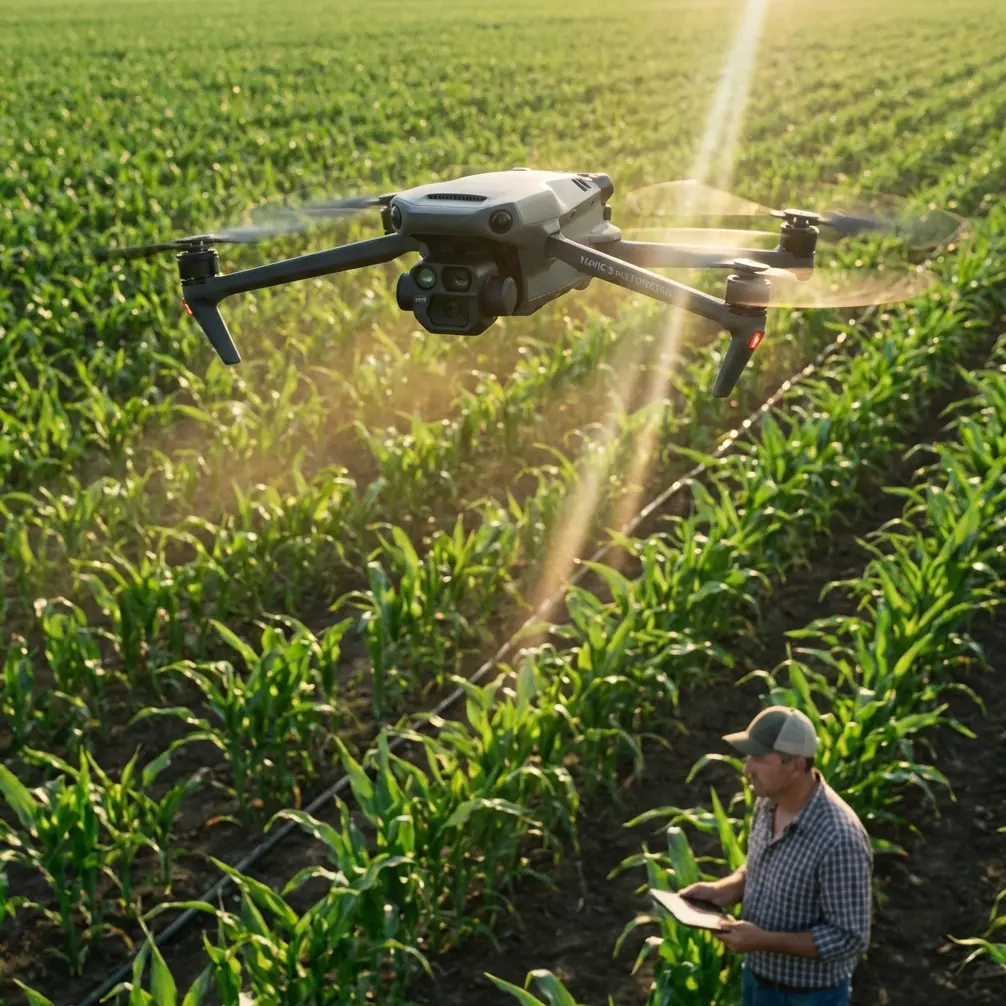
Mavic 4 Pro on Windy Construction Sites: A Field Case Study Built Around Stable Imaging and Reliable Live View
META: A practical case study on using Mavic 4 Pro for windy construction site capture, with lessons drawn from road survey imaging specs, 1080p transmission data, and real-world workflow choices.
Wind changes everything on a construction site.
It changes how you frame. It changes how confidently you fly near partially finished structures. It changes whether your live view is good enough to make fast decisions from the ground. And if you are documenting active development rather than shooting pretty skyline footage, those differences show up in the final deliverables almost immediately.
I have been thinking about that while reviewing a Chinese road survey solution that, although not written for the Mavic 4 Pro specifically, highlights two things serious drone operators already understand: imaging quality is only half the job, and dependable transmission is what makes that imaging useful in the field. For anyone planning to use a Mavic 4 Pro to capture construction sites in windy conditions, those details matter more than marketing shorthand ever will.
This article is built as a case study. The setting is a construction environment with gusty weather, changing light, reflective surfaces, moving machinery, and a client who wants more than a cinematic orbit. They want progress records, readable site context, and footage that can be trusted when decisions are being made from it.
Why a road-survey document is relevant to Mavic 4 Pro users
The source material comes from a drone road reconnaissance solution. On paper, it discusses a heavier camera payload and a dedicated HD digital image transmission system rather than a folding prosumer aircraft. Still, the operational logic transfers directly to Mavic 4 Pro use.
The document emphasizes a camera with more than 100 million total pixels, a fixed-focus lens under 35 mm, a 23.2 mm × 15.4 mm sensor, and image resolution support from 1 cm to 10 cm. It also references light rain resistance and a digital transmission chain capable of 1920×1080 at 60P/50P, with 5 km transmission at 100 m altitude, plus a 500 ms end-to-end delay on the receiving side.
Those numbers are not just engineering trivia. They point to a professional truth: on a wind-exposed site, usable capture depends on three linked systems working together.
- The camera has to resolve detail cleanly.
- The live feed has to remain readable and stable.
- The workflow has to tolerate imperfect weather without falling apart.
That is exactly where Mavic 4 Pro operators either look prepared or look amateur.
The site: wind, steel, dust, and tight timing
The project I am modeling here is a mid-stage construction site with exposed framing, temporary road access, concrete pours in progress, and a perimeter that forces you to work from offset positions rather than ideal ones. Wind is not constant. It pulses. One corner of the site is calm while another becomes turbulent because air is wrapping around new structures and temporary barriers.
This is where the usual beginner instinct fails. Many people think windy-site shooting is mainly about pilot bravery or whether the drone can hold position. In practice, the harder part is preserving visual coherence. Even if the aircraft remains stable, your footage can still become less useful if the framing drifts, the live view lacks confidence, or your subject-tracking choices become unreliable around cranes, rebar, and high-contrast geometry.
The Mavic 4 Pro is valuable here not because it magically cancels the environment, but because it can be integrated into a disciplined workflow built around obstacle awareness, tracking control, and log-based postproduction.
What I changed first: the live-view workflow
The most useful lesson from the reference document was not the big sensor dimensions. It was the transmission section.
The iGCS-1 system described there supports 1080p live transmission at 60P/50P and was designed for real-time video image delivery, using dual-antenna redundant reception on the ground station for reliability. On construction sites, that kind of reliability matters because the pilot and visual observer are often making small compositional decisions based on textures that are easy to lose in a weak feed: material stacks, edge lines, excavation boundaries, vehicle paths, and safety barriers.
With the Mavic 4 Pro, I applied the same principle by treating the transmission path as part of capture quality, not just convenience. I added a third-party high-bright monitor rig for the ground team so the site manager and spotter were not trying to judge framing from a dim display in midday glare. The source text specifically notes that a high-bright screen helps maintain visibility under strong sunlight. That sounds simple, but on a real job it changes communication speed dramatically.
When the wind picks up, you do not want to hover longer than necessary while three people squint at a screen. You want decisions made quickly. Better visibility on the ground means fewer repeats, less battery waste, and less time holding position near active work zones.
If you are refining your own setup, it is worth discussing monitor and field-display options with a specialist who understands pro site workflows rather than hobby use. A practical starting point is this Mavic field monitor consultation channel.
Why image detail matters differently on construction work
The survey camera in the source material is listed at over 100 million pixels with a fixed-focus lens shorter than 35 mm. That is not directly a Mavic 4 Pro specification, but it does reveal the standard that survey-minded workflows are chasing: broad scene coverage without giving up measurable detail.
On a windy construction site, that is exactly the tension you are managing. You need wide contextual shots that show contractor progress, access roads, drainage lines, and adjacent structures. At the same time, the client may later zoom in to inspect facade staging, roof material placement, or perimeter changes. If your capture falls apart under crop, your “overview” footage becomes less valuable.
This is where flying style matters as much as sensor performance. I prefer slower lateral passes with deliberate pauses over aggressive reveal moves when the wind is inconsistent. The reason is simple. Construction documentation rewards frames that can be referenced later. A clean, stable 5-second hold over a crane corridor is often more useful than a stylish push-in that looked dramatic on location but becomes shaky and hard to analyze in edit.
Mavic 4 Pro users who rely on D-Log for grading should also remember that windy conditions tend to create mixed-exposure scenes fast: bright concrete, deep shadows under steel decking, reflective windows, and dusty haze all in one shot. Log recording preserves room for correction, but only if the footage is stable enough to tolerate post sharpening and controlled contrast work. Wind-induced micro-movements can make overprocessed footage look brittle. Expose conservatively. Give yourself texture, not noise.
Obstacle avoidance is not a checkbox on active job sites
There is a lazy way to talk about obstacle avoidance, and then there is the real-world version.
On a construction site, obstacle avoidance is not there just to stop the drone from hitting a wall. It helps maintain safer, more predictable flight when visual complexity is high. Temporary scaffolding, suspended materials, cables, steel protrusions, unfinished edges, and moving equipment create a scene where depth perception is constantly being challenged, especially in gusts.
The Mavic 4 Pro’s obstacle sensing becomes operationally significant when it lets you maintain a controlled route while you focus on composition and site separation. In wind, pilot workload climbs fast. If the aircraft is also near vertical structures, your mental bandwidth gets consumed by tiny corrections. Any system that reduces that workload helps preserve shot quality.
That said, construction geometry can confuse automated systems if you use them carelessly. I treat obstacle avoidance as a support layer, not an excuse to fly close. The best results usually come from giving the aircraft space, planning oblique angles in advance, and using avoidance to protect margins, not replace judgment.
ActiveTrack and subject tracking: useful, but only with the right subject
The context notes mention subject tracking and ActiveTrack. Those features can be excellent on site, but they are not universally appropriate.
Tracking a single excavator on an open access path can work well, especially when you want to show vehicle movement relative to the site plan. Tracking a superintendent walking a slab perimeter can also be effective for training, promotional updates, or project communication content. But tracking in wind near cranes, scaffold fields, or overlapping vehicle motion is a different story. The aircraft may handle the subject, yet the resulting frame may still feel busy or unstable.
I use ActiveTrack selectively, usually when the path is predictable and there is enough lateral clearance to let the drone smooth out its own movement. If the environment is visually cluttered, manual flight with preplanned marks almost always looks more professional.
The same logic applies to QuickShots. They can save time for a clean establishing clip, but on a live commercial site I do not let an automated move dictate the shot list. I choose only the patterns that preserve spatial clarity. Construction clients care where things are, how they changed, and what still needs attention. Fancy movement is secondary.
Hyperlapse has a place, but not where most people think
Hyperlapse is often treated as a skyline trick. On construction projects, it can be much more useful than that if used with discipline.
A rooftop or elevated perimeter hyperlapse can show equipment flow, weather changes, material delivery patterns, and crew activity rhythms over a short interval. In wind, though, you need to be stricter than usual. Pick a composition with strong visual anchors. Avoid scenes where thin structures dominate the frame edge, because minor positional shifts become distracting. And if gusting is uneven, do not force it. A failed hyperlapse wastes battery and often adds little documentary value.
When it works, however, it becomes one of the most efficient ways to communicate the tempo of a site day.
The weather-resilience lesson from the source data
One overlooked detail in the source document is the camera’s light-rain resistance. That is significant because road and infrastructure operators do not always get perfect weather windows. Construction documentation is similar. Site updates often need to happen on schedule, not only on ideal mornings.
No, this does not mean you should casually fly in poor conditions. It means your workflow should be designed for narrow weather windows, quick launch decisions, and fast execution. Wind often arrives with shifting moisture, airborne dust, and contrast-killing haze. The operators who succeed are the ones who know their shot sequence in advance.
That is why I organize windy-site missions into three tiers:
- Essential record shots first
- Secondary cinematic coverage second
- Experimental tracking or hyperlapse last
If the weather turns, the job is already secured.
Borrowing survey discipline without turning the shoot into a mapping mission
The source also mentions Pix4Dmapper, which tells you the original solution was not just about nice visuals. It was about extracting useful data from aerial imagery.
That mindset improves Mavic 4 Pro work immediately, even if you are not running a full photogrammetry deliverable. Think like a survey operator for part of the mission. Capture repeatable angles. Maintain consistent altitude bands for progress comparisons. Include top-down and oblique references that can be matched over time. Keep notes on wind direction and light conditions so future site visits can be aligned more closely.
This is what separates random drone footage from documentation with long-term value.
A site manager may not ask for “survey discipline.” They will ask why this month’s footage is easier to compare with last month’s, why staging changes are more visible, or why disputes over access routes are simpler to explain. The answer is usually that someone flew with repeatability in mind.
My preferred Mavic 4 Pro windy-site recipe
For construction work in gusty conditions, my baseline approach looks like this:
- Start with broad contextual passes while battery and concentration are fresh.
- Use obstacle avoidance as a protective tool, not a crutch.
- Reserve ActiveTrack for clean movement paths with clear subject isolation.
- Capture a small set of locked, steady reference shots before creative footage.
- Record in D-Log when lighting is harsh and mixed, but protect against underexposure.
- Use a high-bright external display or monitor workflow for the ground team.
- Save Hyperlapse for stable conditions and compositions with strong anchors.
That last point about the display is the one many operators ignore. The reference transmission system’s 1920×1080 60P/50P live-view capability and strong-light-readable ground display are not luxuries in a professional environment. They directly affect how quickly a team can validate framing and whether a windy-flight window gets used efficiently.
Final take
The most useful way to think about Mavic 4 Pro on windy construction sites is this: it is not just a camera drone, and it is not just a stable aircraft. It is a capture platform whose value depends on how well imaging, transmission, and field workflow are matched to the job.
The road-survey reference makes that clear. A camera with over 100 million pixels matters because detail survives scrutiny. A transmission chain running 1080p at 60P/50P matters because the ground team can make decisions in real time. A system designed to remain usable in less-than-ideal weather matters because real projects do not pause for perfect conditions.
Bring that same discipline to the Mavic 4 Pro, and windy construction work becomes much more manageable. Not easy. Just controlled. And in this line of work, controlled is what clients remember.
Ready for your own Mavic 4 Pro? Contact our team for expert consultation.