
Mavic 4 Pro Field Report: Low-Light Construction Capture
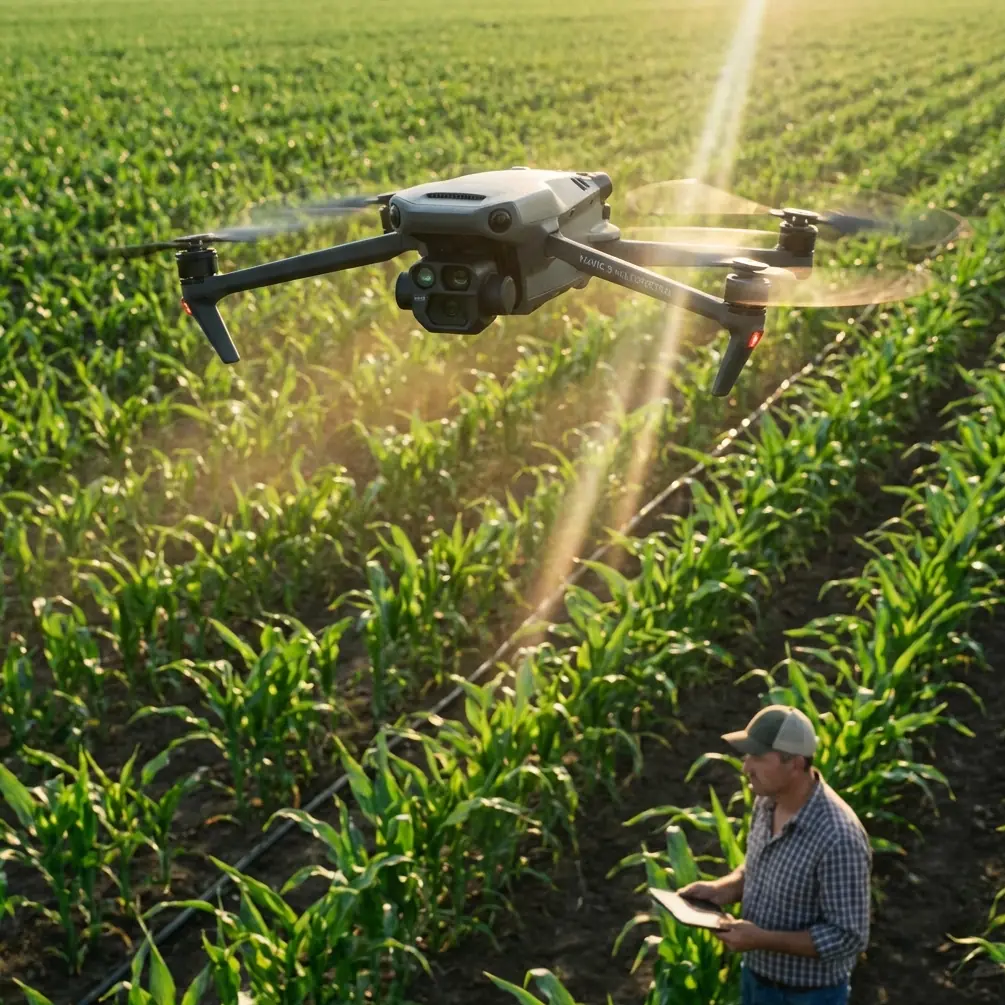
Mavic 4 Pro Field Report: Low-Light Construction Capture Without Guesswork
META: A field-tested look at using Mavic 4 Pro for low-light construction site filming, with practical altitude advice, obstacle awareness, framing strategy, and lessons drawn from DJI inspection-grade reference data.
Low-light construction work separates capable drones from merely convenient ones. It also separates careful operators from people who rely on spec-sheet optimism. If your goal with the Mavic 4 Pro is to document a site at dawn, dusk, overcast evenings, or during winter daylight loss, the real challenge is not just getting a usable image. It is getting repeatable, stable, safe footage when contrast is weak, site geometry is messy, and every crane, rebar cluster, scaffold edge, and temporary power line complicates the flight.
I want to approach this as a field report rather than a generic features article. The reference material behind this piece comes from DJI’s power inspection solution documentation for the Matrice 200 platform, not from a consumer marketing page. That matters. Inspection documents tend to reveal what actually matters in demanding work: weather resistance, transmission reliability, obstacle sensing, payload-level imaging detail, and whether the aircraft remains operational in cold conditions. Those same pressures show up on construction sites after sunset, especially when you are trying to capture progress records, stakeholder visuals, or contractor documentation with a compact aircraft like the Mavic 4 Pro.
The useful lesson is this: low-light construction capture is less about “flying lower for brighter footage” and more about balancing altitude, angle, speed, and obstacle margin so the camera can succeed.
Why inspection-grade details matter to a Mavic 4 Pro pilot
The reference data describes the DJI M200 as having an IP43 protection rating, self-heating batteries for low-temperature work, forward FPV support, and front-and-upward obstacle sensing. It also cites a 32-minute flight time, 10 m/s wind resistance, and the ability to resolve pin-level detail from 10 meters away when equipped with a zoom-capable imaging setup. This was designed for utility inspection, but the operational logic translates directly to construction.
Here is the connection.
Construction sites in low light produce the same kind of flying stressors found in infrastructure inspection:
- uneven vertical structures
- narrow approach corridors
- high-contrast reflective surfaces
- changing weather
- cold mornings
- the need to capture detail without getting too close
A compact drone like the Mavic 4 Pro does not become an M200 simply because the name includes “Pro.” But when you plan your flights with inspection discipline, you get better results from a smaller platform. That means treating obstacle avoidance, approach distance, and image acquisition geometry as first-order decisions, not afterthoughts.
The most useful altitude insight for low-light construction capture
If I had to give one practical altitude rule for the Mavic 4 Pro on a low-light job, it would be this:
For broad establishing passes, start around 25 to 40 meters above site level. For detail passes, work closer to 12 to 20 meters only when the site is open and obstacle spacing is fully understood.
Why that range?
At 25 to 40 meters, the drone has enough vertical separation from trucks, fencing, concrete pumps, formwork, and partially erected structures to give obstacle avoidance systems room to help rather than panic. In dim conditions, visual cues flatten out. Depth perception gets worse both for the pilot and, depending on light and texture, for the aircraft’s sensing system. Flying too low too early is where otherwise competent operators create unnecessary risk.
At the same time, going too high can work against you. Low light reduces scene contrast. If you climb excessively, the site becomes a dark texture field, and useful progress details disappear into a mass of roofs, slab edges, and parked equipment. That is why 25 to 40 meters often becomes the sweet spot for overview footage: high enough for clean geometry, low enough to preserve structural definition.
For tighter detail work, 12 to 20 meters is often where the Mavic 4 Pro can produce the strongest “this is what changed on site this week” footage. But only after you have already completed a safe survey orbit or overhead pass. Inspection teams do not start with the riskiest angle. Construction pilots should not either.
Low light punishes bad route planning
One thing the M200 reference makes clear is how much DJI prioritized operational safety. Front and upward obstacle sensing were highlighted because real-world inspection flights are rarely conducted in empty fields. The same principle applies when flying around tower cranes, temporary stair cores, scaffolding wraps, and steel frames.
This is where Mavic 4 Pro tools like obstacle avoidance and ActiveTrack sound attractive on paper, but they must be used with restraint on active job sites.
Subject tracking can be useful if you are following a machine path, a concrete pour sequence, or a vehicle movement through a controlled lane. But in low light, tracking is only as good as contrast, subject isolation, and background separation. A white pickup in a half-lit haul road is easy. A dark excavator against damp soil at dusk is another matter entirely. If you are using ActiveTrack, test it on the perimeter first. Do not trust it inside the densest part of the site until you understand how the aircraft interprets that scene.
QuickShots and Hyperlapse also have a place, but mostly for supplementary content. In low light, automated paths can produce elegant results if the airspace is clean and the route has already been cleared visually. Hyperlapse around a half-built structure at blue hour can be excellent for developer reporting. It can also expose the limits of navigation confidence if guy wires, crane jibs, or incomplete facade sections sit near the route.
The professional move is simple: automate only after manually validating the space.
What the 10-meter detail reference teaches us
One of the most interesting reference details is the claim that the M200 setup could capture pin-level targets from 10 meters away with a zoom lens. That is not just a brag about optics. It illustrates a core inspection principle: keep enough standoff distance to stay safe while still collecting useful detail.
For construction work with the Mavic 4 Pro, that principle matters more than ever in low light. If you need to record weld zones, edge protection lines, facade anchor positions, roof penetrations, or cladding progress, your first instinct may be to creep very close because the light is poor. Usually the better answer is to keep a disciplined buffer, use the camera’s strongest native quality mode, and stabilize your flight path so the footage remains readable.
This is where D-Log becomes genuinely useful, not as a buzzword but as a workflow tool. In a dim construction environment, especially with mixed lighting from work lamps, sodium spill, office glazing, and twilight sky, D-Log gives you more room to control highlights and lift shadows during grading. If you shoot standard contrast profiles in those conditions, bright safety lights and reflective surfaces often clip before you realize it. Then the dark areas still look muddy. A flatter capture profile preserves options.
The trick is not to confuse D-Log with a rescue tool for underexposure. It is not. You still need clean exposure discipline in flight.
Transmission reliability matters more than people admit
The reference document also mentions a 7-kilometer transmission distance, 720p live feed, and an ultra-bright 7.85-inch display with 2000 cd/m² brightness. Those numbers belong to a different platform generation, but the operational lesson remains sharp: if your monitor visibility or transmission confidence collapses, low-light flying becomes a guessing exercise.
Construction sites often present visual clutter and radio complexity. You may have steel structures, container offices, power distribution hardware, machinery, and reflective materials all competing with your line of sight and situational awareness. Even if you never need long-range transmission, you need a stable enough live feed to read shadow detail and edge separation properly.
A bright display is especially relevant near sunset. People assume display brightness matters only at noon. Not true. In low-angle light, the screen can still wash out while the site itself is entering darker tonal territory. That mismatch causes poor judgment on exposure and spacing. If your image feed looks flatter than reality, you may push too close to recover detail that was already present.
Wind, cold, and battery behavior on real sites
The M200 reference cites operation in 5-level wind up to 10 m/s and highlights self-heating batteries for low-temperature work. Again, different aircraft, same lesson: environmental resilience changes what footage is actually possible.
Low-light construction capture often happens in the same windows where temperature drops and wind becomes more noticeable above slab level. Winter dawn flights are a classic example. The Mavic 4 Pro may be compact, but your planning should still account for battery performance, gust behavior near open floors, and the tendency of unfinished structures to create rotor wash turbulence and odd air movement.
A cold battery can turn a simple site orbit into a short, cautious sortie. A gust channel between two structures can ruin a slow lateral reveal. These are not dramatic problems. They are workflow problems. They cost time, consistency, and confidence.
That is why I recommend a sequence like this for low-light site sessions:
- Start with a high, conservative perimeter pass.
- Check wind behavior at different corners of the site.
- Identify any lighting hotspots that could blow out.
- Move into mid-altitude establishing shots.
- Only then begin lower detail passes.
This order sounds basic. It is not. It is how you avoid discovering turbulence or glare while already committed to a close orbit.
Best capture modes for this scenario
For a construction client, low-light footage needs to do one of two jobs: document progress clearly, or present the site in a way that is easy for non-technical stakeholders to understand.
That means you should prioritize:
- slow forward pushes over access roads or slab edges
- lateral slides revealing structure depth
- gentle ascending pull-backs to show context
- controlled orbits only when obstacle spacing is generous
QuickShots can help for repeatable social edits, but I would not make them the backbone of the mission. Hyperlapse works best from stable, predictable positions with minimal route conflict. ActiveTrack can be useful on isolated machinery movements. D-Log is a strong choice when the site includes mixed practical lighting and you expect to grade afterward.
If you want a second opinion on flight planning for your site conditions, I usually suggest sending a quick layout and intended shot list through this field planning contact before the flight. It is often easier to solve altitude and route issues on the ground than in the air.
The human factor: single-operator discipline
Another subtle but valuable detail in the reference material is portability and single-person carry. The M200 was described as foldable, vehicle-friendly, and portable enough for one operator. That may sound ordinary now, but it points to a truth that is still relevant with the Mavic 4 Pro: many serious site flights are done by one person under time pressure.
When you are alone, low-light flying becomes a workload management problem. You are simultaneously:
- monitoring the aircraft
- reading the live feed
- judging obstacle clearance
- tracking battery status
- preserving composition
- staying aware of site activity
That is why your shot list should be shorter than you think. Construction teams often ask for everything in one sortie: wide overview, low pass, tower orbit, facade detail, moving equipment follow, twilight skyline reveal. In good daylight, maybe. In low light, compressing too much into one battery is where quality falls off.
Pick the two or three highest-value sequences and execute them cleanly.
What I would actually do on site with the Mavic 4 Pro
If I arrived at a construction project 25 minutes before sunset with the Mavic 4 Pro, this would be my practical plan:
- Launch from a clear perimeter zone, not the site center.
- Climb to roughly 35 meters for the first establishing pass.
- Read wind and signal behavior on all sides.
- Capture one slow oblique overview facing the main structure.
- Drop to about 18 meters only in the cleanest corridor for detail motion.
- Use obstacle avoidance as a safety layer, not a route-planning substitute.
- Shoot in D-Log if the final output will be graded.
- Avoid aggressive automated moves until the site geometry is fully understood.
- Finish with one high contextual reveal before light drops too far.
That workflow reflects the same priorities embedded in the inspection reference: safety margin, image clarity, environmental awareness, and enough standoff distance to collect useful detail without forcing the aircraft into a cramped space.
The bigger point is that low-light construction capture is not about making the drone do something heroic. It is about making disciplined choices that preserve detail, safety, and editing flexibility. The Mavic 4 Pro can do excellent work in these conditions, but the best results come when you borrow habits from heavier-duty inspection operations: trust planning, respect obstacle spacing, and let altitude work for you instead of against you.
Ready for your own Mavic 4 Pro? Contact our team for expert consultation.