
Mavic 4 Pro Field Report: Capturing Coastlines in Complex
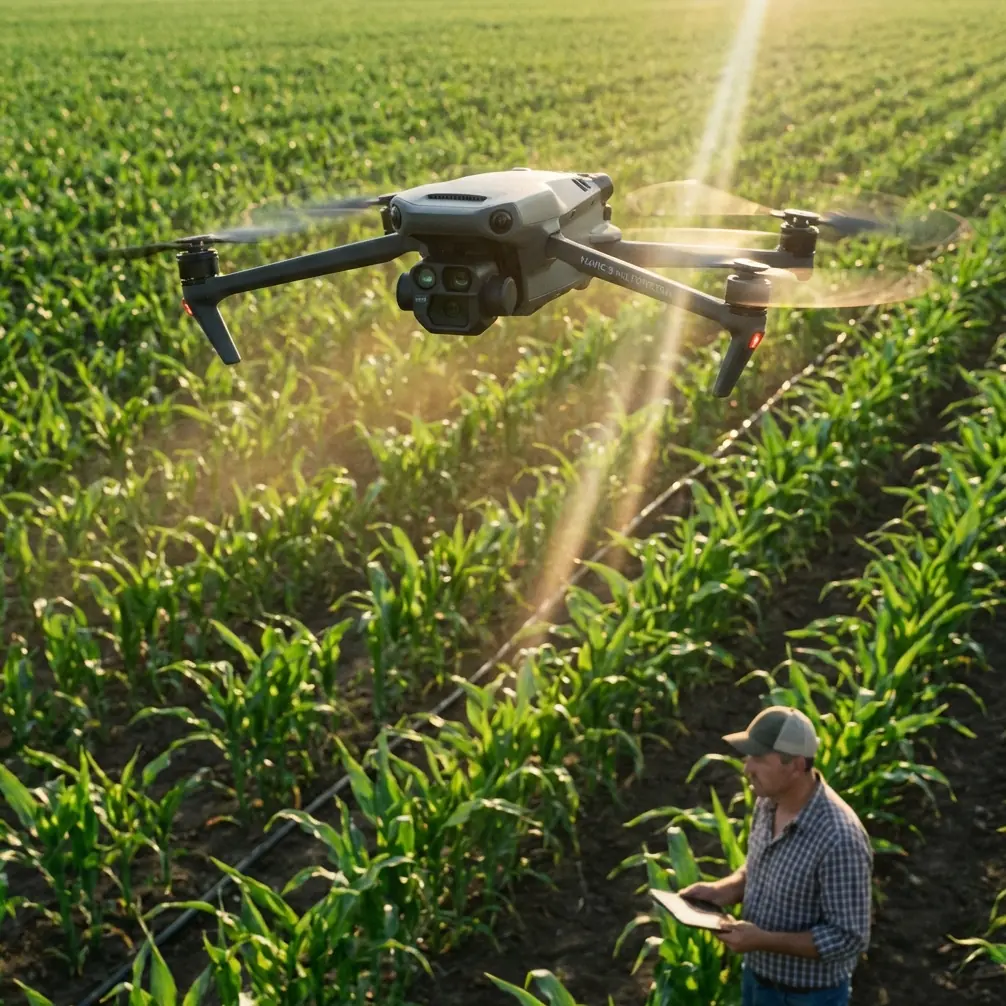
Mavic 4 Pro Field Report: Capturing Coastlines in Complex Terrain Without Breaking Your Mapping Workflow
META: A field-tested look at using Mavic 4 Pro for coastline capture in complex terrain, with practical overlap, timing, and flight altitude guidance for cleaner photogrammetry and more reliable results.
I’ve shot enough shorelines to know that coastlines are where neat flight plans go to die.
On paper, a coastal mission looks simple: trace the edge, collect your imagery, build the model. In the field, the terrain starts folding in on itself. Cliffs throw long shadows across wet rock. Sand reflects hard light. Vegetation changes every few hundred meters. Tidal edges shift the visual boundary while the wind pushes the aircraft sideways just enough to matter. If you’re flying a Mavic 4 Pro in this environment, the aircraft can absolutely handle the mission—but only if the capture plan respects what coastlines do to photogrammetry.
That’s the real story here. Not just whether the Mavic 4 Pro can make beautiful footage, but how to use it intelligently when the goal is dependable image coverage in complex terrain.
The coastline problem is not image quality. It’s consistency.
Most pilots think first about resolution, color profile, or whether to shoot D-Log for a polished final edit. Those things matter, especially if the same sortie has to serve both survey documentation and visual storytelling. But on a difficult shoreline, the bigger threat is inconsistent geometry in the image set.
Photogrammetry standards have long recognized this. Conventional aerial photography may work with forward overlap in the 56% to 65% range, but low-altitude UAV work is held to a much stricter standard: 75% to 90% forward overlap, with 80% commonly used. Side overlap also jumps substantially. Traditional side overlap might sit around 30% to 35%, while low-altitude UAV operations typically target 55% to 80%.
That difference is not bureaucratic trivia. It’s operationally decisive on the coast.
A shoreline combines abrupt elevation changes, edge conditions, reflective surfaces, and texture-poor zones. Each of those can weaken tie-point generation and produce gaps where the software has less confidence. When you raise overlap from merely adequate to intentionally conservative, you give the reconstruction process more chances to understand what it is seeing—especially along cliff edges, dune slopes, and irregular rock shelves where image matching becomes fragile.
If I were planning a Mavic 4 Pro mission over a coastline with mixed elevation, I would not treat 80% forward overlap as excessive. I’d treat it as the baseline.
Why Mavic 4 Pro makes sense for this kind of mission
The Mavic 4 Pro is attractive for coastal work because it sits in a sweet spot. It is portable enough to launch from awkward access points and stable enough for repeatable route work in terrain that rarely gives you ideal takeoff conditions. That matters more than people admit. A large aircraft may offer endurance advantages, but on real shoreline jobs, you often walk in with minimal kit, launch from a narrow overlook, then reposition quickly before the tide changes or the light collapses.
That’s where a compact professional platform earns its keep.
Its obstacle avoidance and subject awareness features also have practical value beyond cinematic flying. Along headlands, sea stacks, and cliff margins, terrain can rise into your flight path faster than it appears from the screen. Obstacle sensing does not replace planning, but it does add a layer of protection when you’re flying lateral routes along uneven coastal contours. The same goes for ActiveTrack and QuickShots—useful tools for visual content capture, yes, but secondary if your main objective is survey-grade coverage. On coastline assignments, I think of those features as supplemental, not central.
The priority remains image geometry, repeatability, and clean coverage.
My altitude rule for complex shorelines
Here’s the altitude insight I rely on most: don’t choose altitude based only on how much shoreline you want in frame. Choose it based on the highest terrain that could break your overlap.
That sounds obvious, but it gets ignored all the time.
If your route crosses a coast with significant vertical relief—bluffs, ridges, stepped rock faces, or built structures above the shore—flying too low relative to those height changes can quietly destroy the overlap you thought you had planned. A mission set at a single nominal height may still deliver very different ground sampling and image geometry as the terrain rises and falls beneath the aircraft.
The reference standards are explicit on the point: where the ground relief is large, overlap should be increased appropriately, and a 60% side overlap is commonly used to protect stereo measurement and mosaicking needs. That is the practical takeaway for Mavic 4 Pro operators on rugged coasts. If the site has real elevation variation, raise both your caution and your overlap.
My field approach is straightforward:
- For relatively flat beaches or tidal flats, a moderate working altitude can be efficient.
- For coastlines with cliffs or aggressive elevation changes, I climb enough to keep the highest terrain from compressing the image footprint too severely.
- If I cannot maintain terrain-following precision, I compensate with stronger overlap instead of pretending a flat flight plan is good enough.
In other words, the “optimal” altitude is the one that protects overlap across the worst part of the site, not the easiest part.
That usually means flying a little higher than your first instinct, then tightening the capture grid so the model remains robust. On scenic flights, lower can feel more dramatic. On mapping-oriented coastline work, slightly higher often produces better data.
Light along the coast is trickier than inland work
The second detail that matters far more than most pilots realize is timing.
The standards behind aerial photogrammetry don’t just ask for enough light. They also stress avoiding excessive shadow and choosing conditions that let surface detail appear truthfully. That’s critical on the coast, where the interaction between sun angle, rock texture, vegetation, and water reflection can wreck image usefulness even when everything looks gorgeous to the eye.
The guidance also warns against photography within 2 hours of local noon in highly reflective environments such as deserts, grasslands, forests, salt flats, saline-alkali areas, and other glare-prone surfaces. A coastline can combine several of those reflectivity problems at once: bright sand, pale rock, salt residue, shallow water, and vegetation edges.
That’s why I’m often skeptical when people insist that midday is “best because everything is bright.” Bright is not the same as usable. Harsh overhead light on reflective surfaces can flatten tonal separation, spike glare, and erase subtle texture. For photogrammetry, that means fewer reliable matching features. For visual work, it can force ugly compromises in exposure.
With the Mavic 4 Pro, shooting D-Log can help preserve tonal flexibility if you’re producing edited deliverables, but log recording does not fix poor capture conditions. If the light is wrong, the data is wrong first and the grade comes second.
On many shoreline jobs, I prefer a window that gives me enough elevation in the sun to avoid heavy cliff shadow, while staying clear of the most punishing reflective glare. That balance changes with orientation and season, but the principle holds. The best flight time is the one that reveals surface detail without creating impossible contrast.
Coverage discipline matters at the edges
Coastlines tempt pilots into narrow corridor thinking. Follow the edge, keep the sea on one side, land on the other, and you’re done.
That works for a cinematic pass. It is weak planning for reconstruction.
The source guidance emphasizes complete coverage of the target area with no uncovered gaps between flight sections. It also notes that along the flight direction, coverage should extend beyond the target zone by more than one baseline, and in practice often by more than three baselines. Across the lines, adjoining areas should overlap by a full flight strip, while track offset should remain under 10% of the image format.
This is not academic housekeeping. On a coastline, the edges are where failure hides.
If you stop your route exactly at the cliff line, exactly at the property line, or exactly at the visible point of interest, you leave no tolerance for drift, terrain-induced framing changes, or imperfect turns. Extending the capture area beyond the obvious boundary gives the processing software a buffer. It also helps if part of the shoreline includes texture-poor surfaces like wet sand or moving wash, where some frames may be less useful than expected.
With a Mavic 4 Pro, this means resisting the urge to fly the cleanest possible minimal mission. Give yourself room. Overshoot the ends. Overlap adjacent sections generously. Coastal work punishes economy.
Where the creative tools fit
I like the Mavic 4 Pro most when a single sortie has to do double duty.
You might need a map-ready image set for site documentation, then a short sequence for stakeholder communication or marketing. This is where the platform’s creative stack becomes useful. QuickShots and Hyperlapse can help produce context sequences after the primary mapping run is complete. ActiveTrack can support moving shoreline storytelling if the subject is a boat, survey vehicle, or walking inspector operating in a safe civilian setting. Obstacle avoidance is especially helpful when repositioning around outcrops or elevated paths.
But the sequence matters.
First, fly the disciplined capture mission. Lock in overlap. Protect your margins. Work the right light. Then switch modes and gather cinematic material. If you reverse that order, you risk burning the best conditions on footage that looks nice but cannot support the technical deliverable.
That is the kind of mistake clients rarely see immediately—and then absolutely notice later when the reconstruction struggles.
Weather and seasonal realism
Another overlooked point in the source material is seasonal and environmental interference. Vegetation, snow, cloud, haze, flooding, and blowing sand are all cited as factors that should be minimized so the imagery can faithfully reveal ground detail.
On the coast, translate that into practical language: don’t let “good enough” weather fool you.
Marine haze reduces contrast. Wind-driven spray can soften detail and contaminate optics. Seasonal vegetation can hide the very linework you need to document. High water can erase access paths, rock shelves, or drainage features that are critical to the project. If the mission is for inspection, planning, erosion monitoring, or pre-construction documentation, waiting for cleaner conditions often saves more time than trying to rescue compromised imagery later.
If you’re coordinating a complex shoreline assignment and want a second set of eyes on route logic or overlap planning, I’d point you to this direct coastal mission planning contact: https://wa.me/85255379740
My preferred Mavic 4 Pro workflow for shorelines
When I’m flying a complex coastal site, I keep the workflow brutally simple:
- Scout the terrain profile first. Identify the highest ground, the deepest shadow zones, and the most reflective surfaces.
- Set altitude from the worst terrain section. Don’t optimize around the easy middle.
- Start near 80% forward overlap. Increase conservatively if relief or surface complexity is severe.
- Keep side overlap strong, with 60% as a practical target in larger relief.
- Extend flight lines beyond the obvious area. Extra coverage is cheap insurance.
- Avoid the harshest reflective window. Especially where sand, salt, rock, and shallow water all compete for highlight control.
- Capture the technical set first. Creative passes come after the data is safe.
That is how the Mavic 4 Pro stops being just a capable camera drone and becomes a reliable coastal documentation tool.
The aircraft’s portability, intelligent flight features, and high-end imaging potential make it well suited to shoreline work. But what determines success is still the boring part: overlap, timing, altitude, and coverage discipline. The pilots who respect those fundamentals usually come home with both the footage they wanted and the dataset they actually needed.
Ready for your own Mavic 4 Pro? Contact our team for expert consultation.